


Intro clip use to be transparent and now displays black?
I went into Rush to make a new video using a template I have created and something has changed.
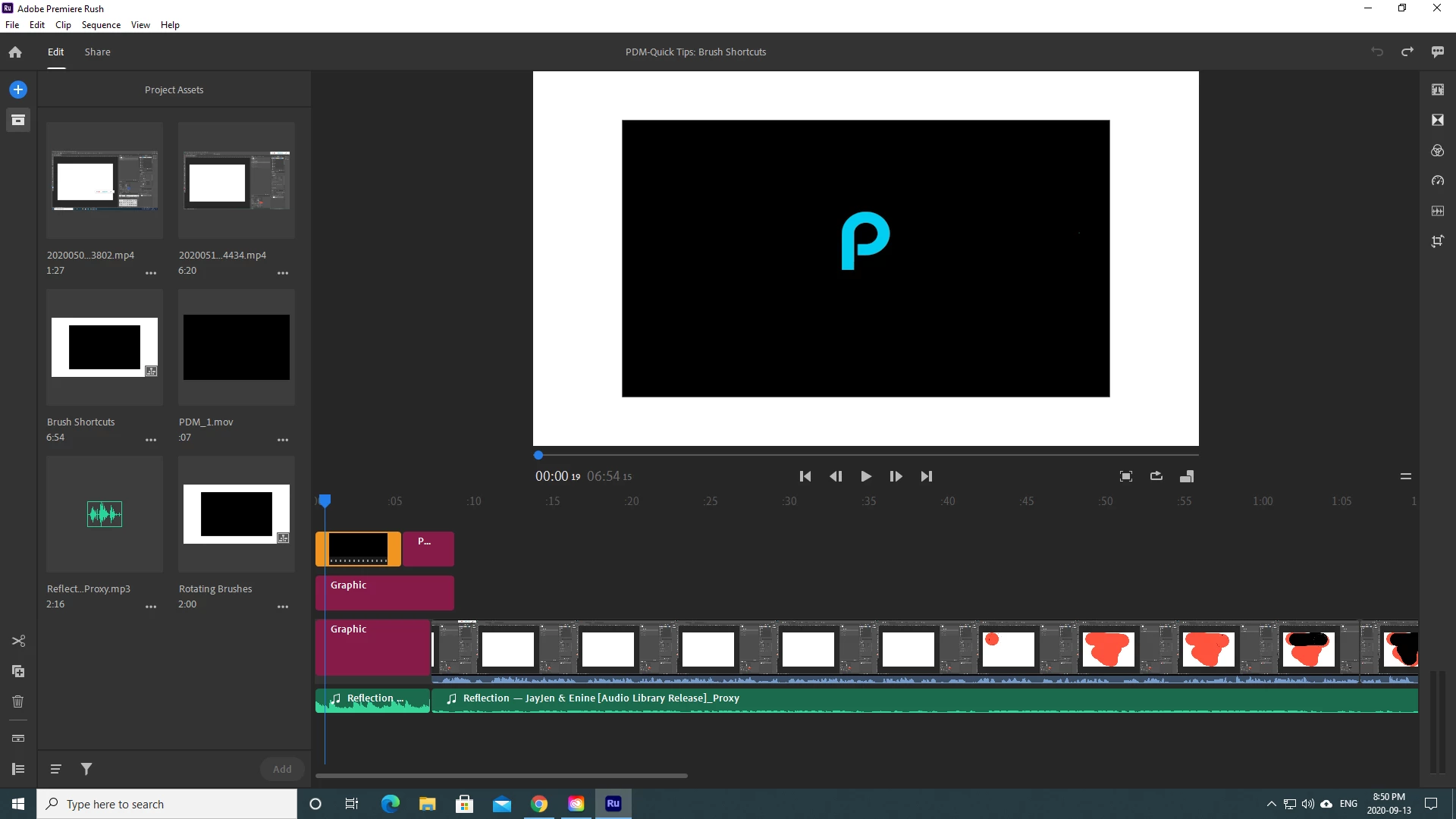
The animated intro clip of my logo use to be transparent background... I used a blank white title under it so the video clip would be animated on a white background. Now all of a sudden that same clip displays with a black background. I have changed nothing just opened up my project file again. I checked a few other project files and it is doing the same in the other projects as well.
What happened? Can I get the black background to be transparent again? I tried to revent to Rush 1.5 but it is still displaying the same way. Screen shot shows the white title is there behind the clip...
I have made sure Use Optimized Clips in unchecked. I am using Windows PC with Premiere Rush. The clip is a .mov file that was created in Adobe After Effects. Again nothing had changed and had worked fine.
 AdChoices