
Participant
February 12, 2020
Question

Missing media in projects in Premiere Rush

  • February 12, 2020
  • 11 replies
  • 16226 views

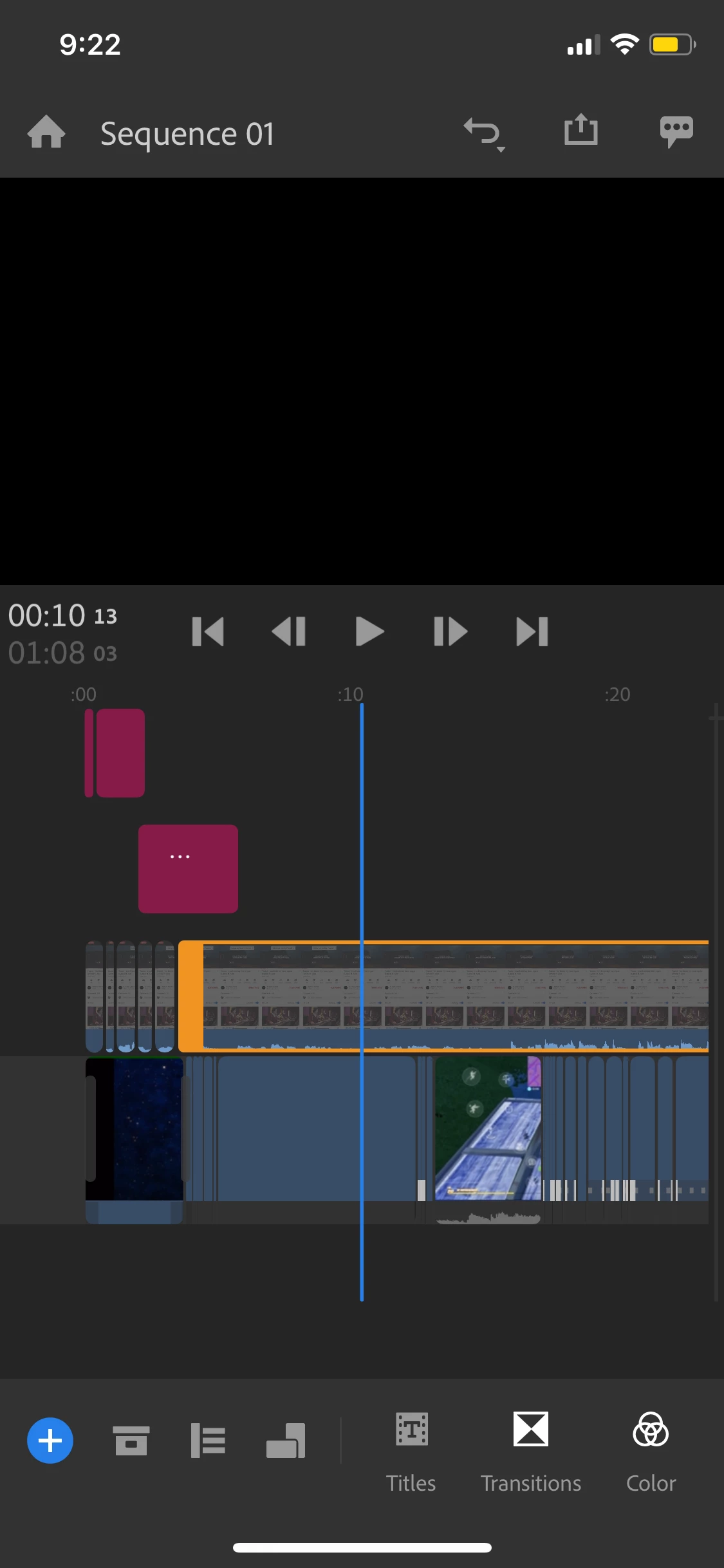
I'm working on a project on premiere rush (mobile)  but when I open the app and select my project, some of my media isn't there. It is just a blank box. It has the same editing and effects as when the media's is there, it just isn't showing the video.

Is there a way to get my videos to show again? (I don't have the "don't view button" selected)

I also can't upload anymore media - I get an "error importing media" message when I try to do so.

title edited by mod


11 replies

Kartika Rawat
Community Manager
Community Manager
February 14, 2020

Hi there,

Thanks for writing in. It looks like your media files are offline. Here is a link of the community thread that discusses a similar issue, take a look at some suggestions: https://community.adobe.com/t5/premiere-rush/after-rush-opens-my-video-grayed-out-where-are-my-videos/m-p/10901958?page=1#M3494

I also can't upload anymore media - I get an "error importing media" message when I try to do so. - What type of media files are you trying to import?

Let us know if that helps.

Thanks,

Kartika