Participant
January 2, 2020
Answered

.mogrt file not installing Adobe Rush

  • January 2, 2020
  • 4 replies
  • 8343 views

I just purchased a motion graphic template in Adobe stock that was authored/used with Premiere Pro:

https://stock.adobe.com/templates/subscribe-social-media-overlay/191700064


Every time I attempt to install it via Adobe Rush. Nothing happens and the install does not take place.


Can someone offer some help & insight on this?

 

This topic has been closed for replies.
Correct answer Kartika Rawat

I have not tried with any other as of yet. Unless there is a place to be able to download one for free to test.


Thank you for being with us. We discussed this with our Engineering team. This MOGRT file is not compatible with Premiere Rush as it is written Use With Premiere Pro. 

4 replies

Participant
April 20, 2021

I can't install either.,

And yes, the templates from STOCK say RUSH and are FREE


and tech support on chat was useless

Participant
July 24, 2021

same problem, it never gets installed

Participant
July 8, 2022

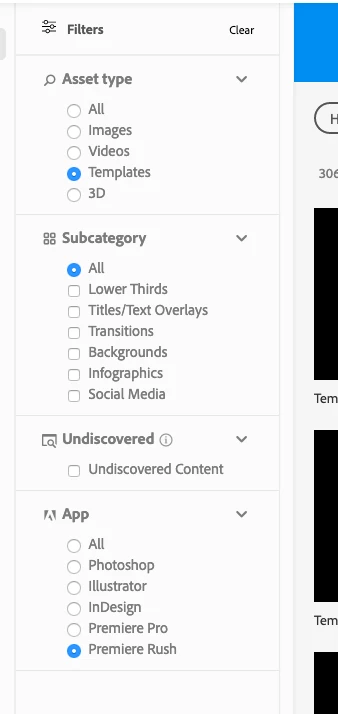
I thought it didn't work but it does. Click on this  icon choose add Image and you will see all the mogrt transitions and overlays etc.. 


Participant
December 2, 2020

Hello


I'm trying to install MOGRT-file on Rush but I don't even have the function that you are posting about. 

Is there a bug or is this how it's supposed to be?


Best regards

Participant
December 6, 2020

I'm having same problem 

Participating Frequently
January 22, 2021

The same problem, I downgraded to version 1.5.34 and it worked

Porcella1968
Participating Frequently
October 3, 2020

Did you ever get a satisfactory reply/solution to this issue?

Kartika Rawat
Community Manager
Community Manager
January 2, 2020

Hi there!

Welcome to the community. I understand that Premiere Rush is unable to import the MOGRT file. Am I correct?

We have an article that shows how to import MOGRT in Rush: https://helpx.adobe.com/premiere-rush/help/add-titles-rush.html#CreatetitlesusingMotionGraphicstemplates

Let us know if it helps.

Thanks,

Kartika


rgeracciAuthor
Participant
January 2, 2020

I do appreciate your help and response. However, my issue is not how to install the file but when I install it (using the same method you provided in the link) nothing comes up or happens. The motion template is nowhere to be found under Titles at that point.


Thanks!


Kartika Rawat
Community Manager
Community Manager
January 3, 2020

Thanks for the response.

Looking forward to your response.

Regards,

Kartika