
Participant
June 8, 2025
Question

My projects are still there but when I open the data is wiped out

  • June 8, 2025
  • 1 reply
  • 155 views

I open a project and I can see where all the cuts and edits are, but all the data is replaced with red. Very weird. 

I have desktop Windows 11. Here is a screenshot of what I see.

Luckily, I have downloaded them all already, but what will happen with future projects and is it recoverable?
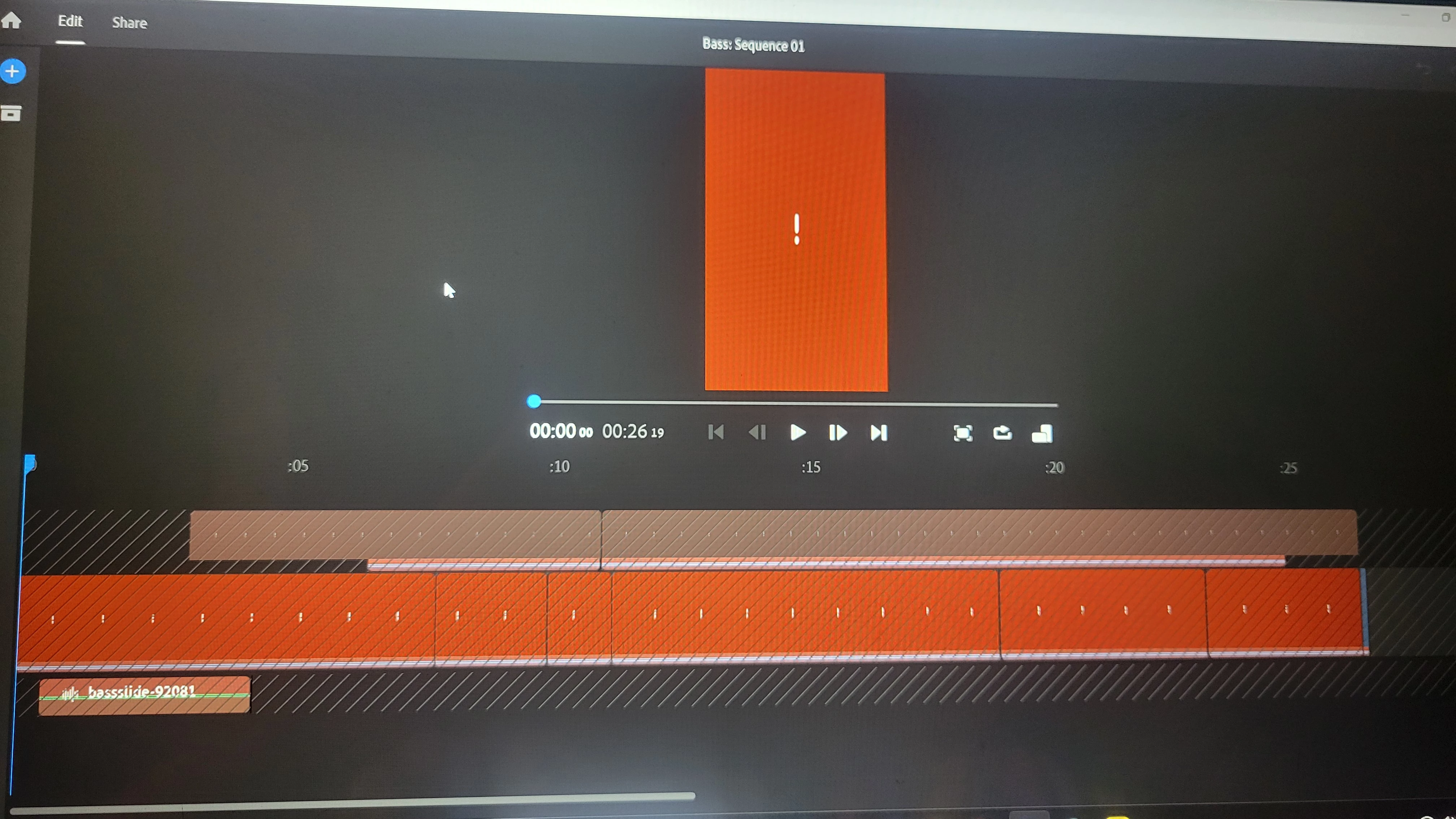
1 reply

Kevin-Monahan
Community Manager
Community Manager
June 9, 2025

Hi,

That can happen if you move the media from one folder to another or from one drive to another. It can also happen with remote storage, like NAS and SANs. Let me know more about your system and workflow and I hope I can help you prevent this from happening in the future.


Thanks,
Kevin


Kevin Monahan - Sr. Community & Engagement Strategist – Pro Video and Audio
matt_1555Author
Participant
June 10, 2025

Thank you for replying. I haven't moved anything that I know of, outside of downloading the finished pieces and put into a video folder on the same computer that I use the program. In the program they are just sitting in "Your Projects." 

I am using Premiere Rush v. 2.10.0 on a HP laptop using Windows 11. I am not sure what other info would be helpful.

matt_1555Author
Participant
June 10, 2025

I should add, the original raw footage I just had on my desktop and I have since organized the clips and stored in a file in a different spot on the computer. I'm reading that perhaps me moving the files might have unsynced them? I wasn't utilizing the Cloud at all so they were never syncing there.