
Participant
May 30, 2023
Question

Pixelation in Spliced Videos

  • May 30, 2023
  • 1 reply
  • 136 views

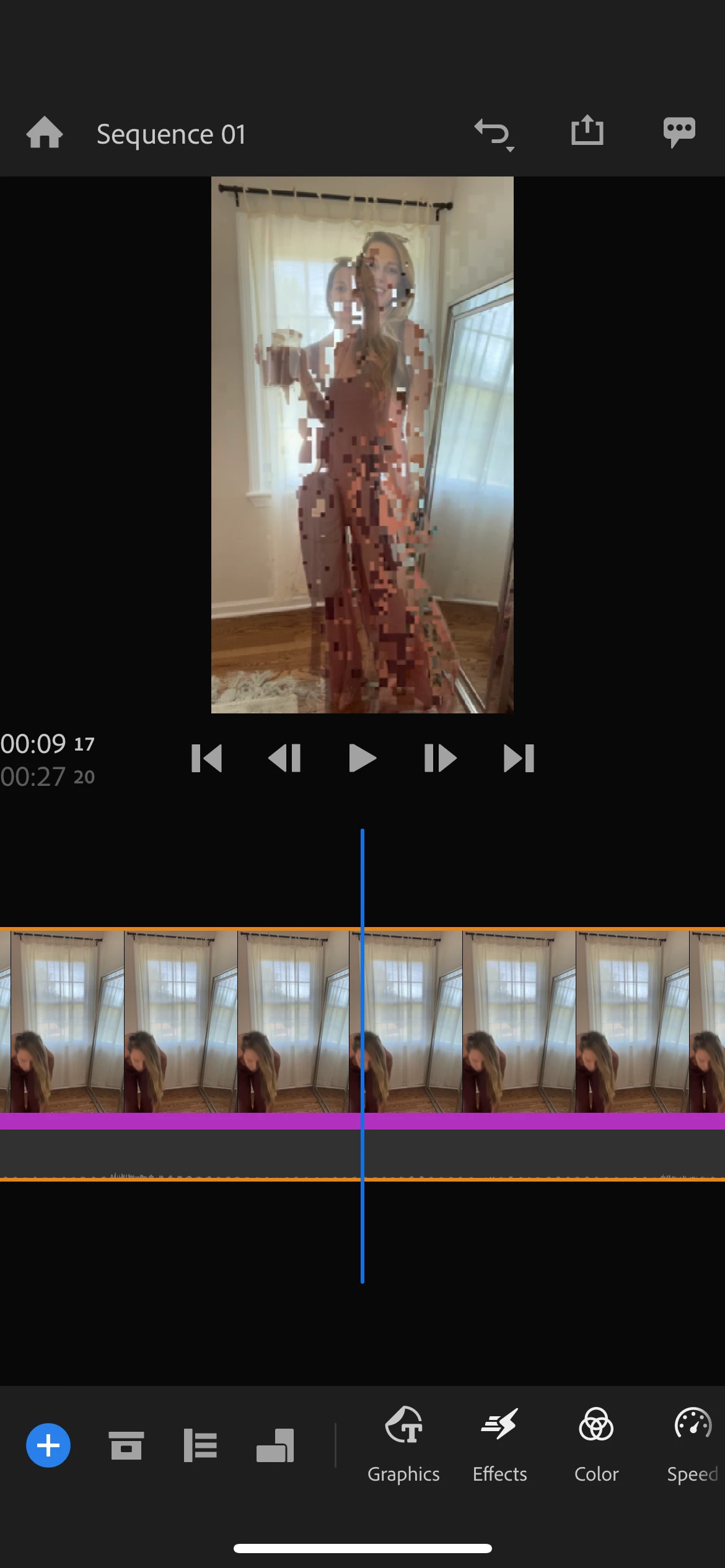
I create a lot of Reels in Rush by splicing videos together and then either speeding up or slowing down the clips. Almost every single video ends up with a pixelated/glitchy frame somewhere in it and I can't figure out how to get this to not happen. If I change the speed of any of the clips, the part that pixelates moves so it's nothing to do with the actual clips I'm bringing into Rush. I always leave the app open while importing clips until they are fully synced. I don't understand what could be causing this and how to fix it. Screenshot of an example.
This topic has been closed for replies.

1 reply

Kevin J. Monahan Jr.
Community Manager
Community Manager
June 1, 2023

Hi @Becca28522918k26w,

Sorry about the visual artifacts. Is this on a computer or mobile device? If on a computer, you might try updating any GPU drivers. See if that works for you.


Thanks,
Kevin

Kevin Monahan - Sr. Community and Engagement Strategist – Adobe Pro Video and Audio
Participant
June 2, 2023
This is on mobile. I have not tried it on desktop because I primarily edit
on my phone for what I do. Please let me know the fix for this glitch.
thank you!
Kevin J. Monahan Jr.
Community Manager
Community Manager
June 2, 2023

Hey Becca,

Got it. Usually, these kinds of glitches happen if your phone cannot handle all the processes you are asking it to do.


Some things to try...

  • If you are adding color effects, you might try not adding any in a test to see if the problem goes away.
  • If are working with a 4K file, try an HD file.
  • If you are shooting at 60 frames per second, try shooting at 24 frames per second. I
  • f you are using an unsupported phone, then that can also be a source of problems like this. Check system requirements to see if your phone is listed there.
  • If the phone is supported, make sure you are running on the latest version of iOS or Android.


If there is any other info you can share, then that would also be useful. I hope that the advice here can help avoid these graphics processor issues. Let us know how it goes after trying a few of these tests.


Thanks,
Kevin

Kevin Monahan - Sr. Community and Engagement Strategist – Adobe Pro Video and Audio