


Question
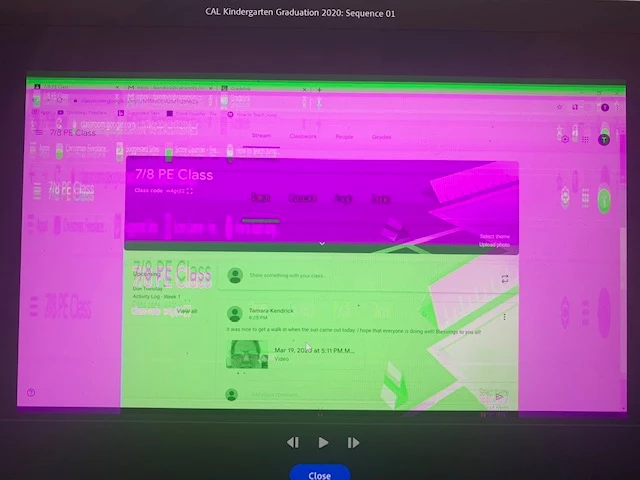
Premeire Rush video quality turns green and pink
I am new to Premiere Rush and to video editing in general. Whenever I upload my videos into Premiere Rush, the video is discolored. Kind of a purplish filter over top of it with green lines. I'm not sure why it is doing that. Does anyone have any idea as to why it is doing that and how I can fix it? I have a pic of what it looks like below. Thank you.
Edition: Windows 10 Home
Processor: Intel Core i7-6700HQ CPU
System type: 64-bit operating system
Title edited by mod
 AdChoices