Participant
February 3, 2025
Answered

Problem when importing a video

  • February 3, 2025
  • 1 reply
  • 185 views

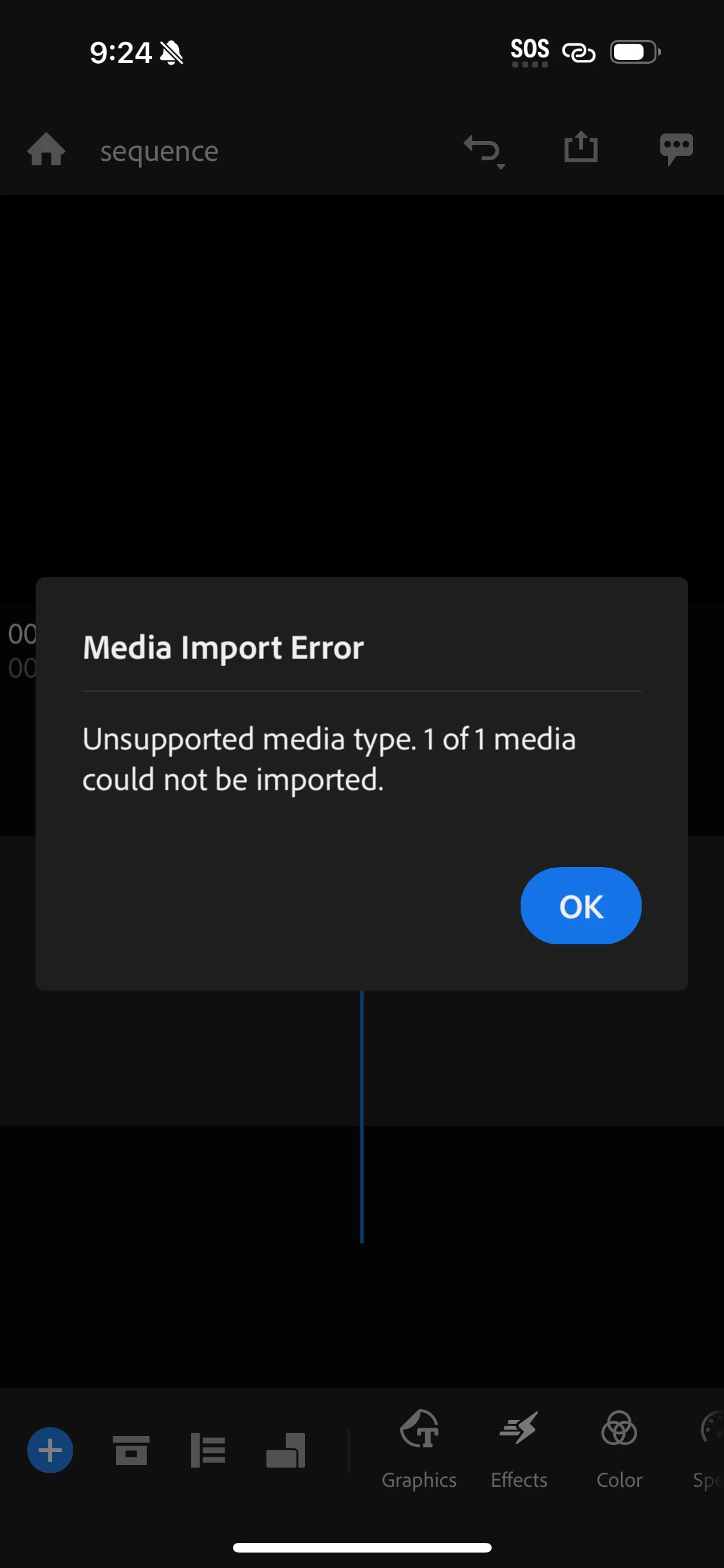
I have a problem posting a video to create a video 
Correct answer Kevin J. Monahan Jr.

I have to change the .heic photos to .jpg files. You can do that in a lot of different programs. Let me know if you need help. Glad the vids are working, @Mae-mae!


Cheers,
Kevin


1 reply

Kevin J. Monahan Jr.
Community Manager
Community Manager
February 3, 2025

Hello @Mae-mae,

Thanks for the message. Try switching off "spatial audio" in your camera settings. Let us know if it works or not.


Thanks,
Kevin


Kevin Monahan - Sr. Community and Engagement Strategist – Adobe Pro Video and Audio
Mae-maeAuthor
Participant
February 6, 2025

Thank you so much Mr Kevin. It works now for the videos. 
Now my problem is when I take photos using my new iPhone 16 Pro Max, it become error when importing into Premiere Rush, not supported. What should I do for the settings? Please help! Thank you so much🙏

Kevin J. Monahan Jr.
Community Manager
Kevin J. Monahan Jr.Community ManagerCorrect answer
Community Manager
February 11, 2025

I have to change the .heic photos to .jpg files. You can do that in a lot of different programs. Let me know if you need help. Glad the vids are working, @Mae-mae!


Cheers,
Kevin


Kevin Monahan - Sr. Community and Engagement Strategist – Adobe Pro Video and Audio
