
Participant
January 11, 2022
Answered

Project Doesn't Open - Gray Screen of Death

  • January 11, 2022
  • 1 reply
  • 735 views

Help! I am heartbroken -- after spending 15 hours working on a project, it now will not open. When I open it I just get a gray screen. I can open other projects just fine. I can start new projects. But this big project I was almost done with doesn't open.


I last worked on the project last night. When I was done I returned to the Home screen, then closed Rush as normal. 


From the gray screen of death, I can't even return to the Home screen. 

Every drop-down menu is grayed out with no options, except Help and File > New/Exit
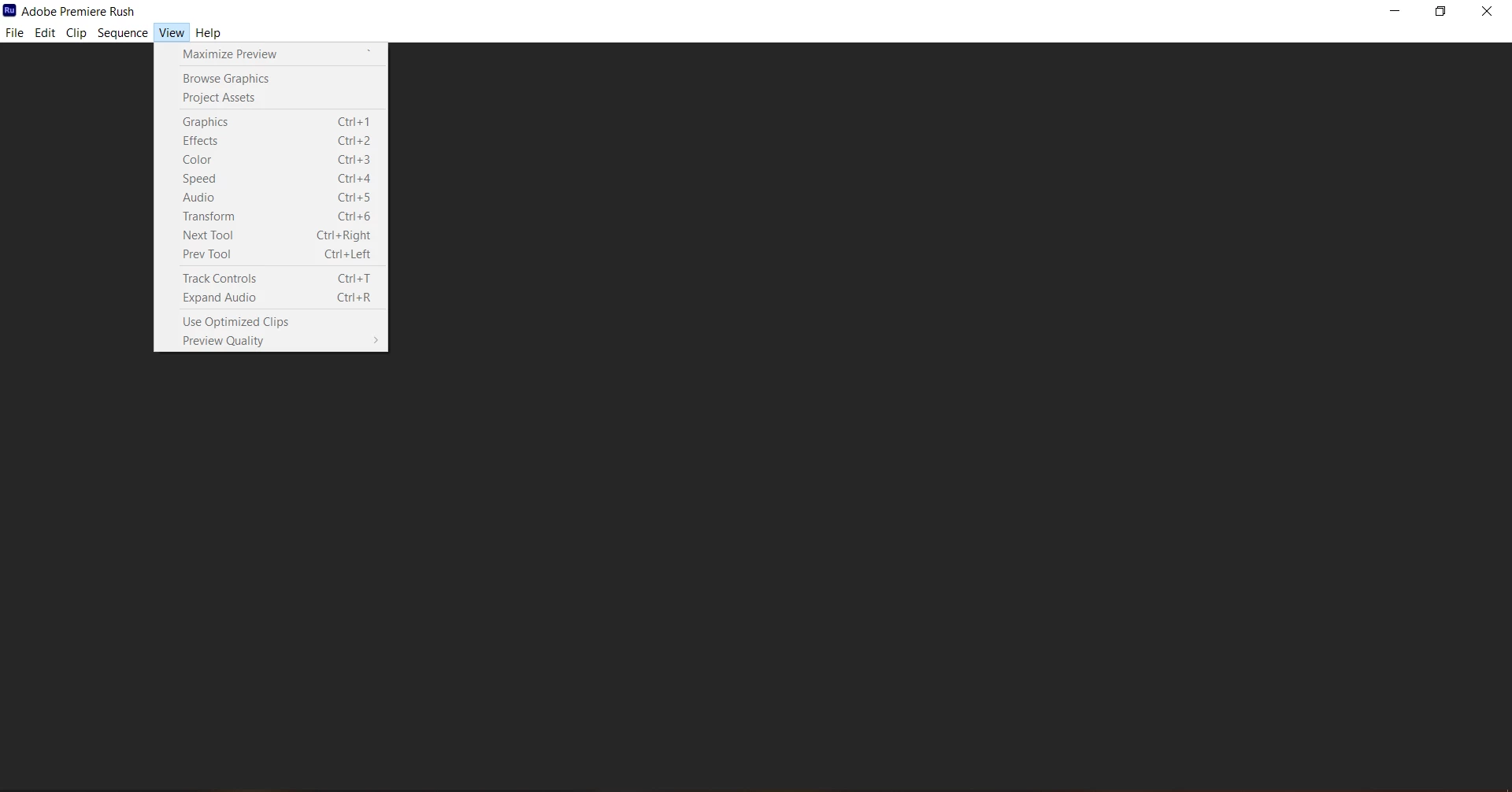
 

Things I have tried that have not helped:

  • Logged out of all Adobe apps and back in
  • Restarted computer
  • Logged out via Help > Sign Out, then restart, then log back in
  • Turned Sync off and back on
  • Made a duplicate of the project - that duplicate also gives the gray screen of death
  • Ensured Creative Cloud and Rush are updated
  • Ensure drivers are updated


I can see the temp files for the project in C > Users > [ME] > Creative Cloud Files > Adobe > Assets


My system info:

  • OS: Windows 10 Pro
  • CPU: Intel Core i7-8700 3.2GHz
  • Graphics Card: NVIDIA GeForce GTX 1060 6GB
  • RAM: 32GB
  • C Drive: 512 GB SSD (98GB free)


I've made dozens of projects over the past two years without problems, but this error is pretty brutal -- really hoping someone has a solution. 


This topic has been closed for replies.
Correct answer default226033377s1t5o

Spent almost an hour with Adobe customer support on this. They eventually said that the file is corrupted and there is nothing that can be done to save it. Back in my younger days of editing, I'd save backups of complicated projects, but apparently Adobe doesn't do that. I did ask if there was any way I could save my own backups locally in the future, and was told no. So to summarize:


  • You cannot save backups / version backups of your files locally; they must be stored in the cloud automatically by Adobe
  • Adobe does not have any backup versions
  • The file can randomly be corrupted at any point, and all your work is lost. And Adobe just shrugs and says "oh well"


The rep did repeatedly say that if I used Premiere Pro I might not have these problems. Don't think I need that level of software, and definitely sounds like Rush is not a reliable option. 

1 reply

default226033377s1t5oAuthorCorrect answer
Participant
January 11, 2022

Spent almost an hour with Adobe customer support on this. They eventually said that the file is corrupted and there is nothing that can be done to save it. Back in my younger days of editing, I'd save backups of complicated projects, but apparently Adobe doesn't do that. I did ask if there was any way I could save my own backups locally in the future, and was told no. So to summarize:


  • You cannot save backups / version backups of your files locally; they must be stored in the cloud automatically by Adobe
  • Adobe does not have any backup versions
  • The file can randomly be corrupted at any point, and all your work is lost. And Adobe just shrugs and says "oh well"


The rep did repeatedly say that if I used Premiere Pro I might not have these problems. Don't think I need that level of software, and definitely sounds like Rush is not a reliable option.