


Participant
Dec 9, 2022 2:19 PM UTC
Answered

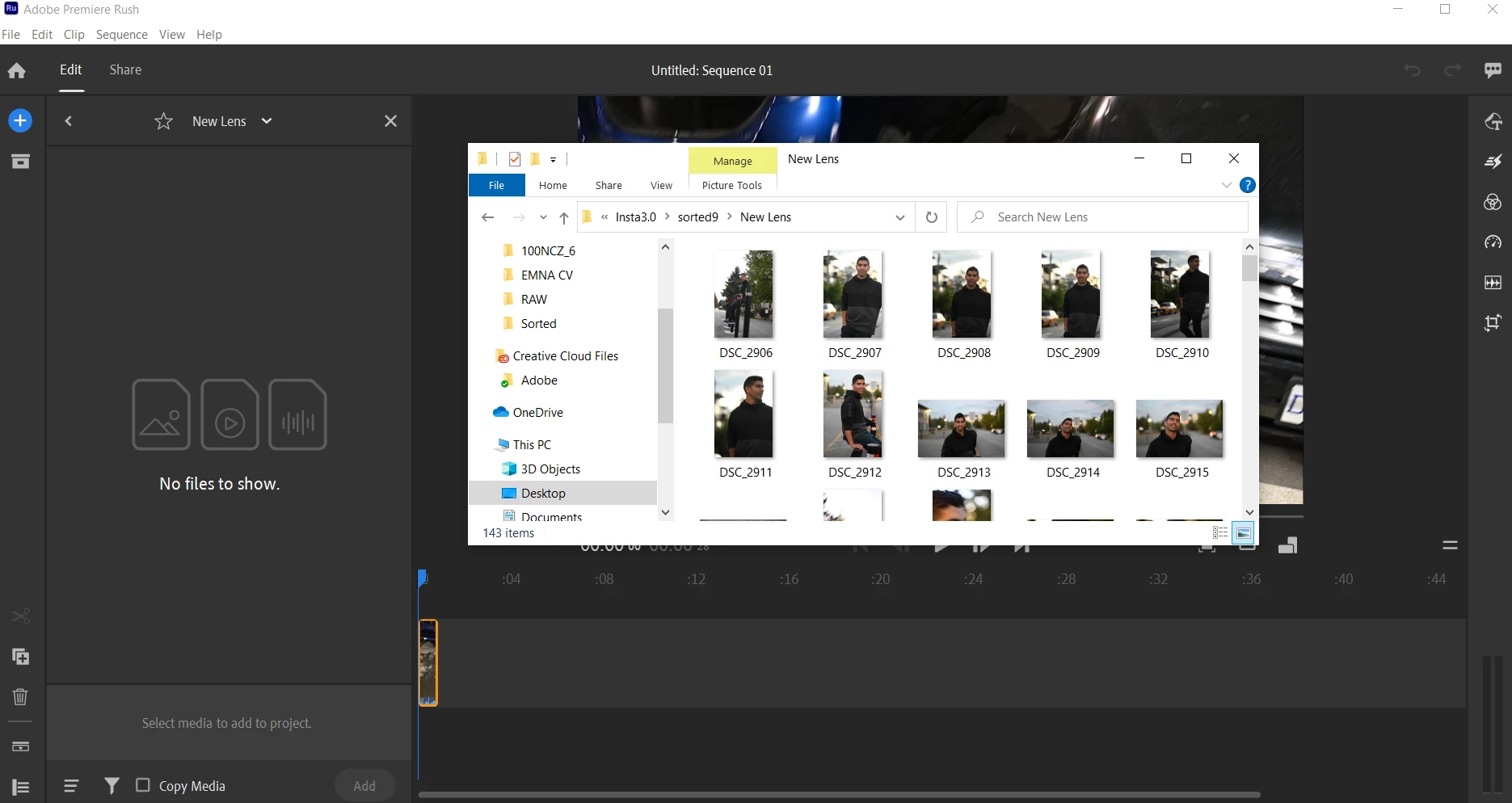
Rush does not display raw photos in Media tab to import to project

The photos do exist in the folder (see windows explorer window), yet when I try to import them from the media tab, no files are there to show. Please see screenshot below and advise.

Thanks,
 

This topic is closed to new replies. Start a new post to keep the conversation going.
Kevin J. Monahan Jr.
Kevin J. Monahan Jr.Correct answer
Legend
Jul 14, 2023 11:37 PM UTC

Hi @David30882914z2gs,

Those files are not supported, unfortunately: https://helpx.adobe.com/premiere-rush/help/import-footage.html


Thanks,
Kevin

Kevin Monahan - Sr. Community and Engagement Strategist – Adobe Pro Video and Audio

4 replies

Kevin J. Monahan Jr.
Legend
Jul 10, 2023 8:53 PM UTC

Hi @Amed27505181kaj2 & @David30882914z2gs ,

Thanks for the question. What is the format of these photos? I hope we can help.


Thanks, 

Kevin

Translate
Kevin Monahan - Sr. Community and Engagement Strategist – Adobe Pro Video and Audio
Participant
Jul 11, 2023 7:25 PM UTC

Hi Kevin.  Thank you for the reply.  Mine are in Raw or CR2 format.

Translate
Kevin J. Monahan Jr.
Kevin J. Monahan Jr.Correct answer
Legend
Jul 14, 2023 11:37 PM UTC

Hi @David30882914z2gs,

Those files are not supported, unfortunately: https://helpx.adobe.com/premiere-rush/help/import-footage.html


Thanks,
Kevin

Translate
Kevin Monahan - Sr. Community and Engagement Strategist – Adobe Pro Video and Audio
Participant
Jul 4, 2023 9:27 PM UTC

I am experiencing the same problem.  Did you ever get any guidance on this?

Translate
