

glynne7
Participant
July 31, 2021
Question

Saving Work In Progress Using Premiere Rush.

  • July 31, 2021
  • 2 replies
  • 3927 views

I'm new to Premiere Rush and have uploaded some stills and short video clips to practice with on the app.

As I'm working I get a pop-up telling me the program was unable to save my file and to close the app to save my work.
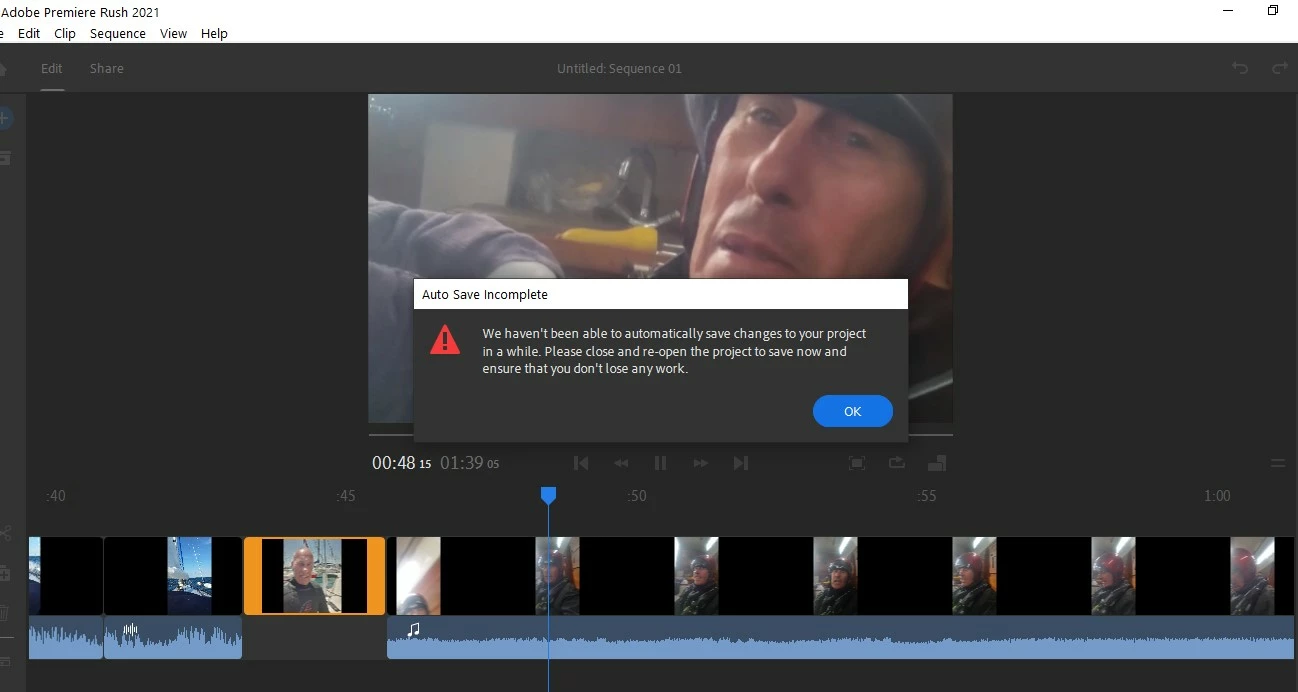


Sounds Odd.  I check under the 'file' tab and there is no 'save' or 'save as' function.

So I close the program.  It freezes.  "Not Responding"

I try a few times.  Same result.  So I share and save to desktop .....  ok

I continue editing video.  But still doesn't auto-save and goes non-responsive.

So, how do I save a work-in-progress and stop the program from crashing.

At the moment it's not conducive for me to invest subscribing to.

Thank you in anticipation .....    Glynne

This topic has been closed for replies.

2 replies

Participant
August 5, 2021

Yeah id say this a serious deal breaker to using adobe rush , a manual save feature should be mandatory with all editing software. Doesnt matter where it stores i.e cloud or local you guys need to put one in ASAP this has been an ongoing issue for users since you launched this program, ive also lost work due to this ...

Participant
December 14, 2022

a year + 1/2 later, and there is still no save function and it still crashes half an hour into editing. giving me no way to save my progress and come back at a later date. have to export the video and obviously then unable to re-edit the raw clips as before... 

Kartika Rawat
Community Manager
Community Manager
August 2, 2021

Hi Glynne!

Sorry about that. Premiere Rush sync and save your project on Creative Cloud. There's no option to manually save your work. You can save your project to Creative Cloud


Let us know if that helps.


Thanks,

Kartika