
Inspiring
September 21, 2022
Answered

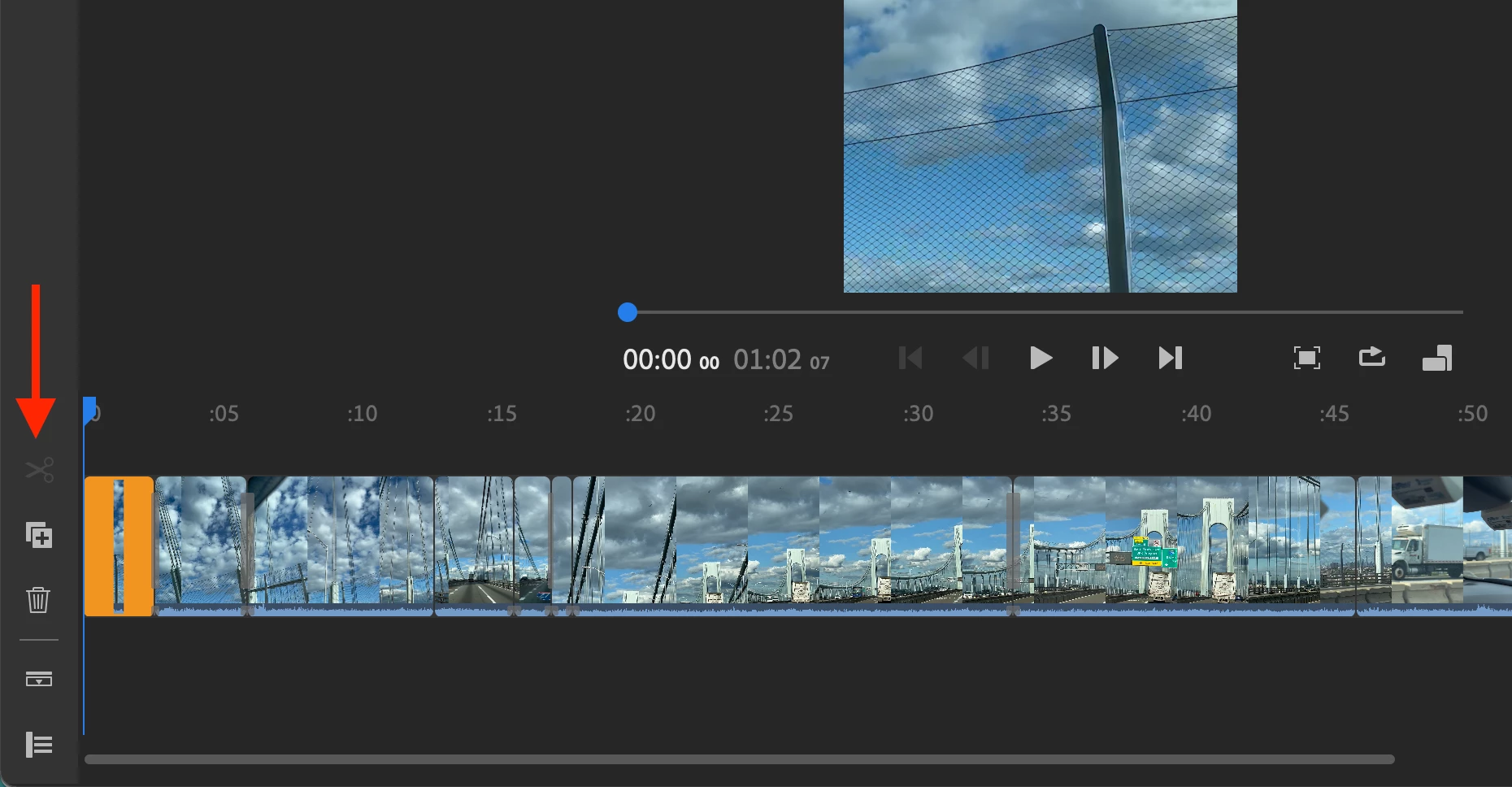
Scissors grayed out - unable to clip

  • September 21, 2022
  • 3 replies
  • 1619 views

I've been editing a video on desktop with no problems, and all of a sudden the scissors are grayed out, and I'm unable to cut my video. I closed the program and reopened it. Same. I don't know exactly what I was doing before this happened. Nothing obvious stands out. How do I enable the scissors?
 

Correct answer Alistair25058450xa1q

Don't know if you ever found a solution, but I have managed to get the scissors back. I changed the clip speed from 100% then changed it back to 100% and scissors were there. This would suggest to me that it is a bug. Judging previous top notch 'support' from Adobe it will never be addressed. 

3 replies

Participant
August 24, 2023

I had the same issue and tried a few things but it seems it was the fact i had deleted the audio off of the clips that was causing it. Solution for me therefor is to do the audio last (which makes sense anyway).

Alistair25058450xa1qCorrect answer
Participant
February 10, 2023

Don't know if you ever found a solution, but I have managed to get the scissors back. I changed the clip speed from 100% then changed it back to 100% and scissors were there. This would suggest to me that it is a bug. Judging previous top notch 'support' from Adobe it will never be addressed. 

Participant
June 16, 2023

Yay! Thank you! This works in restoring the scissors.

Kartika Rawat
Community Manager
Community Manager
September 27, 2022

Hi there!

Thanks for sharing a screenshot. What happens when you move the blue CTI to the right? It will highlight the scissor tool.


Let us know how it goes.

Kartika

Participant
February 19, 2023

Kartika, what is the blue CTI?   My scissors have also grayed out AND split also does not split.  This is iPhone 14 IOS