
Participant
November 7, 2021
Answered

South asian unicode character rendering problem with Adobe Bengali Font

  • November 7, 2021
  • 2 replies
  • 1210 views
Adobe Premier Rush: v1.5.62 (build 61)
I am trying Unicode characters in Bengali. This is how it looks originally in the browser- 
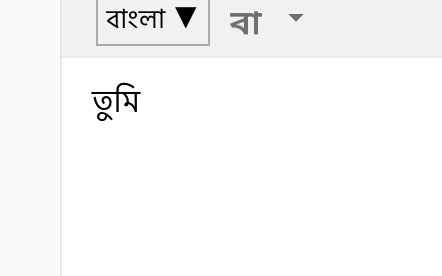
Then when I copied and pasted in Adobe Rush, it looks like this on the screen (RED MARK)-
But interestingly that is OK in the Adobe Rush component (GREEN MARK)
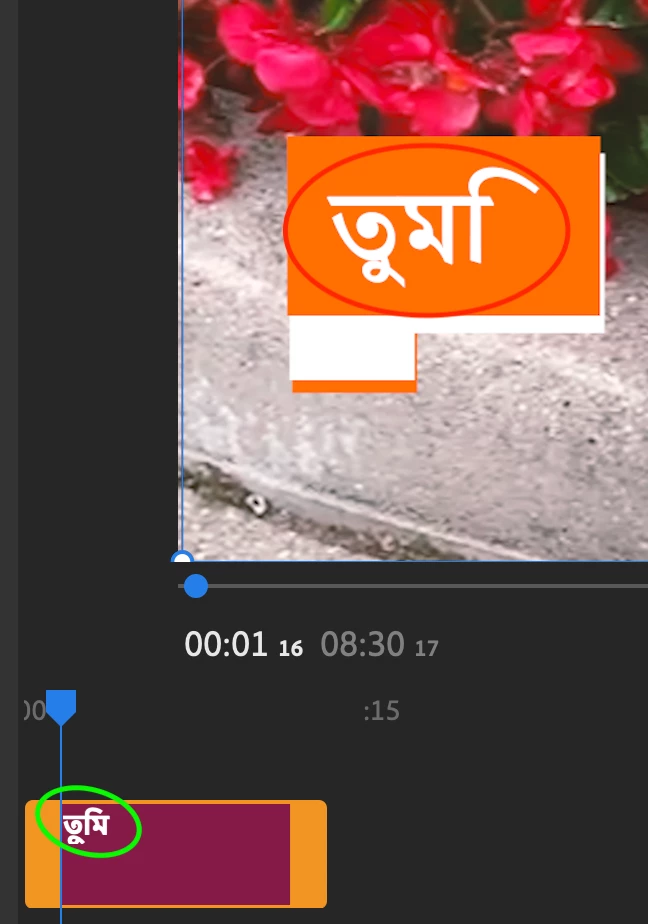
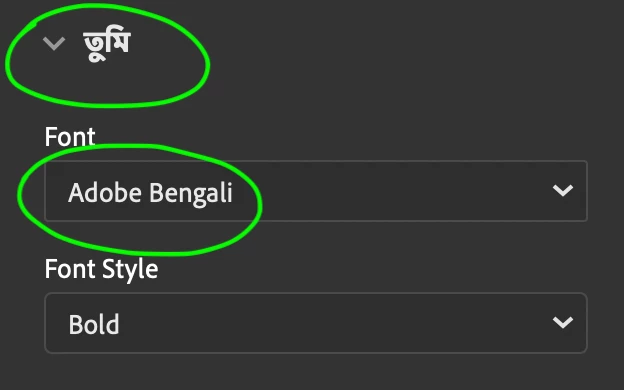
And this is also OK on the properties section- 
And note that, I am using Adobe Bengali (Adobe suggested font for Bengali language). 
Should I consider this as an Adobe bug or something else? Is it a known issue or am I doing somethign wrong? Can you please suggest anything. As there is no option to put individual text without templates I have no solution for that. Thanks for understanding. 
 
This topic has been closed for replies.
Correct answer Souradipta Ghosh

Go to edit > preferences > Type then select middle east asian and restart the project....

2 replies

Souradipta GhoshCorrect answer
Participant
September 19, 2023

Go to edit > preferences > Type then select middle east asian and restart the project....

Participant
November 21, 2024

I didn't find the middle east and asian option after effect 2025 version. how can I solve the bengali font issue on AE?

Participant
August 23, 2022

Hi Adnan, I have hot a similar issue in after effects, Did you get any resolution for this issue. Thanks in advance

Participant
November 2, 2022

I am having the same problem. Did you get a resolution ? Thanks in advance !