Hamsa108
Participant
March 10, 2019
Answered

Speed of playback

  • March 10, 2019
  • 3 replies
  • 2236 views

Can you help me - the speed of play back is so fast - it has suddenly happened.

I cannot edit them properly.

the question is how to get the playback or scrolling back to normal.

I recorded in normal speed

    Correct answer mayjain7130546

    Hi hamsa108,

    Thanks for your interest in Premiere Rush.

    Have you mistakenly clicked on the Fast Forward icon in Monitor controls (C options) during Playback ?

    Step forward/backward one frame buttons change to Fast Forward/Rewind during playback in the Desktop version.
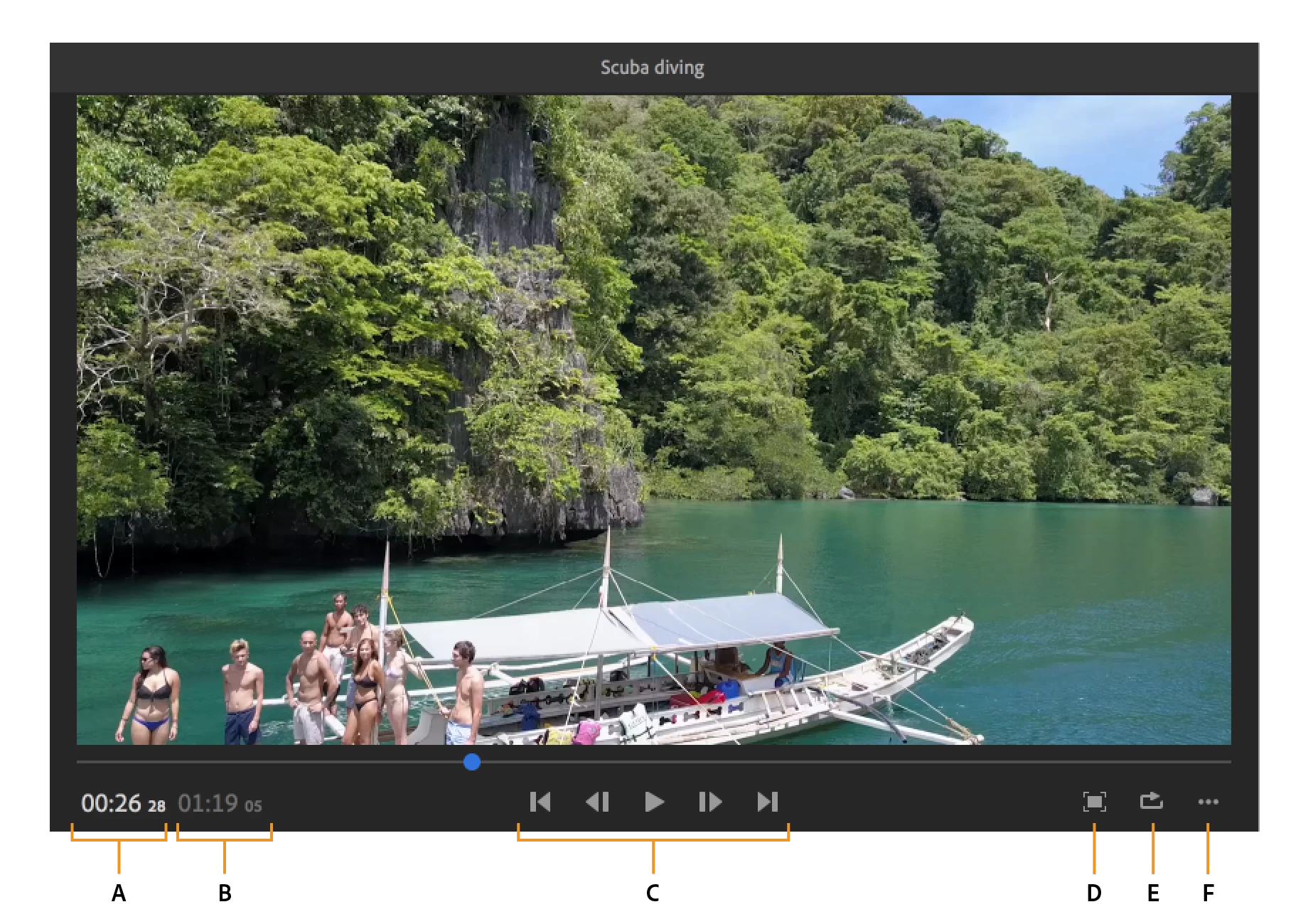
    If no, can you please mention the OS version and device you are working on ?

    Screen recording of your issue should be a great help to understand the problem.

    You can also submit feature requests for anything you would like to see in Rush here: https://adobe-video.uservoice.com/forums/916423-premiere-rush

    Keep highlighting your doubts. !

    Thanks,

    Mayjain

    3 replies

    Participant
    July 7, 2021

    I recently had this same issue. Best I can tell, the only way to control playback speed in the app is using the 'L' key, but even at it's lowest speed it was still too fast.


    The fix for me was to go to Preferences and then chance the Audio Input dropdown to No Input. I'm not sure why this was causing the issue, but it's working correctly now.

    Participant
    April 12, 2022

    I just had the same problem happen. I had left a mic hooked up and for some reason, the playback was sped up. I was pulling my hair out idk if this is a known issue but, I am glad I happened to find this.

    thank you jeremyl94198055 you da best 

    caroline_edits
    Community Manager
    Community Manager
    March 15, 2019

    Hi Hamsa!

    Is your video playing back correctly now? Let us know!

    Caroline

    mayjain7130546Community ManagerCorrect answer
    Community Manager
    March 10, 2019

    Hi hamsa108,

    Thanks for your interest in Premiere Rush.

    Have you mistakenly clicked on the Fast Forward icon in Monitor controls (C options) during Playback ?

    Step forward/backward one frame buttons change to Fast Forward/Rewind during playback in the Desktop version.

    If no, can you please mention the OS version and device you are working on ?

    Screen recording of your issue should be a great help to understand the problem.

    You can also submit feature requests for anything you would like to see in Rush here: https://adobe-video.uservoice.com/forums/916423-premiere-rush

    Keep highlighting your doubts. !

    Thanks,

    Mayjain

    Participant
    February 5, 2025

    I also had this problem, and I found that I could get out of it by just pressing the L key until max speed to end of the clip.  Then when it jumped to the beginning, it reset to normal speed.  Very annoying.  Should just have a button for "normal", 2x, 3x, etc.