Participant
April 16, 2020
Answered

Troubles with timeline when using Premiere Rush

  • April 16, 2020
  • 1 reply
  • 653 views

Hello,

I've been struggling with zooming in and zooming out in timeline when using Premiere Rush. I have one 1:14:20 video that was taken in one shot. I've tried using laptop's touch pad to zoom in/out with two fingers, I tried doing so with the little ball on the mouse, I tried = and -, but nothing seems to work... I want to crop the beginning and the end of the video, add pictures before and after the video togehter with logo that would be visible throughout the whole video. 

I would really appreciate community help! Thank you!


This topic has been closed for replies.
Correct answer petergaraway

Hi Eimante, 


I would try resetting your preferences:

  • Press the Alt key while launching Rush. Keep holding down until the "Reset your Preferences" dialog appears. Click OK. 

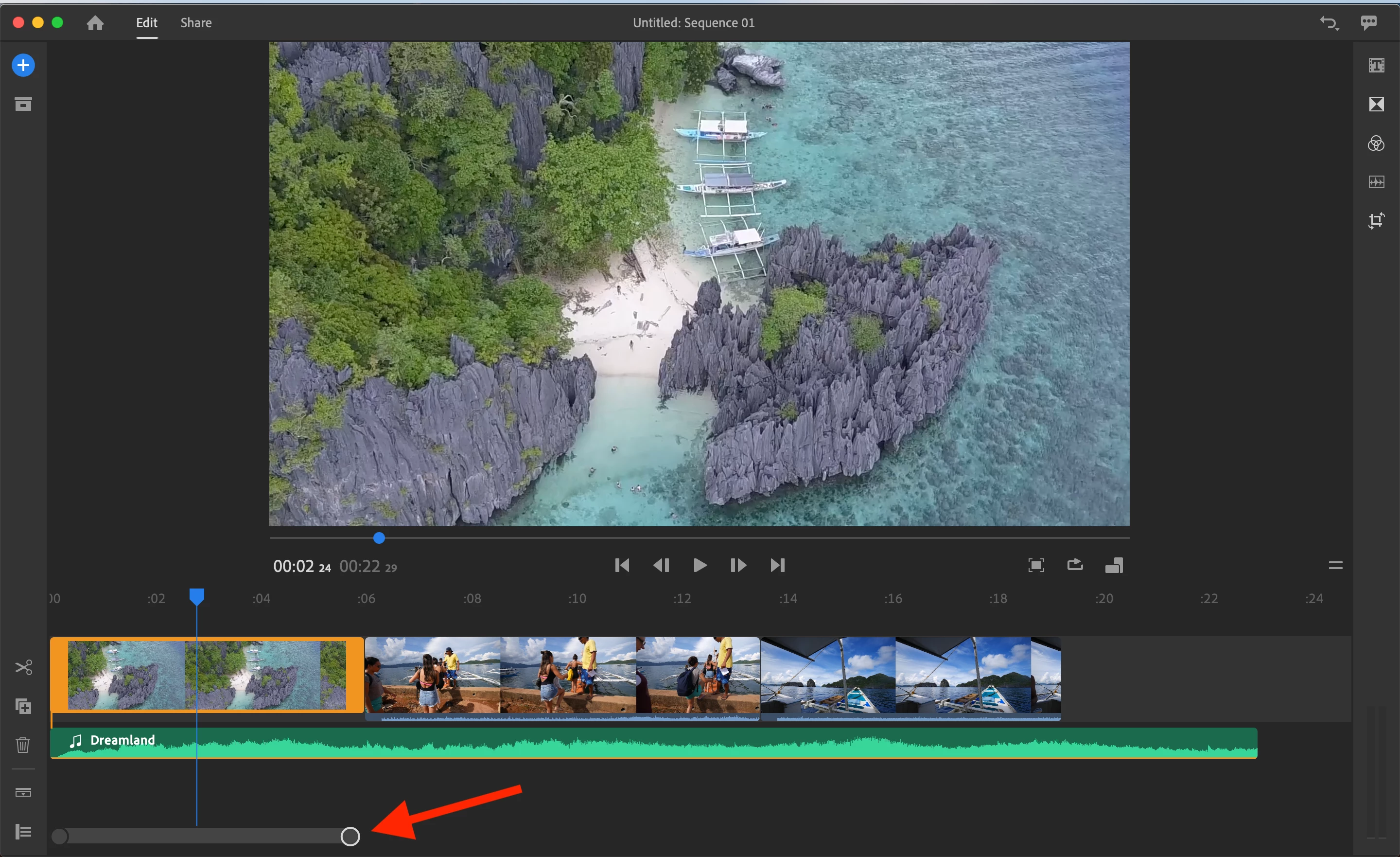
Hopefully, that fixes the issue. There's also one other way outside the methods you tried to zoom is using the zoom bar at the bottom of the timeline. See pic below. 


Hope this helps!


Peter

1 reply

petergaraway
petergarawayCorrect answer
Participating Frequently
April 16, 2020

Hi Eimante, 


I would try resetting your preferences:

  • Press the Alt key while launching Rush. Keep holding down until the "Reset your Preferences" dialog appears. Click OK. 

Hopefully, that fixes the issue. There's also one other way outside the methods you tried to zoom is using the zoom bar at the bottom of the timeline. See pic below. 


Hope this helps!


Peter

Participant
April 16, 2020

Hey Peter,

Thank you for the advice! I did everything as you suggested and found a way to use the timeline. 

Eimante