
Answered
URGENT: How to set the end point for premiere rush?
I have my video project here, with all this empty space at the end. I can't see any way to delete it. How can I set the correct end point? Please help! Thanks!
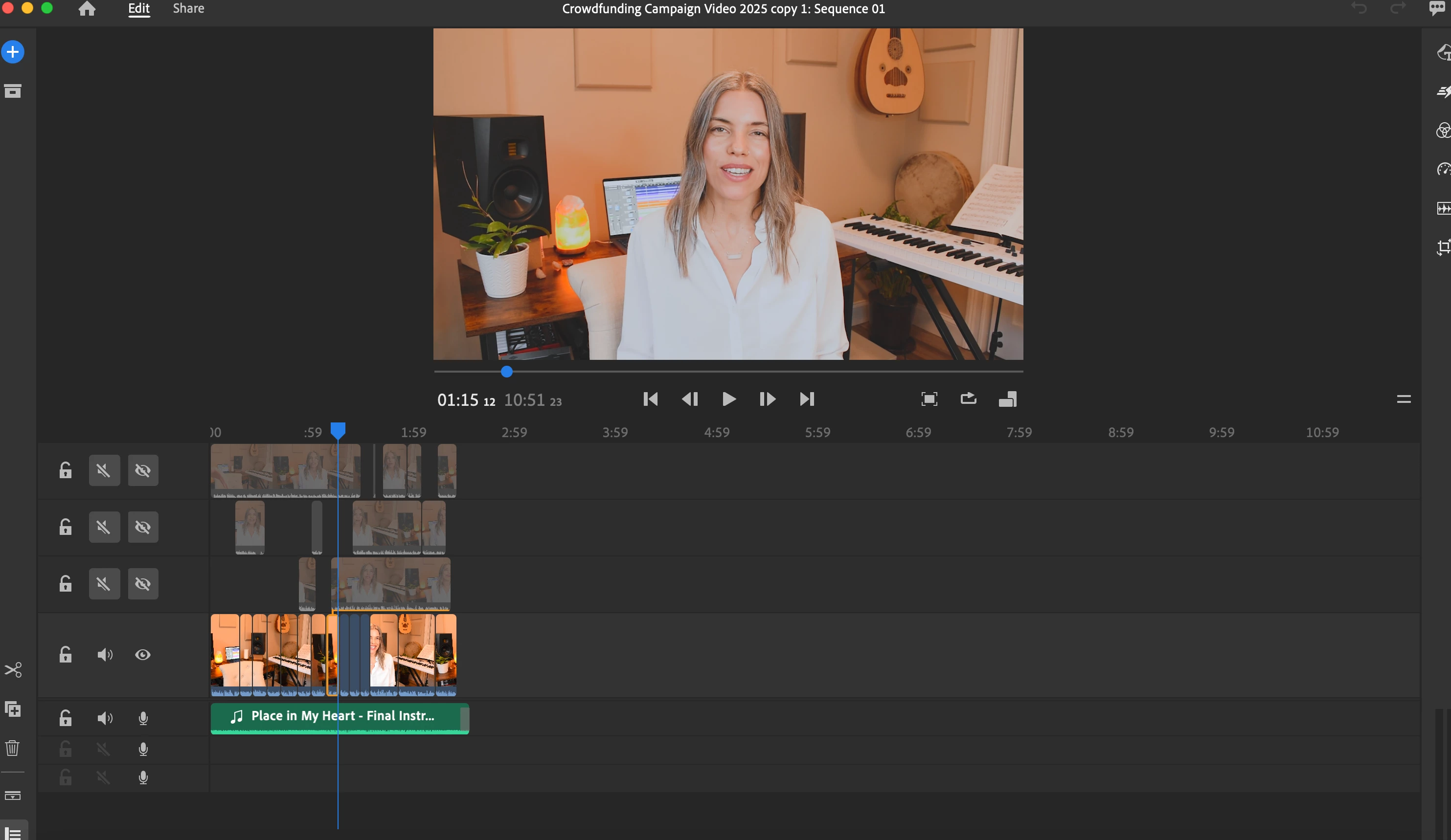

I have my video project here, with all this empty space at the end. I can't see any way to delete it. How can I set the correct end point? Please help! Thanks!
Hey @shelleythomasphoto,
You can zoom in to the timeline with the "=" or "-" keys or press the "\" key. That will fit the clips to the timeline and the black space is removed. I hope the advice helps.
Thanks,
Kevin
Already have an account? Login
Enter your E-mail address. We'll send you an e-mail with instructions to reset your password.


 AdChoices