
Participant
March 19, 2022
Question

Video in workspace looks too small

  • March 19, 2022
  • 1 reply
  • 104 views

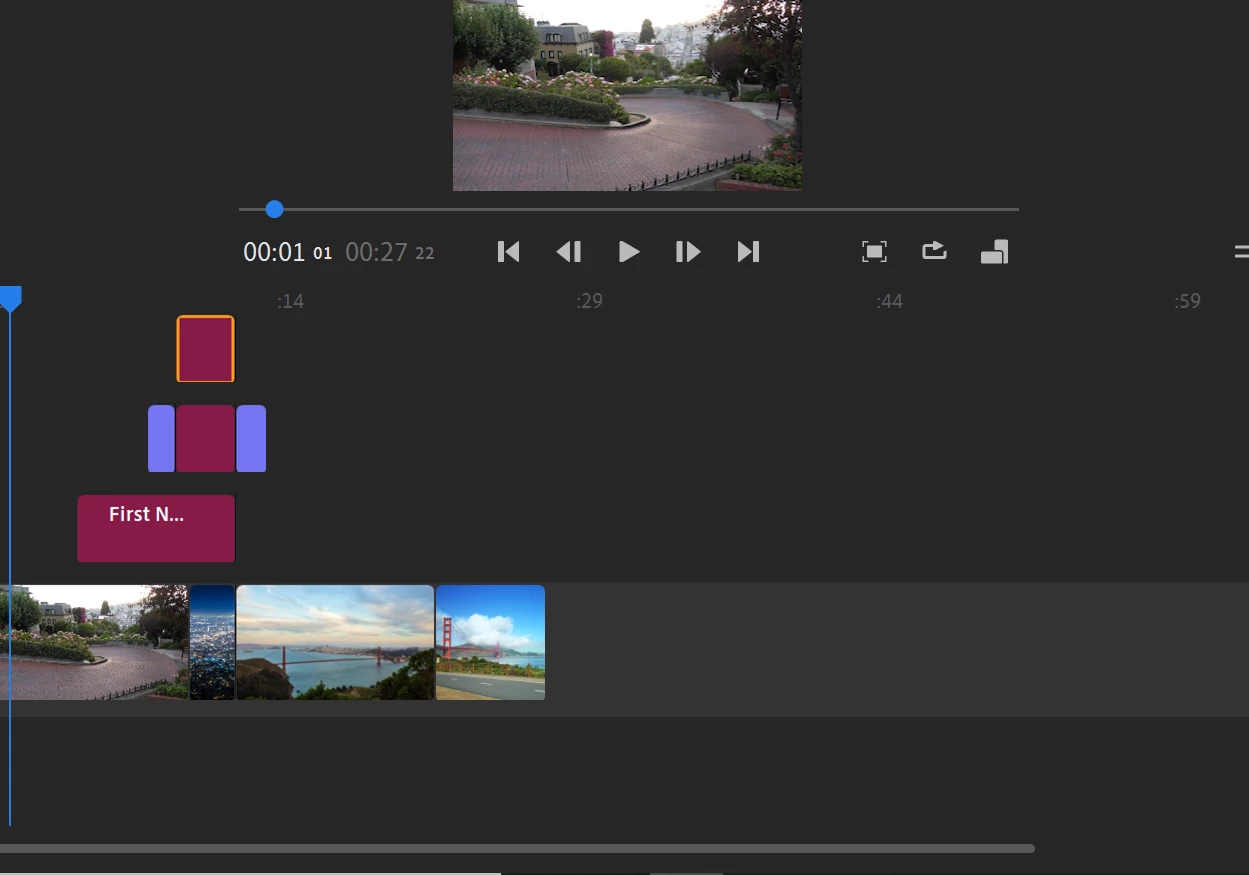
When I add layers (with overlapping videos, graphics and titles) to the timeline in the workspace, the video looks progressively small (see pic below) and I cannot enlarge it, when I try to zoom in, only the timeline becomes bigger. Any sugestions? P.S. I'm a beginner, so maybe I am just missing something very simple and basic.  


This topic has been closed for replies.

1 reply

Kartika Rawat
Community Manager
Community Manager
March 21, 2022

Hi there!

Thank you for reaching out. What happens when you select the video and drag it to the right? Does that help? Also, you can try to expand for a larger preview: https://helpx.adobe.com/premiere-rush/help/import-footage.html


Let us know.

Kartika