


Participant
August 14, 2025
Answered

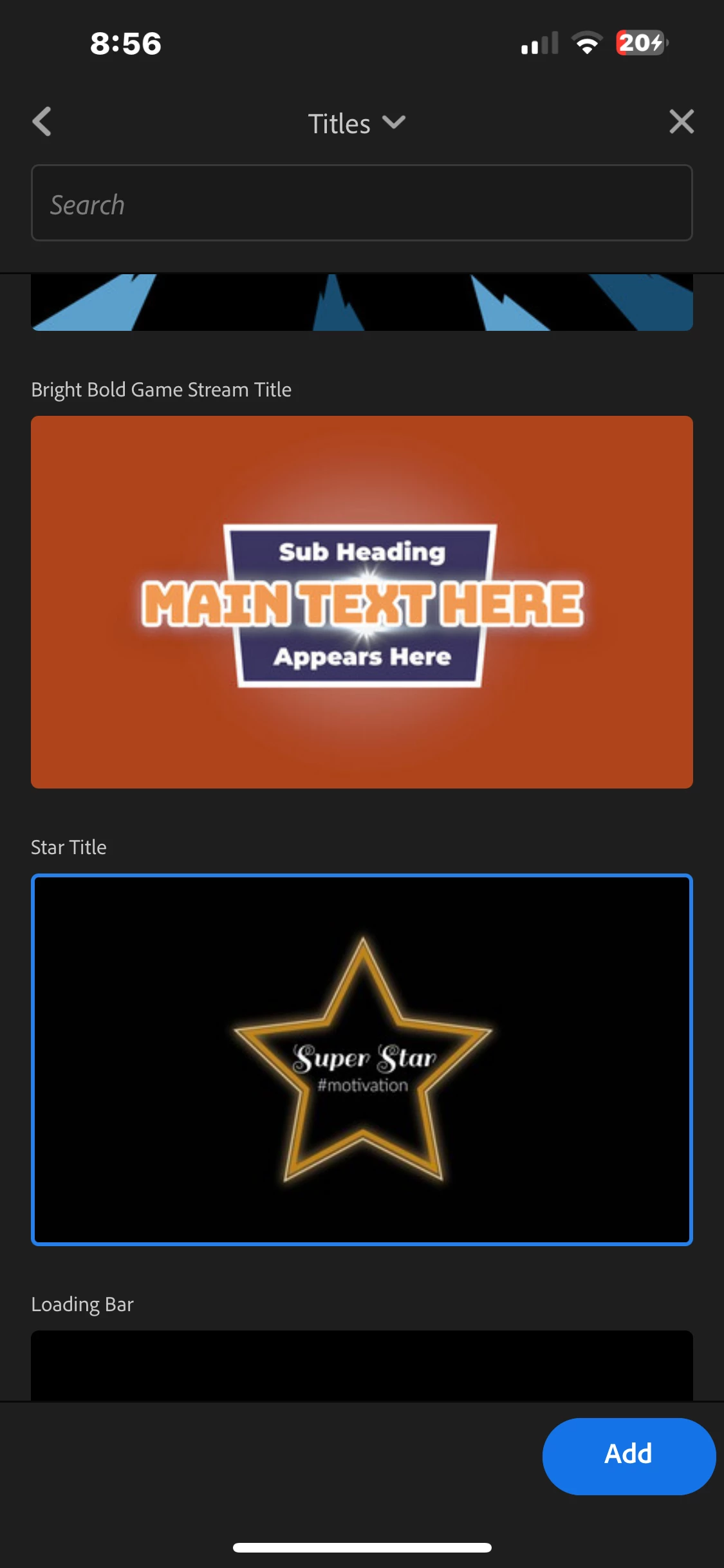
Why some of the graphics templates don’t work?
  • August 14, 2025
  • 14 replies
  • 600 views

Working on a project on Adobe Rush and some of the graphic templates don't work. Like most of them. For example (I'm using the app on my iPhone) I press on "star title", it loads up, and then does nothing. Can someone help me? 

Correct answer Kevin-Monahan

Hi everyone,

Thanks for your patience. There was an issue with the Premiere Rush graphics/template service around the time these reports were posted. That service issue was later resolved.

If you're still using Rush, please try adding the graphics or titles again.

Premiere Rush is now at end of life and is no longer receiving updates. For future mobile projects, I'd recommend transitioning to Premiere Mobile.

Thanks again to everyone who reported the issue.

Kevin

14 replies

Kevin-MonahanCommunity ManagerCorrect answer
Community Manager
September 3, 2026

Hi everyone,

Thanks for your patience. There was an issue with the Premiere Rush graphics/template service around the time these reports were posted. That service issue was later resolved.

If you're still using Rush, please try adding the graphics or titles again.

Premiere Rush is now at end of life and is no longer receiving updates. For future mobile projects, I'd recommend transitioning to Premiere Mobile.

Thanks again to everyone who reported the issue.

Kevin

Ania_TSG
Participant
August 19, 2025

Hello!

Testing a few apps for video editing and unfortunately Adobe Premier Rush is not doing what is supposed to 😞
None of the graphics work on my iPhone. After restarting the preview window is not showing any content while playing, just black screen, works only when I change the ratio format. 
Not sure if i will be using it with these glitches.
Regards

Ania

Participant
August 19, 2025

Same problem!

Kevin J. Monahan Jr.
Legend
August 15, 2025

Hi there,

I just reported the bug to the team. Sorry gang.


Thanks,
Kevin


Kevin Monahan - Sr. Community and Engagement Strategist – Adobe Pro Video and Audio
Participant
August 18, 2025

Hi Kevin,

Thanks for flagging this on behalf of the community. Is there any idea as to the potential turnaround time for a fix? I know usually these things are not really not known until the issue can be replicated and a fix tested. But I also hope it's something that might be a quick fix. Any help here I'm sure would be appreciated. 

Participant
August 18, 2025

Same issue here…

Kevin J. Monahan Jr.
Legend
August 15, 2025

OK, this looks like a problem a bunch of us are having. Sorry about that. I'll look into it. In the meantime, contact us here for troubleshooting: https://helpx.adobe.com/contact.html

Thanks,
Kevin


Kevin Monahan - Sr. Community and Engagement Strategist – Adobe Pro Video and Audio
Participant
August 14, 2025

Hello everyone, jumping in to say I'm experiencing the same issue and error on the desktop version. 

Participant
August 14, 2025

I'm having the same issue!

Participant
August 14, 2025

Mine shows an error usually
Classic Adobe - half baked products for a premium price

Participant
August 14, 2025

And when you try the feedback link this is what you get. Classic

Kevin J. Monahan Jr.
Legend
August 15, 2025

Hi Eyal,

User Voice hasn't been active for a couple of years now. It was announced a long time ago. All support is in this forum now. Sorry about that. I have reported this issue to the team.


Cheers,
Kevin


Kevin Monahan - Sr. Community and Engagement Strategist – Adobe Pro Video and Audio