iamtr33
Participant
November 29, 2018
Answered

Working with titles and templates

  • November 29, 2018
  • 2 replies
  • 542 views

IS there a way to split the shapes apart? For example if a title slide has two text lines and a shape in the middle is there a way to identify each piece and move them individually?

I am trying to make the font bigger but it overlaps the shape in the middle and I do not want to change the side of the entire template.

THanks,

This topic has been closed for replies.
Correct answer petergaraway

Hi Satrina,

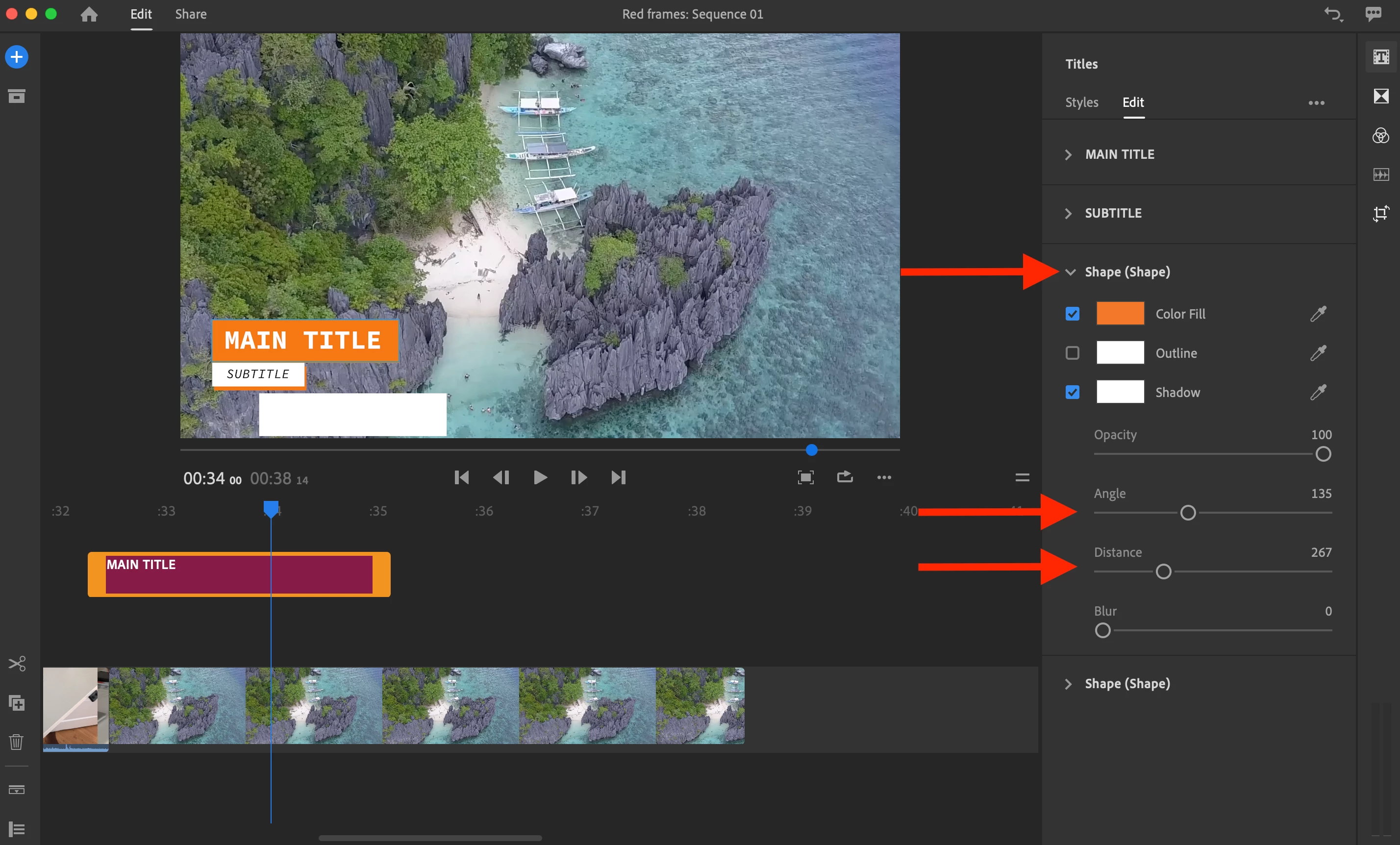
You do have some control over the position of a shape layer. Try out these steps:

1. Select a title that contains a shape layer

2. Open the Title Inspector > Select the Edit tab

3. Open the Shape layer

Within the Shape layer, you have slider controls for Angle and Distance. This allows you to move the shape around.

Hope this helps!

Best,

PG

2 replies

caroline_edits
Community Manager
Community Manager
December 5, 2018

Hey iamtr33,

Are you having a better time using titles now? Let me know! I'm happy to keep discussing if you'd like.

-Caroline

petergaraway
petergarawayCorrect answer
Participating Frequently
November 29, 2018

Hi Satrina,

You do have some control over the position of a shape layer. Try out these steps:

1. Select a title that contains a shape layer

2. Open the Title Inspector > Select the Edit tab

3. Open the Shape layer

Within the Shape layer, you have slider controls for Angle and Distance. This allows you to move the shape around.

Hope this helps!

Best,

PG