


Participant
Feb 8, 2024 5:13 AM UTC
Answered

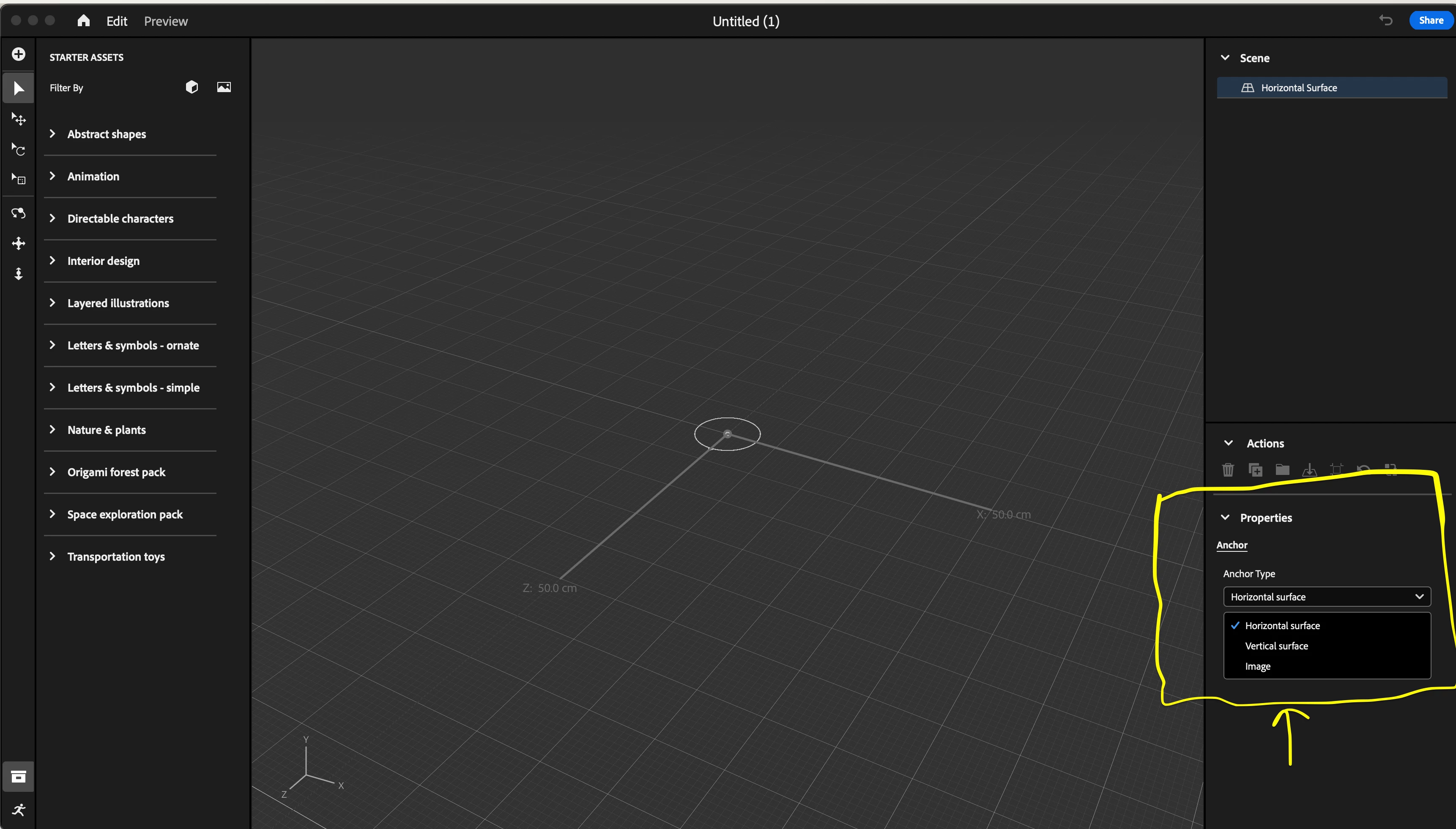
Adobe Aero Anchor Type > Location is missing.

Hi, 


I have installed Adobe Aero on my Mac and iPhone as well, and the Anchor Type > Location option is missing. I installed and uninstalled the app several times without success. 


I have no idea what or why it is not working. That option is key for this app.

Do you have any idea how I can bring back the location option?


Adobe Aero (Beta) version (0.23.4)


Cheers,


Angel
 

This topic is closed to new replies. Start a new post to keep the conversation going.
julia_gmailCorrect answer
Inspiring
Feb 8, 2024 6:25 AM UTC

Looks like you do not have the special beta version of AERO that includes googles geospatial creator integration. That version requires an invite.  Go to YouTube. Search for Adobe aero geospatial creator.  Looks in the comments for a link to the form to fill out to get the invitation. 

3 replies

Participant
Mar 1, 2024 6:35 PM UTC

I've looked on youtube, but cannot find the link to fill out for access... Can anyone share it here?


Translate
julia_gmailCorrect answer
Inspiring
Feb 8, 2024 6:25 AM UTC

Looks like you do not have the special beta version of AERO that includes googles geospatial creator integration. That version requires an invite.  Go to YouTube. Search for Adobe aero geospatial creator.  Looks in the comments for a link to the form to fill out to get the invitation. 

Translate