


Question
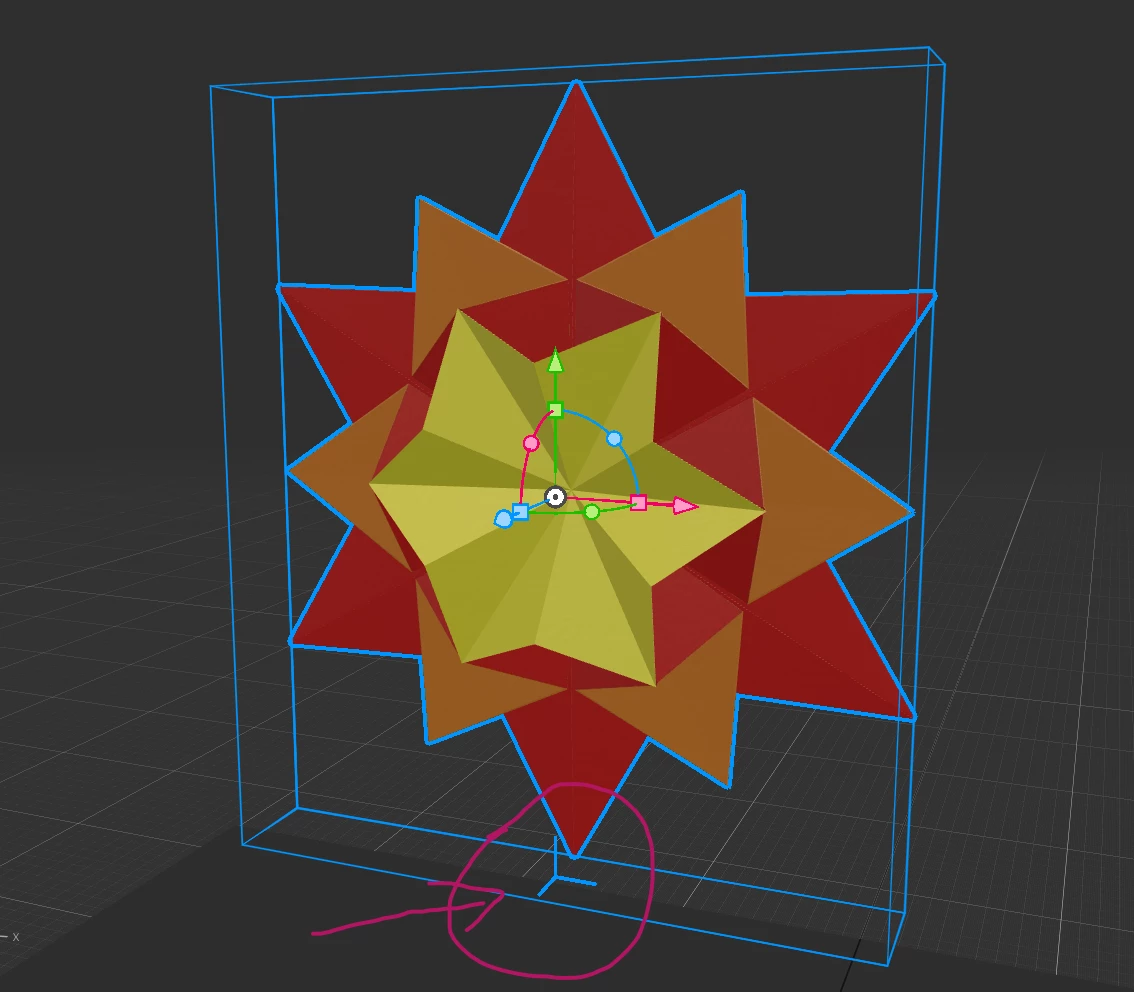
Anyone know how to adjust the blue axis's/pivot's position of the 3D object in Adobe Aero?
I was following a tutorial online and needed to make the 'sun' spin (following the Z axis). I have adjusted the pivot of the asset to the center. However, when I tried to make it spin, it followed the blue axis at the bottom of the 'sun' ( as you can see where I pointed at the screenshot) rather than the one in the center. I couldn't find a way to adjust the position of the bottom blue axis. Does anyone know the way to work around this? Thanks!
 AdChoices