

far side moon
Participant
January 14, 2026
Answered

全ページをA4サイズにカットしたい

  • January 14, 2026
  • 1 reply
  • 108 views

添付ファイルの各ページ右側に「INDEX」が付いています。
不要なので、全ページのこの部分をA4サイズにカットしたいのですがどの様にすればいいのでしょうか。
ご教示願います。
(一応、元データも添付します。)
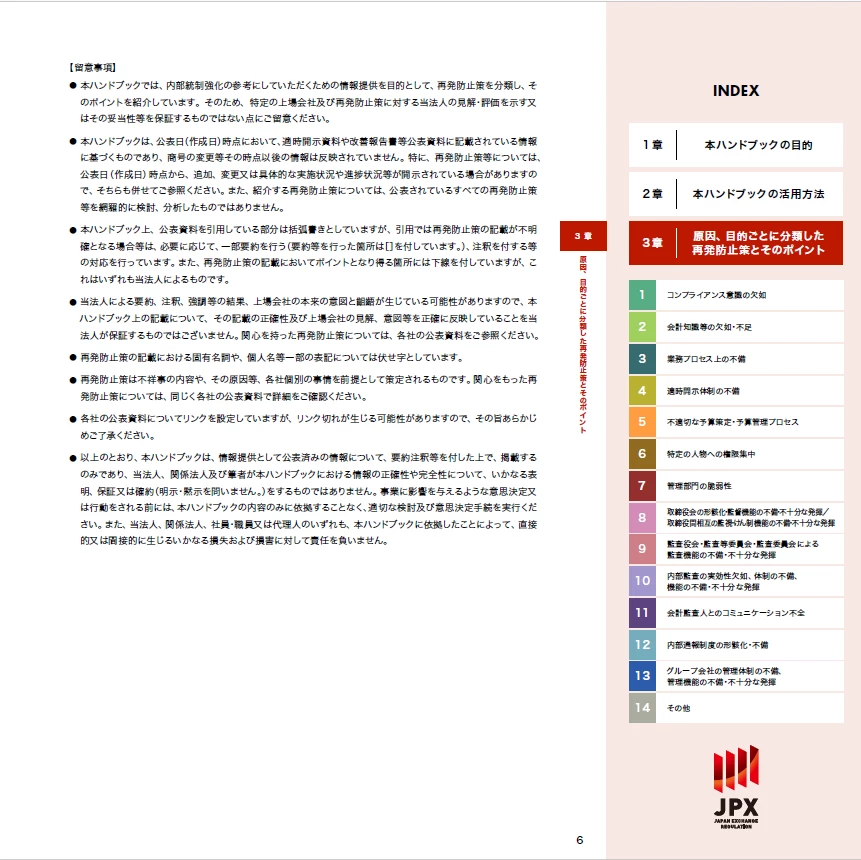

スクリーンショット 2026-01-14 142553.png

Correct answer Meenakshi_Negi

Hi far side moon,


Thank you for reaching out.


You can try cropping the pages in the PDF. Please refer to the information in the following help document: https://adobe.ly/3Lz7RWb. Check if that helps.


Let us know if you are looking for something else.


Thanks,

Meenakshi

1 reply

Meenakshi_Negi
Meenakshi_NegiCorrect answer
Legend
January 14, 2026

Hi far side moon,


Thank you for reaching out.


You can try cropping the pages in the PDF. Please refer to the information in the following help document: https://adobe.ly/3Lz7RWb. Check if that helps.


Let us know if you are looking for something else.


Thanks,

Meenakshi

far side moon
Participant
January 14, 2026

解決できました。
チュートリアルを参考に「余白の制御」上下左を0mm、左を90mmにし、ページ範囲を「すべて」でOKすることで、全ページに摘要できました。

ありがとうございました。

今後ともよろしくお願いいたします。
