Hi @Jeffrey31293902krva
Hope you are doing well.
is there a way to do this w/out having to crop the right side then extract, save and CTRL + Z and crop the left etc. for all the pages in the file?
We understand that workaround must be quite time-consuming, but there's no other direct way to achieve the same.
Since the file is already in booklet format, changing its page size to 8.5x11 might affect the page numbering.
Try this workaround and see if this helps a bit. If you have Acrobat Pro, then print the scanned file using an Adobe PDF printer
- Open file>Print> select Adobe PDF as printer> change the Page size and handling to Multiple with 1by1>Print and Save the file with the new name.
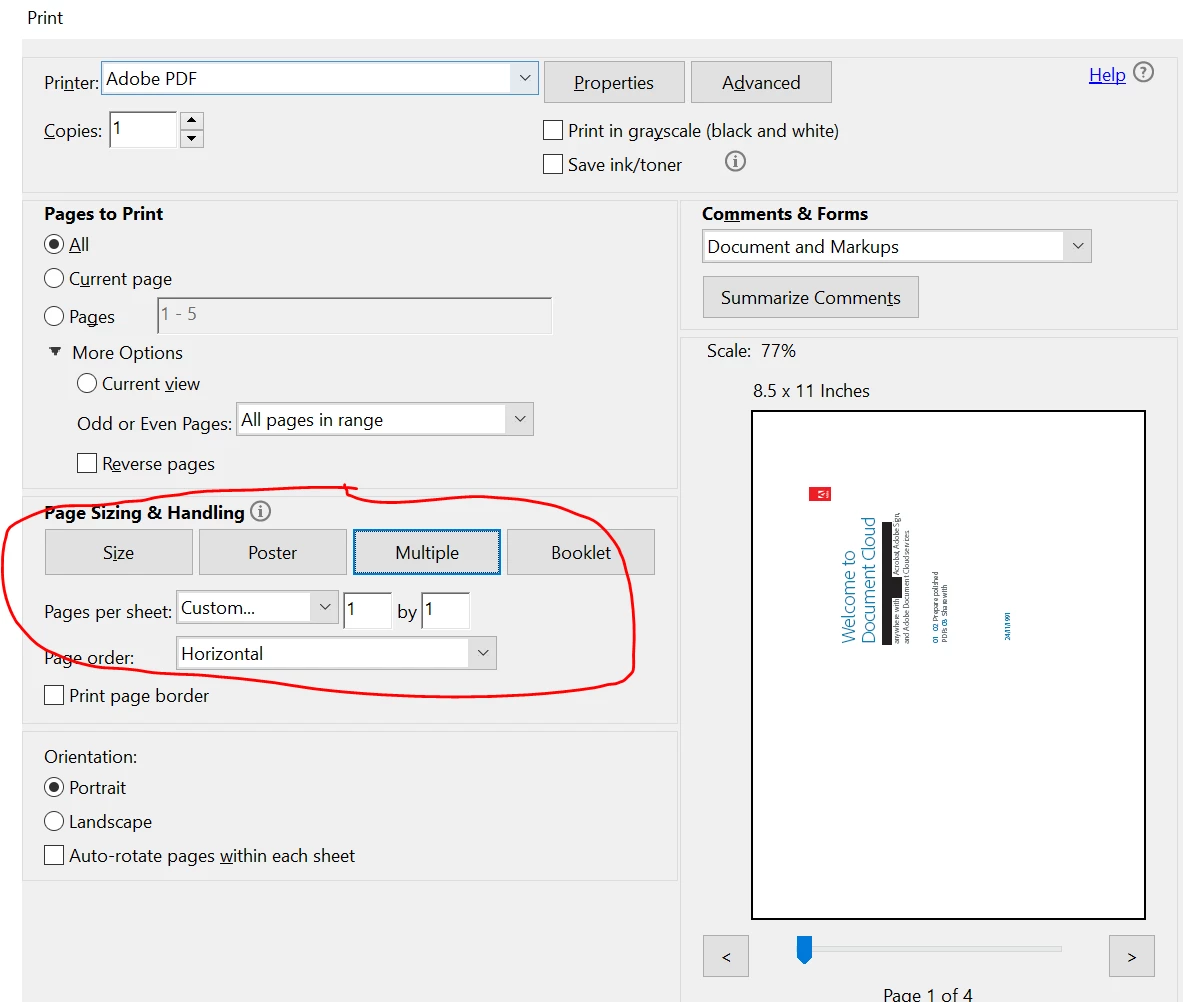
- Now open this newly saved pdf and give the print command for the final printout.
Does it look better?
Thanks,
Akanchha



 AdChoices