You have two choices here.
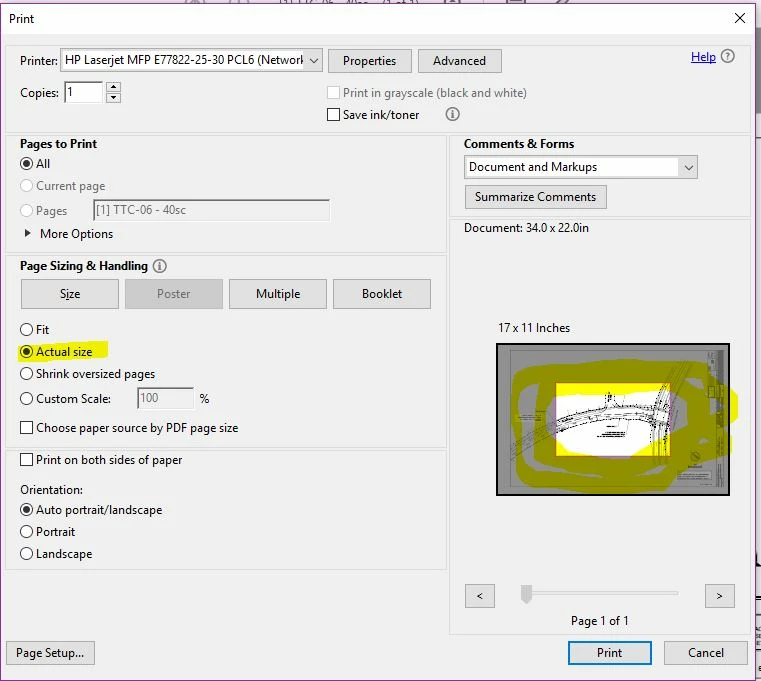
The choice that is most likely to work is to click on the Properties button at the top of the dialog and in the Hewlett-Packard driver dialog, choose the correct paper size. It may be labelled as 11x17 or perhaps Tabloid and then press OK back to the base print dialog. At that point Acrobat should recognize that the proper paper size has been selected.
Alternatively, there is an option the base print dialog (shown in your message) labelled Choose paper source by PDF page size. This causes Acrobat to ascertain what the available printer pages sizes are and choose the one(s) closest to the size of your PDF page(s) on a page-by-page basis. This may work if your driver obeys the Windows driver specification, but may not otherwise. You may need to experiment. Since this is a “sticky” setting, make sure to turn it off for other print jobs to letter size paper.
- Dov


 actual size 11x17 back to printing correct size

 AdChoices