
Participant
June 23, 2021
Question

A font package is required

  • June 23, 2021
  • 2 replies
  • 5133 views

Hi everybody,

I have a problem with Adobe Acrobat Reader DC. When I try to open a .pdf file Acrobat says that is required a font package to correctly display the document.

The screenshot of the pop-up is here:
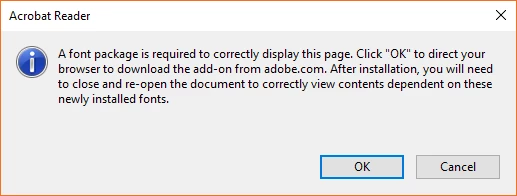
 

When I click "OK", my browser says that is impossible to load the Internet page (the internet page is corrupted?).

So...What can I do with this issue? How can I download this required font package?


P.S. I look into my .pdf document's proprieties and the font that it uses are these:
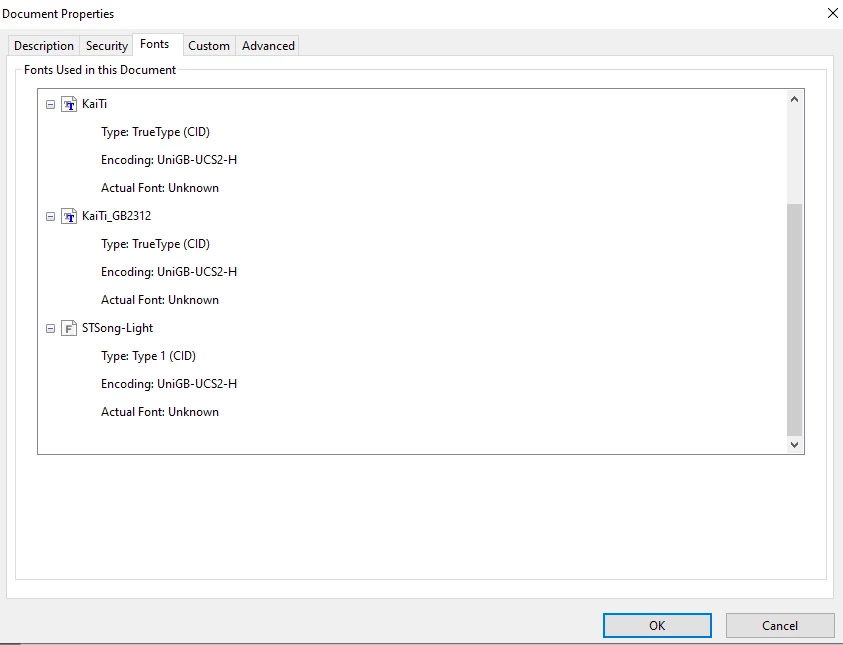
I'm Chinese and the Adobe Reader DC is the version of 2021.001.20155 on my Windows 10.


I check some post on community, in those there are links but seems broken to me, such like:

https://supportdownloads.adobe.com/detail.jsp?ftpID=6486

So is there any updated links or some way that I can download the fonts?


Thanks!


Jimmy

This topic has been closed for replies.

2 replies

Amal.
Community Manager
Community Manager
June 23, 2021

Hi Jimmy


Hope you are doing well and sorry for the trouble. As mentioned you are unable to view the PDF fiel and getting the above error message


Is this a behavior with a particular PDF file or with all the PDFs? Please try with a different PDF file and check.


Also, please try to update the application to the new version 21.05.20048 and reboot the computer once and see if that works for you. Go to Help > Check for updates .


Regards

Amal

Jimmy5F87Author
Participant
June 23, 2021

Just one specific PDF File, others works well. 

And I don't think there is a "Check for updates" option in "Help" tab.


Amal.
Community Manager
Community Manager
June 30, 2021

Hi there


Sorry for the delay in response. Please try to repair the installation from the help menu and reboot the computer once. Also please try to download the patch manually from the link - https://www.adobe.com/devnet-docs/acrobatetk/tools/ReleaseNotesDC/index.html


As its an issue with a particular file, it could be a file specific issue, please use the following preference settings and seeif tat helps: Go to Edit (Windows), Adobe Acrobat Mac > Preferences > Page display > Under rendering , select 'Use Local Fonts' > Click OK


Hope it will help


Regards

Amal

Bernd Alheit
Community Expert
Community Expert
June 23, 2021

Try the forum for Acrobat Reader.

Jimmy5F87Author
Participant
June 23, 2021

Thanks buddy, just noticed there is a specific forum for Reader....