
A4-paper size different size(?)
I was about to print something from within Excel. It was a lot of information and I needed to 'squeeze' the widths within A4 landscape.
It looked fine within Excel print-preview.
Instead of printing on paper I selected PDF. At that point the preview changed and one column would be printed separately, i.e. instead of 7 pages I would get 14.
I had to reize a column in order get it all printed as intended.
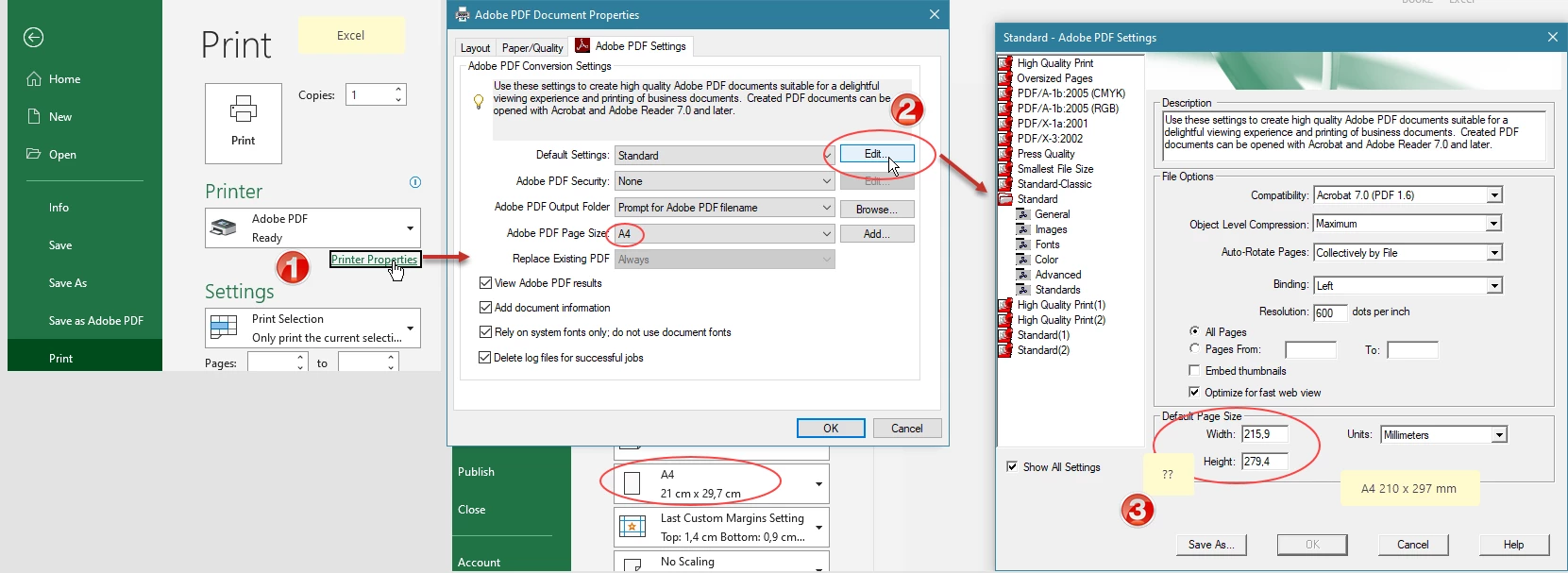
Within Excel I checked out "Adobe PDF > Printer Properties"
Page size was / is set to A4, when clicking "Edit" another Default Paper Size was displayed.
Instead of A4 (210x297mm) 215,9 x 279,4 is displayed, being US Letter AFAIK.
Should I manually change that? Will changes be saved as default?
Acrobat > Preferences > Convert to PDF > Microsoft Office Excel > Adobe PDF Settings: Standard : Edit
also show US letter.
Am a bit confused...
Thanks for any advice.
=
Later:
I found a "Standard(1)" profile that I might have added myself (?) a (very) long time ago.
this 'Standard(1) shows 210x297mm, compatible with Acrobat 6 ?
However, it seems this (own) standard is not standard be used by Acrobat...?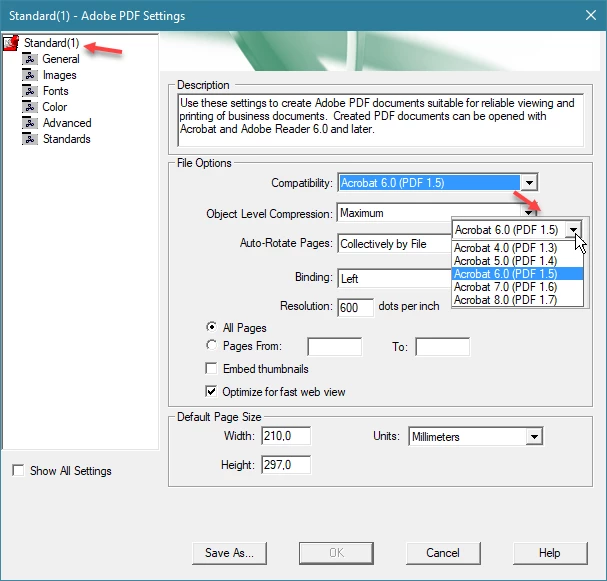
 AdChoices