Answered
Accessibility Check
A colleague and I are running the same version of Adobe Acrobat Pro, but the accessibility checks on the same PDF flag different issues.

A colleague and I are running the same version of Adobe Acrobat Pro, but the accessibility checks on the same PDF flag different issues.
Compare your settings of the checker.
From the Accessibility panel, compare what's checked to "check" in the 4 sections listed in the drop-down menu:
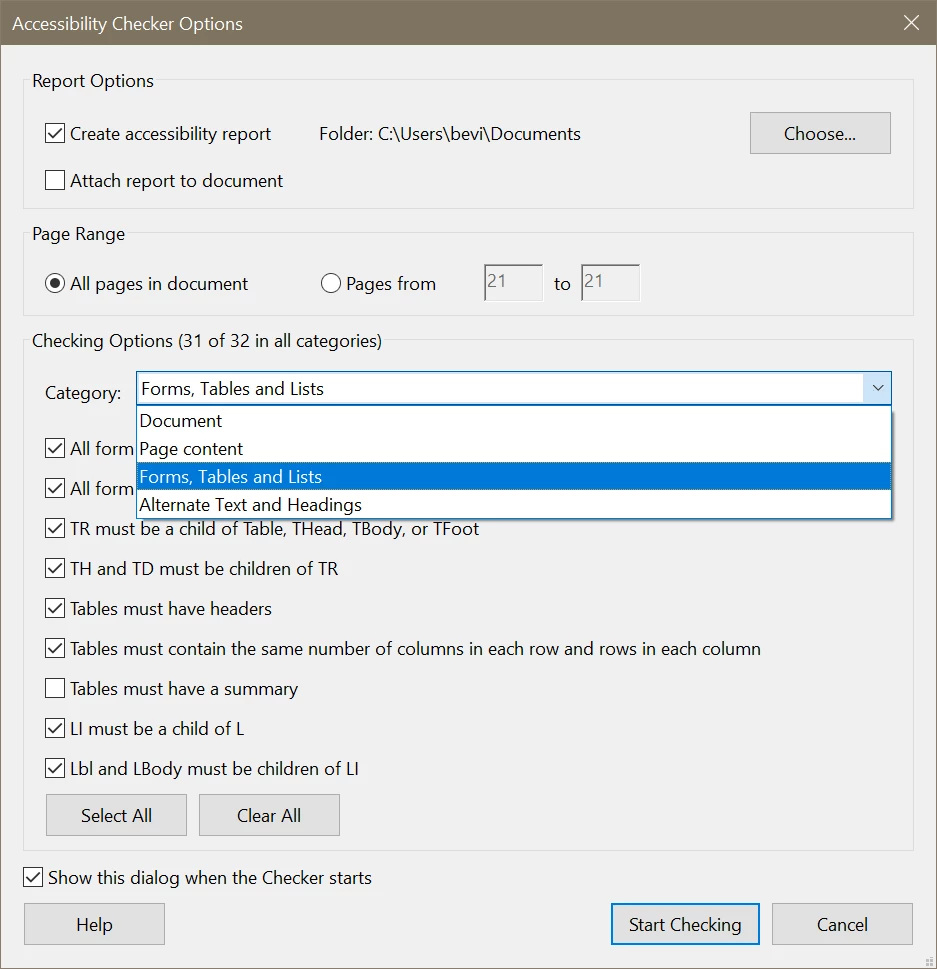
ALL items should be checked, except for one in Forms/Tables: Uncheck "Tables must have a summary."
Also, are you both using the same version of Acrobat Pro? The checker utility is constantly being tweaked by Adobe.
Help / About Adobe Acrobat Pro. Current version is 2020.013.20074 (February 2021).
Already have an account? Login
Enter your E-mail address. We'll send you an e-mail with instructions to reset your password.
 AdChoices