
Inspiring
February 6, 2023
Answered

Accessibility Check dialog restore

  • February 6, 2023
  • 1 reply
  • 622 views

I have a co-worker who used his Accessibility Check and unchecked the option at the bottom of the dialog "Show this dialog when the Checker starts." 


Now he is asking how to get the Checker dialog to show up again, obviously so he can determine if the Checker is holding certain options. I tried to find and answer for him and found nothing yet. Short of trashing the preference settings, is there any other way to get this Checker dialog opening back up?


Thanks!
This topic has been closed for replies.
Correct answer Bevi Chagnon - PubCom.com

Try this.

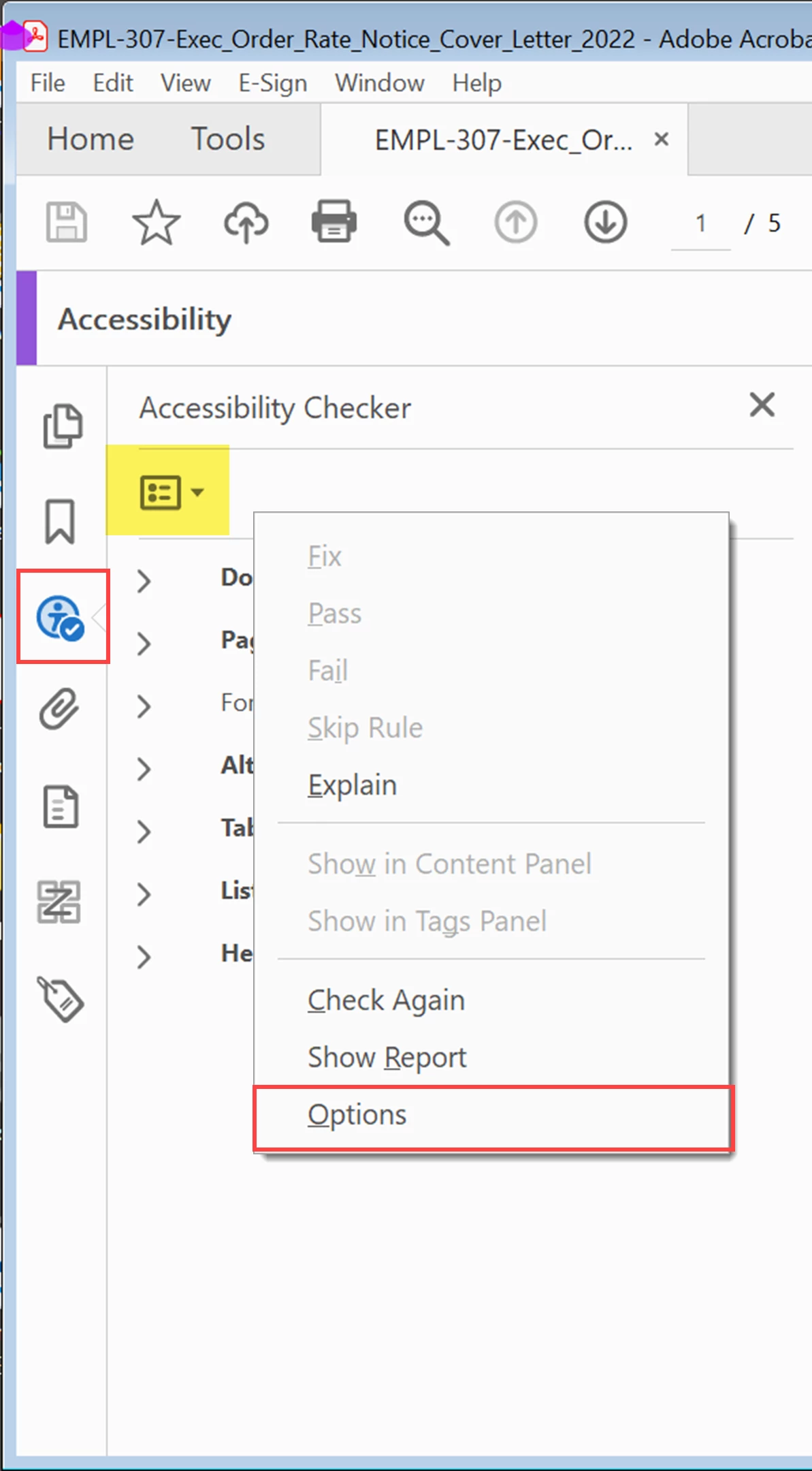
  1. Run the Accessibility Checker.
  2. When the report icon appears, open the report.
  3. From the report's option button (the square icon at the top), select Options.
  4. You'll find the missing dialogue and can check to show it again.


1 reply

Bevi Chagnon - PubCom.com
Legend
February 6, 2023

Try this.

  1. Run the Accessibility Checker.
  2. When the report icon appears, open the report.
  3. From the report's option button (the square icon at the top), select Options.
  4. You'll find the missing dialogue and can check to show it again.


|    Bevi Chagnon   |  Designer, Trainer, & Technologist for Accessible Documents ||    PubCom |    Classes & Books for Accessible InDesign, PDFs & MS Office |
timfink62Author
Inspiring
February 7, 2023

Thanks very much Bevi!

It's more intuitive than I figured.