

Question
Accessibility tag pulling letters instead of highlighted words
My cursor is picking out letters instead of words, when tagging a document. This is happening on multiple documents and not jus this one. What am I doing wrong?
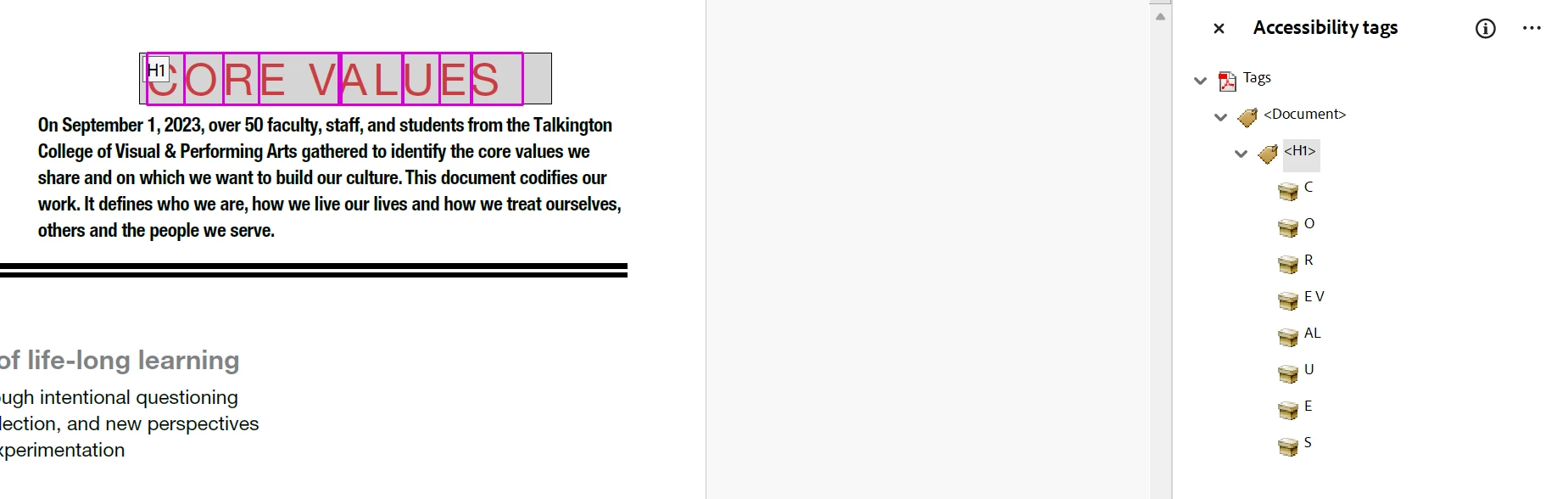

My cursor is picking out letters instead of words, when tagging a document. This is happening on multiple documents and not jus this one. What am I doing wrong?
Already have an account? Login
Enter your E-mail address. We'll send you an e-mail with instructions to reset your password.
 AdChoices