
Participant
February 9, 2021
Question

Accessibility Tagging - Bullet Points

  • February 9, 2021
  • 1 reply
  • 2814 views

Hello!

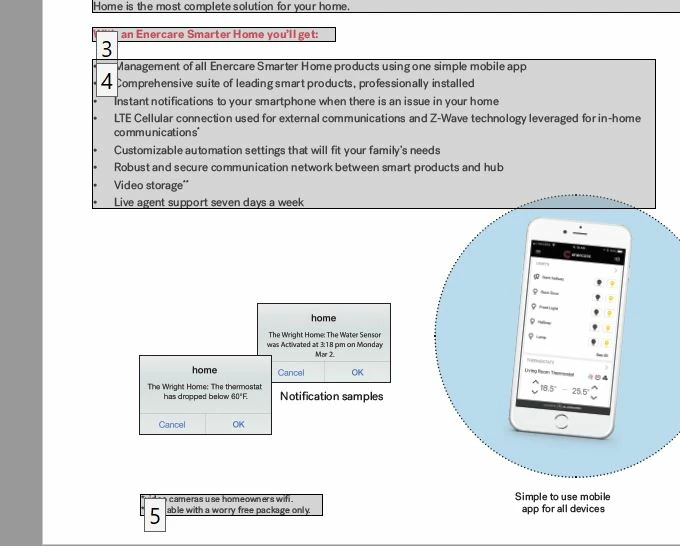
I've been trying to tag some internal PDFs using Acrobat, but when I try to tag a single bullet point, all of the bullet points get tagged. Can anyone recommend how to tag bullet points individually? I'm trying to associate the asterisked information to the point it pertains to, but I cannot because of how the points are merged.

Thanks in advance!


[Moderator] Inserting the poster's graphic:
1 reply

Bevi Chagnon - PubCom.com
Legend
February 9, 2021

Your screen capture shows the Order panel's numbering of the file's elements.

Could be due to the panel's settings for how to display elements, as a group or individually.


From the Order Panel's options menu, UNcheck the option to diplay like items in a single box.


Also, as you were using the TURO?Order tool to select and tag items, did you select the entire list and then tag it or did you select each individual bulleted item and tag it?


FYI, the tag structure in the Tags Panel should end up as:

<L>

   <LI>

         <Lbl> (bullet character)

         <LBody> (body text of the bullet)

   <LI>

         <Lbl> (bullet character)

         <LBody> (body text of the bullet)

etc.


|&nbsp;&nbsp;&nbsp;&nbsp;Bevi Chagnon &nbsp;&nbsp;|&nbsp;&nbsp;Designer, Trainer, &amp; Technologist for Accessible Documents ||&nbsp;&nbsp;&nbsp;&nbsp;PubCom |&nbsp;&nbsp;&nbsp;&nbsp;Classes &amp; Books for Accessible InDesign, PDFs &amp; MS Office |