Answered
Accidentally deleted 'Organize Pages' shortcut!
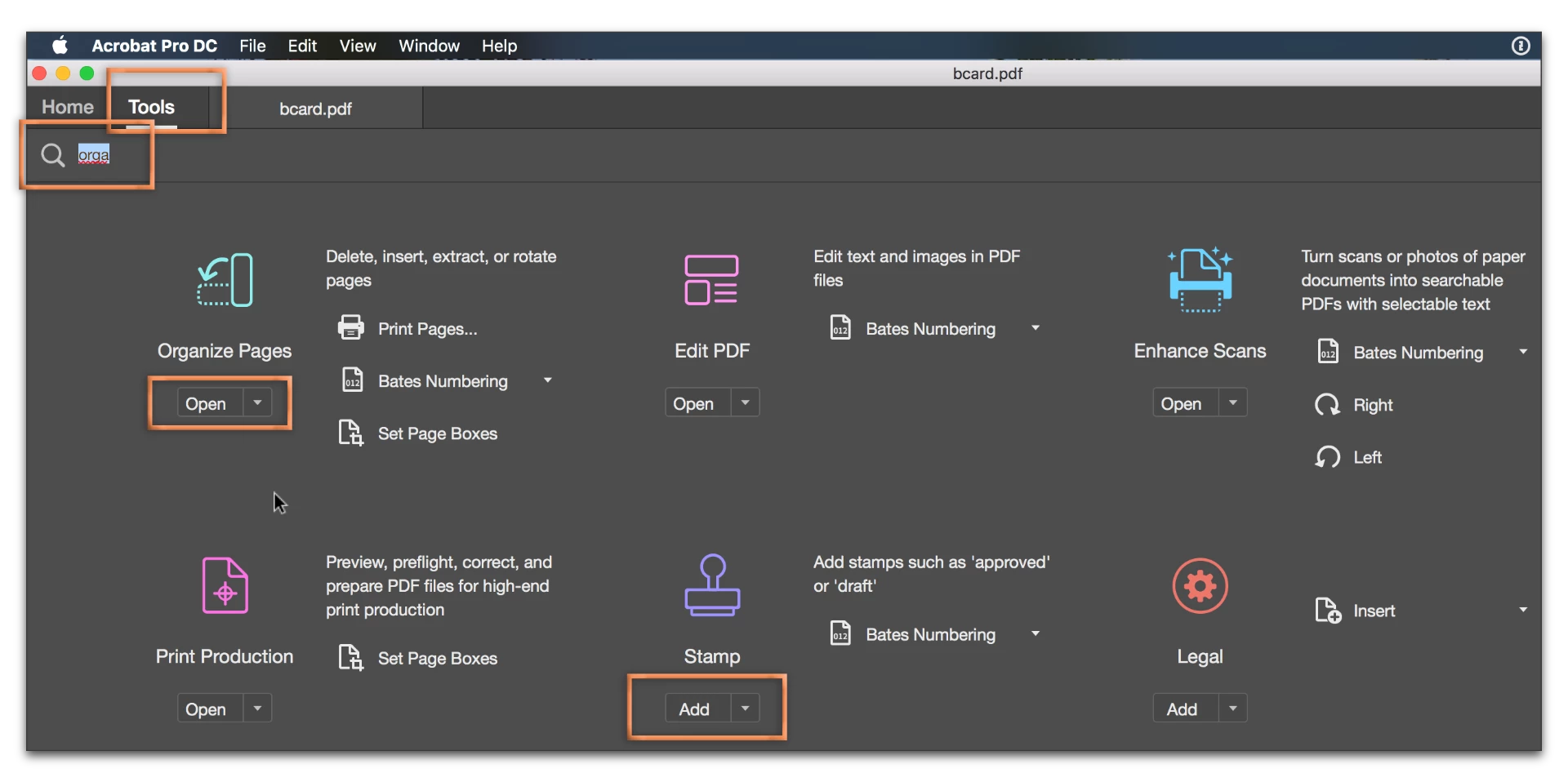
I accidentally deleted the "Organize Pages" shortcut in the "Tools" menu. How do I get it back? I can't seem to find any answers online and I'm in a time crunch. Thanks!
I accidentally deleted the "Organize Pages" shortcut in the "Tools" menu. How do I get it back? I can't seem to find any answers online and I'm in a time crunch. Thanks!
On the tab bar, click the Tools tab. To the right of the magnifying glass, type a little of the name of the tool you are looking for. When you see it, click the Add menu underneath, then Add Shortcut. Note that if the menu shows Open (it's already a shortcut).
Already have an account? Login
Enter your E-mail address. We'll send you an e-mail with instructions to reset your password.
 AdChoices