
Participant
July 3, 2023
Question

Acobat Pro text garbage when saving

  • July 3, 2023
  • 1 reply
  • 755 views

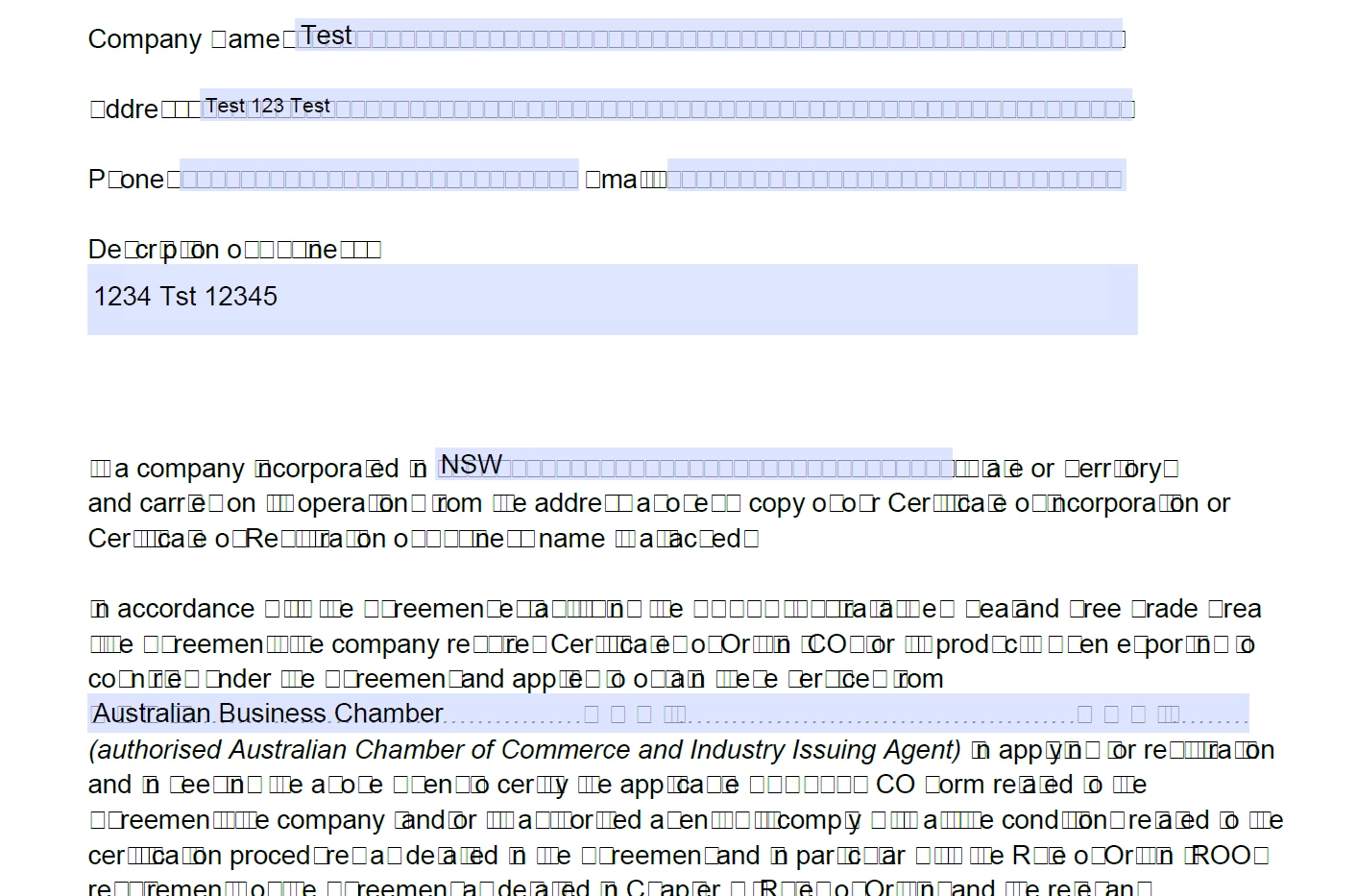
When filling out a PDF form and then saving it, the text output is showing as garbage.
Adobe Acrobat Pro Version: 23.003.20201.0 on Windows 11 and also Windows server


See example
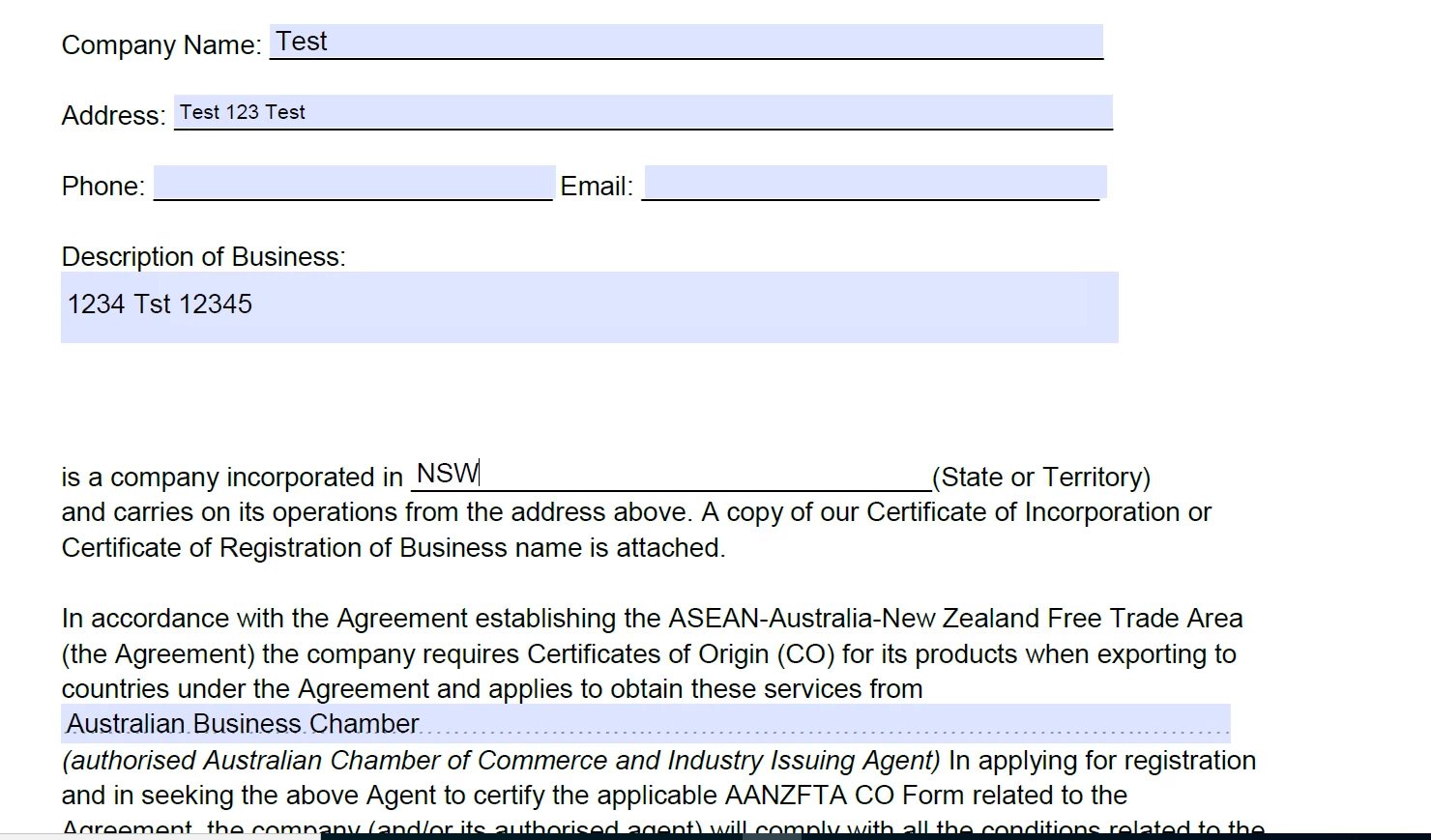
PDF is saved. 

Then opening the PDF shows as below in acrobat Pro
 

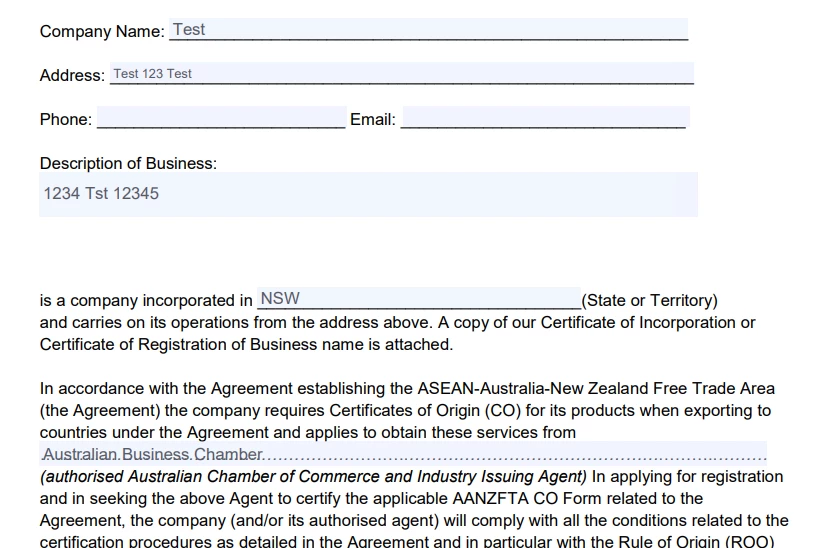
The saved PDF shows as expected in Edge
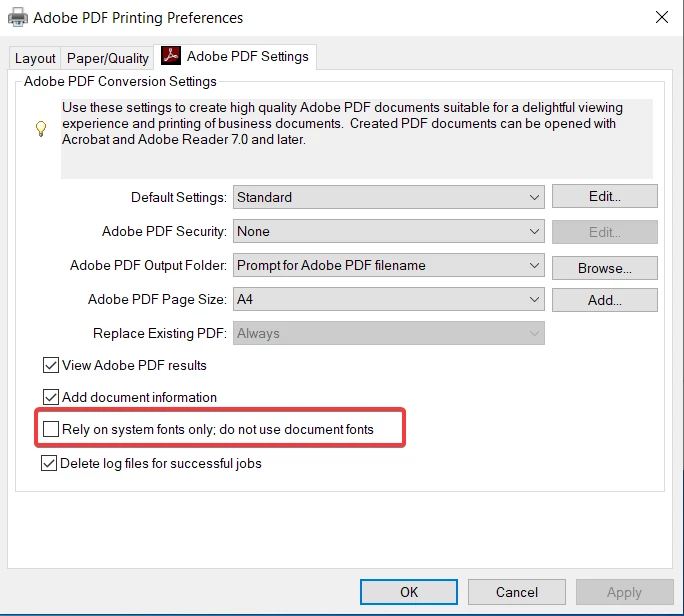
I have disabled the 'Rely on system fonts only; do not use document fonts' but no change
 

If I print the document from Acrobat to 'Acrobat PDF' printer and save the file that way, It shows correctly when opened in acrobat.

This topic has been closed for replies.

1 reply

Amal.
Legend
July 4, 2023

Hi @default23049640ppfu26 


Hope you are doing well and thanks for reaching out.


Please update the application to the optional update version 23.03.20215, Go to Help > Check for updates and reboot the computer once.


Is this an issue with a particular PDF form or with all the PDF forms? Please try with a different form and check.


Also, go to Edit > Preferences > Page Display > Under rendering, select 'Use local fonts' > click ok and reboot the application and see if that helps.


you my also try to save the PDF as Optimized PDF (from file menu) and under the fonts tab, click on retain fonts (to embedd any unembedded font) and click OK and check.


Note: Printing/saving the PDF form as Adobe PDF is not recommended as it will flatten the PDF form and remove any important metadata as well.


Regards

Amal

Participant
July 4, 2023

Thanks for reply. Savng as optimised and including fonts does seem to work. It's only happening with this particular document so I have responded to the source and asked them to check.

Amal.
Legend
July 5, 2023

Hi there,


Thanks for sharing the update, let us know how it goes.


Regards

Amal