No clue why I keep paying money for Adobe Products. We really need better competition. I cannot imagine how many people will have issues with this automatic update that breaks the only reason to own Adobe Acrobat.
Why do I keep paying big bucks for this nonsense? Do you ever test anything? Absolutely ridiculous. Double click to open, minimize, normal, maximize - These things have been in place since Windows 3.0 in case your forgot.
This is how I fixed it, and the PDF’s open in a normal window now.
Do what @callyourcomputerguy said to get it full screen, then drag the window off to the side, then drag it back any where on the desktop (it will look like the toolbar again). But when you drop it down, it will now have a little white box on screen, drag the corners out until the window is visible.
I’m guessing this was “vibe coded” and no one checked the code properly.
- User reached out over MS Teams, relating that Adobe Acrobat was not working. A portion of the toolbar was all that was showing when launching .PDF files.
- Reboots did not help.
- I called user and remoted in.
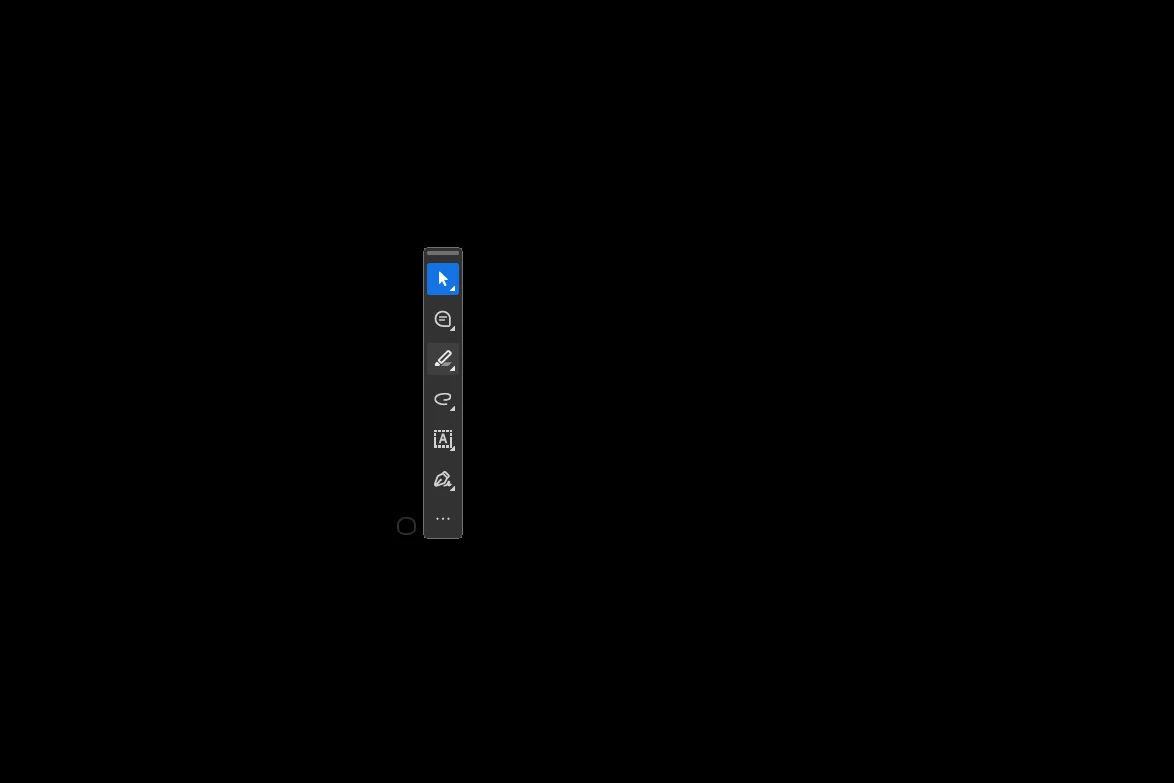
- We recreated the issue, where when launching Adobe, only this appeared:
- After relaunching, we noticed a small semi-transparent circle, analogous to a soap bubble:
- Hovering over the upper left corner of the object just right, we were able to get the "expand arrows" to appear:
- Dragging this out resulted in the Adobe Acrobat toolbars looking normal.
- We opened and closed Adobe Acrobat 3 times to test, including opening a .PDF from an email, and the issue is so far resolved.
- User reached out over MS Teams, relating that Adobe Acrobat was not working. A portion of the toolbar was all that was showing when launching .PDF files.
- Reboots did not help.
- I called userand remoted in.
- We recreated the issue, where when launching Adobe, only this appeared:
- After relaunching, we noticed a small semi-transparent circle, analogous to a soap bubble:
- Hovering over the upper left corner of the object just right, we were able to get the "expand arrows" to appear:
- Dragging this out resulted in the Adobe Acrobat toolbars looking normal.
- We opened and closed Adobe Acrobat 3 times to test, including opening a .PDF from an email, and the issue is so far resolved.


 AdChoices