Participant
September 2, 2026
Answered

Acrobat 26.002.21869 for Mac: Font list is empty

  • September 2, 2026
  • 10 replies
  • 25 views

Hello!
I really appreciate if anyone can help me with this issue.
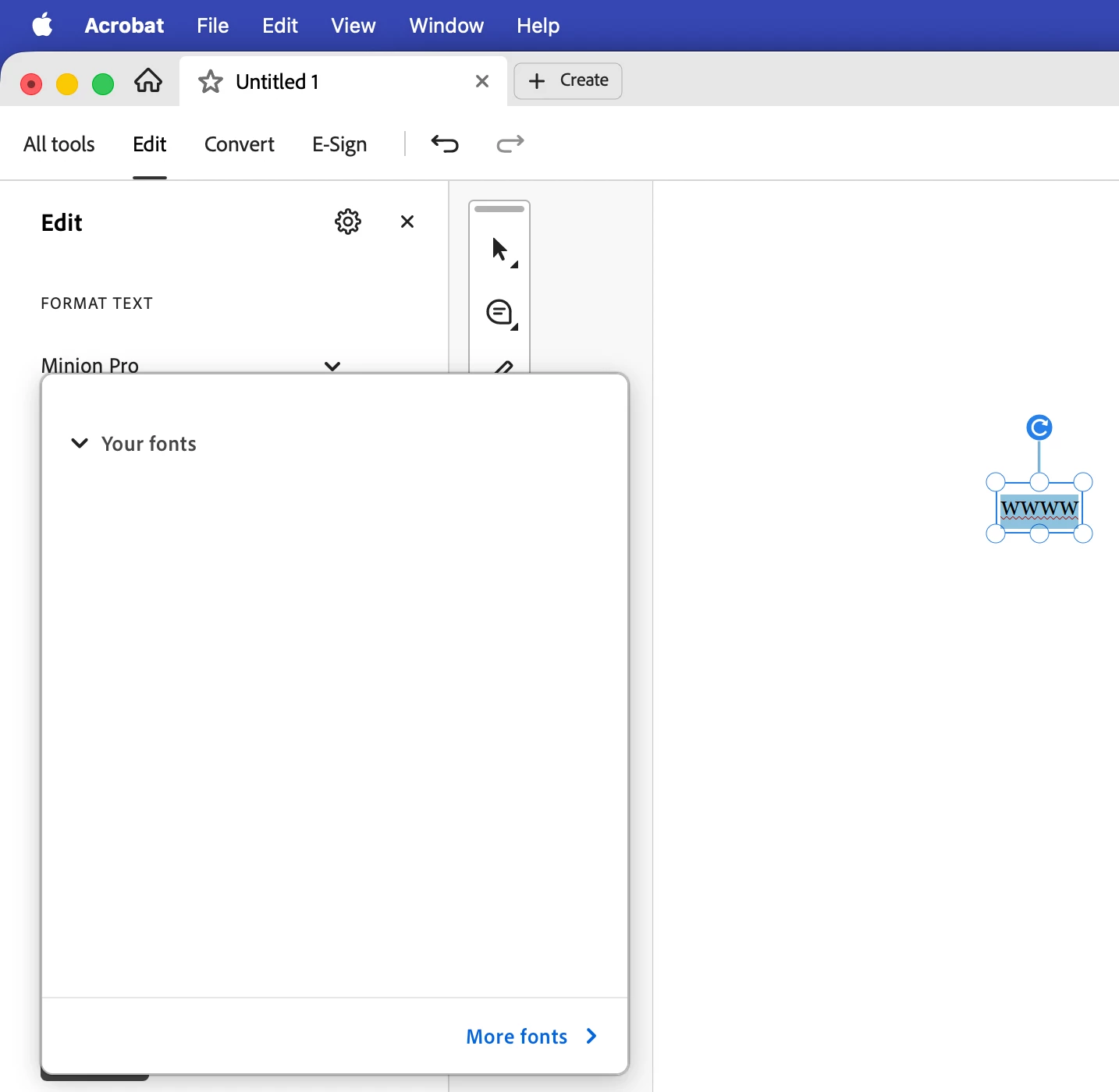
Since the 2026 version of Acrobat for Mac, the font list while editing a file shows empty.
macOS Tahoe 26.6.2, Acrobat 26.002.21869. 

I performed a clean install, deleting all the Adobe and Acrobat folders, preferences files, etc.
I reseted the Fonts, using Font Book.
I added other user to my Mac, and under this user, the font list works as expected.
I changed the UI to the old version, and it works as well.
Fonts work well on every other installed app.

So, I know that I have an issue with MY USER. Problem is that I don’t want to delete everything and start from scratch. 

I’m sure that I have a corrupted setting or file under my user that’s preventing Acrobat to list the installed fonts. 
Hopefully someone here could have an idea of what can I do. 
Thank you again for your time.


    Correct answer glamorous_strength27bf

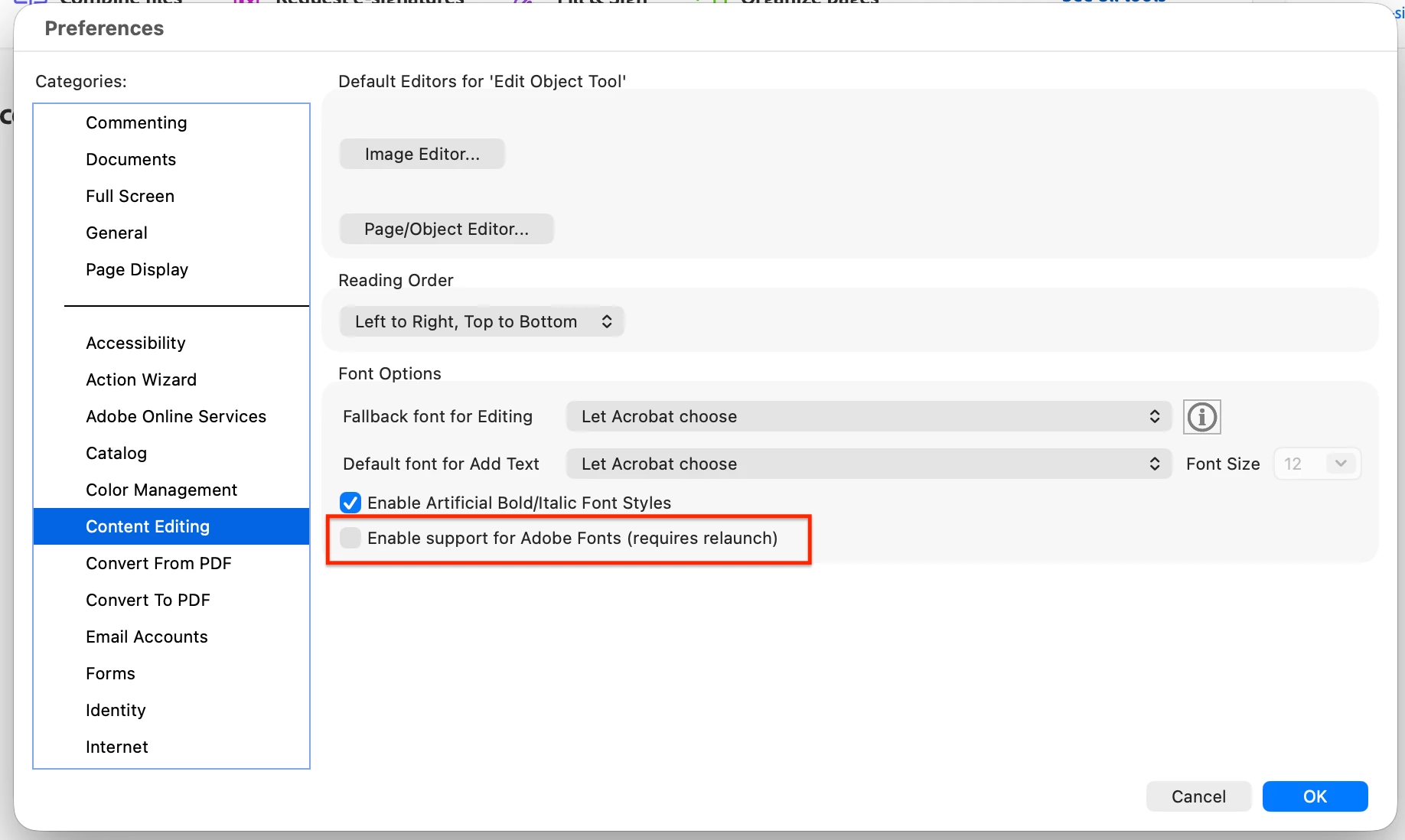
    I changed a setting and it worked finally.
    Thank you ​@Karl Heinz Kremer for your comments and ideas,

    Unchecking the box below did the trick:


    10 replies

    glamorous_strength27bfAuthorCorrect answer
    Participant
    September 2, 2026

    I changed a setting and it worked finally.
    Thank you ​@Karl Heinz Kremer for your comments and ideas,

    Unchecking the box below did the trick:


    Karl Heinz  Kremer
    Community Expert
    Community Expert
    September 2, 2026

    Yay! I am glad that it worked out. I have to admit that I’ve never seen this new preferences item. I need to research what exactly it does (and why it would behave differently on the new vs. the old UI). 

    Karl Heinz  Kremer
    Community Expert
    Community Expert
    September 2, 2026

    I have 30 years of muscle memory with the old UI :) This means you’ve come across a genuine bug, and I would recommend to report it via the official channel: https://www.adobe.com/products/wishform.html

    Karl Heinz  Kremer
    Community Expert
    Community Expert
    September 2, 2026

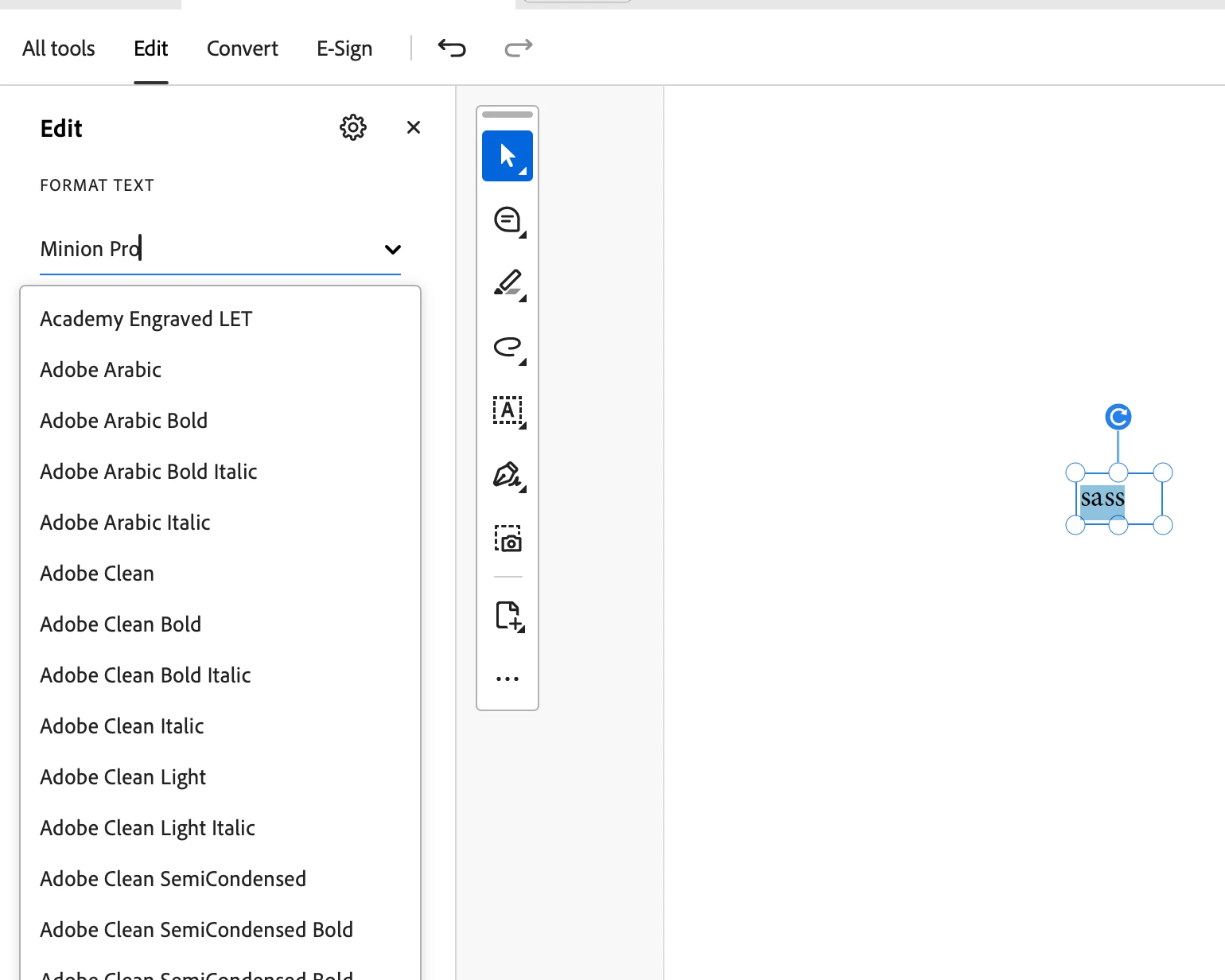
    I was a bit worried when I noticed that you were running a newer version than what I had installed. But even after the update, I am still getting the font list:


    Anytime you run into things that a simple re-install will not fix, I recommend to use the AcroCleaner to remove anything that is related to Adobe Acrobat: 

    https://www.adobe.com/devnet-docs/acrobatetk/tools/Labs/cleaner.html#macintosh


    Participant
    September 2, 2026

    Yes, I did a clean install, deleting every Adobe, Acrobat folder. I used FindMyFile.
    Before that I uninstalled using the Acrobat Cleaner with no success.
    I’m quite sure that something that is part of my user and not of the Adobe files is corrupted, damaged, etc. The problem is to find what...

    Karl Heinz  Kremer
    Community Expert
    Community Expert
    September 2, 2026

    Does it make a difference when you switch to the old UI (see the menu item in the View menu)? 

    Participant
    September 2, 2026

    Thanks.
    Yes, it does and works in that way. But I have built muscle-memory since 3 years maybe? with the new UI. 
    But al least is proof that the fonts are available for Acrobat.


    Karl Heinz  Kremer
    Community Expert
    Community Expert
    September 2, 2026

    I have 30 years of muscle memory with the old UI :) The fact that it works correctly with the old UI suggests that you’ve come across a genuine bug, and I would recommend that you report it here: https://www.adobe.com/products/wishform.html