
Participant
January 25, 2024
Question

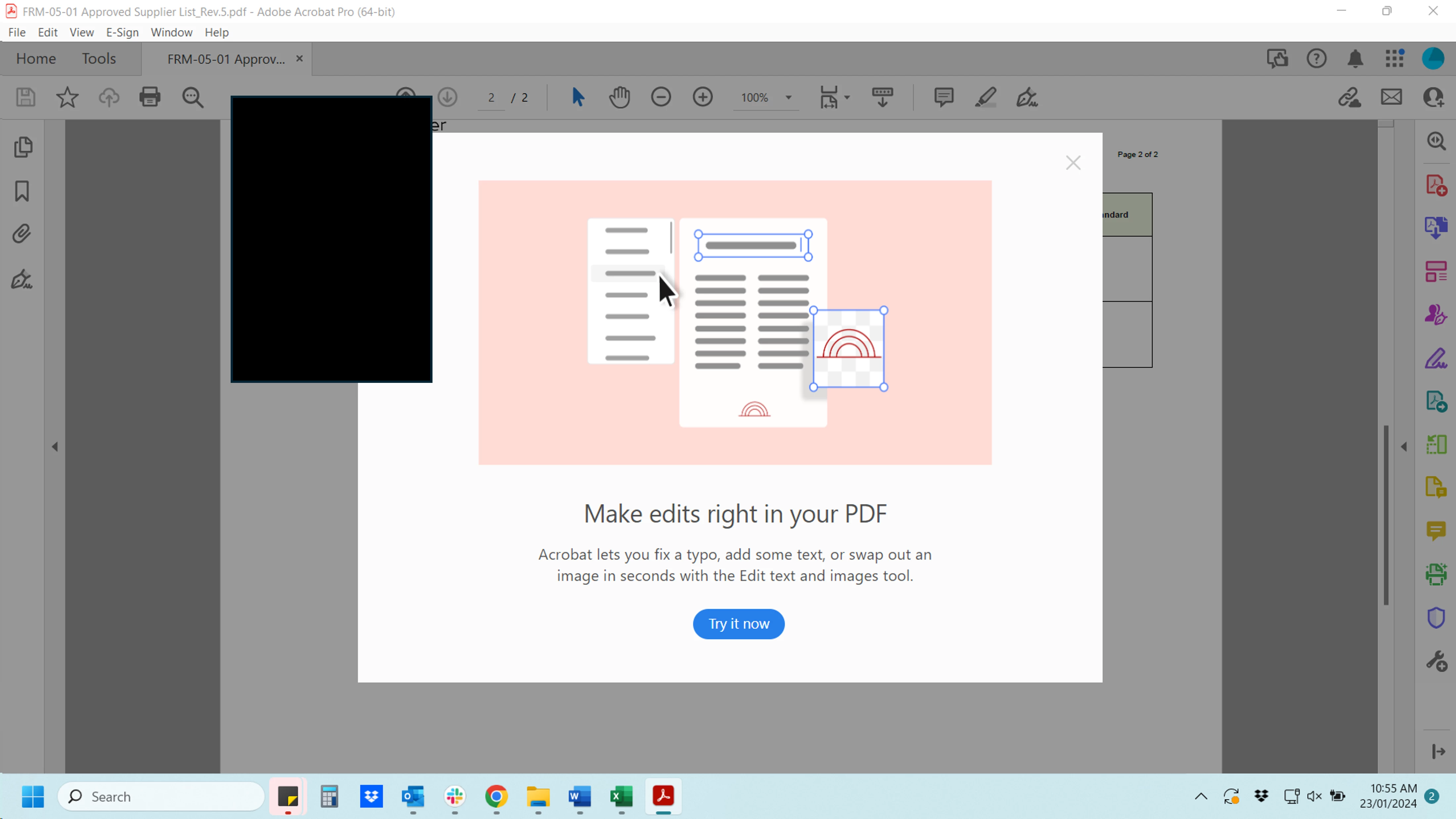
Acrobat advertisements keep popping up in Acrobat

  • January 25, 2024
  • 2 replies
  • 1387 views

Does anyone know how to get rid of ads telling me to purchase Acrobat when I open a PDF in Acrobat? I've purchased and am using Adobe Acrobat Pro but it still keeps popping up! Example below.
 

This topic has been closed for replies.

2 replies

JR Boulay
Community Expert
Community Expert
January 26, 2024

You must revert to the Classic UI: https://community.adobe.com/t5/acrobat-discussions/acrobat-2023-how-to-revert-to-classic-gui-user-interface/td-p/14052807
Consider the new Acrobat as a beta version, many features are missing or half-implemented.

Acrobate du PDF, InDesigner et Photoshopographe
Participant
February 8, 2024

Thanks for the reply JR Boulay, but I already disabled the new UI as I didn't like the new toolbar. It must be something else.

Inspiring
January 26, 2024

It's in Preferences and then General.  Towards the bottom of that section is a Messages to/from Adobe.  Remove the checkmark in the box that says "Show me messages when I launch Acrobat."  It was driving me NUTS, too.  

Participant
January 26, 2024

Thanks for the response SirMatthew but I already tried that, it's definitely unchecked 😞