



Dave400
Participating Frequently
September 1, 2025
Question

acrobat and other CC pops up dialog device activation limit, for device thats currently signed in.

  • September 1, 2025
  • 2 replies
  • 487 views

Acrobat appears to have auto updated itself this morning (despite being disabled!)
Device activation limit prompt pops up on each subsequent launch, prompting to sign out on a device to enable current device, despite it being the one thats currently signed in...
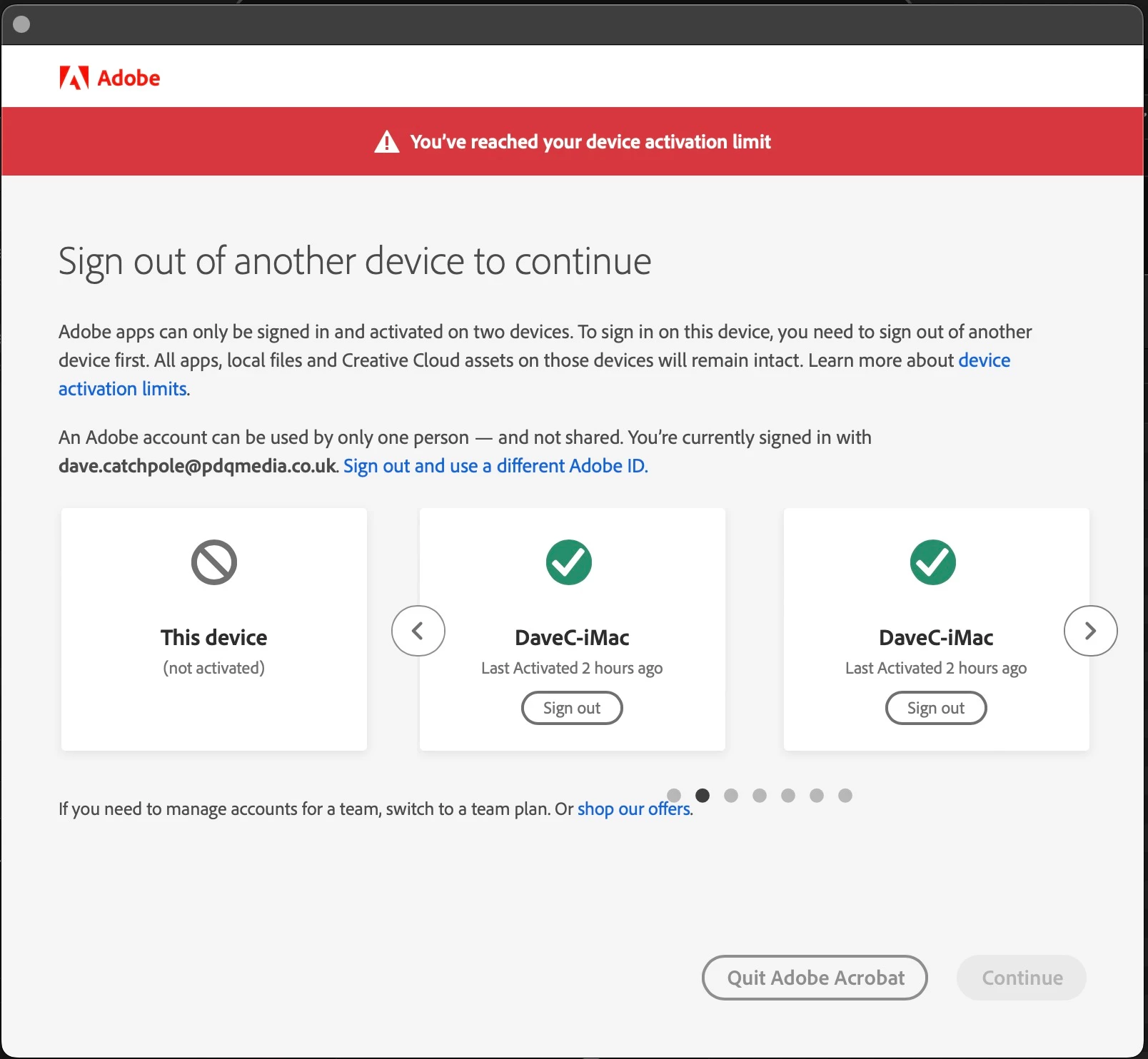
Thought other CC apps were OK, however they also now show the same behaviour.

2 replies

Known Participant
September 1, 2025

[Windows 10]

I've got a similar problem: I get the message to deactivate my adobe apps on other computers but I have never installed them on another computer! I only use my desktop for all my adobe apps. It also says I last activated apps 3 hours ago, which should be less than an hour and before that, not for several days.

Legend
September 2, 2025

Hi @Frits5C99


Thanks for reaching out, and sorry for the troubled experience. 
If you are still experiencing this issue, please help us with the diagnostic logs: 

To collect the logs:

  1. Download and run the Diagnostics Utility from:  https://adobe.ly/4oTF4ua
  2. Click on Start Diagnostics. Ensure advanced logging is checked.
  3. Launch Acrobat, reproduce the issue with your file.
  4. Once done, click Stop Monitoring.
  5. Copy the Log ID and share it with us.

Thanks for your patience.

Best regards,
Tariq | Adobe Community Team | Meet Acrobat Studio

Known Participant
September 2, 2025

Thank you for your answer, Tariq. I just checked the four apps I use (Acrobat, InDesign, Illustrator and Photoshop; the problem was with all four) and they are working as should be again. If you are still interested in these logs, let me know and I'll see what I can do.

Legend
September 1, 2025

Hi @Dave400

Sorry for the troubled experience, and thanks for reaching out. 
This is a weird issue. While I report this internally to our product team, would you please check this article: https://adobe.ly/428B5Qy and let us know if that helps?


Best regards,
Tariq | Adobe Community Team | Meet Acrobat Studio

Dave400
Dave400Author
Participating Frequently
September 1, 2025

No, each time I deactivated to allow existing device to sign in the app just crashed out and repeated process.


That said, at the moment, following 3rd machine restart all appears to have settled, though Acrobat when laucnhed shows the Acrobat Helper app open rather than the main application itself

Legend
September 2, 2025

Hi @Dave400

Glad to hear that it is working for you now. 
About Acrobat Helper, this happens if your Sandboxing in Acrobat is enabled. So you can delete that Acrobat icon from the Dock, go to Applications through Finder > Acrobat > Launch Acrobat, and pin that icon to the Dock. This is design behavior.


Also, while this licensing issue happened on the machine, could you please help us with the Acrobat logs? The logs we are interested in are at this location: 
/Users/<user-name>/Library/Containers/com.adobe.Acrobat.Pro/Data/Library/Logs/ - copy all to a folder name and zip it, upload to any cloud drive, and share the downloable link with us


Let us know if you have any questions.


Best regards,
Tariq | Adobe Community Team