


Participating Frequently
September 21, 2026
Question

Acrobat - Arial Font wird nicht korrekt eingebettet

  • September 21, 2026
  • 8 replies
  • 35 views

Da Arial als geschlossener Systemfont in MacOS 26.6.2 (25G83) verfügbar ist, kann eine zusätzliche Arial (z. B. über die Fonts der Creative Cloud) nicht installiert werden.

Wird das Dokument in der Webversion von Acrobat geöffnet, ist die Fontdarstellung korrekt.

Bei der eigenen Suche nach einer Lösung wurde dieses Problem hier häufig berichtet, auch mit anderen Fonts. 
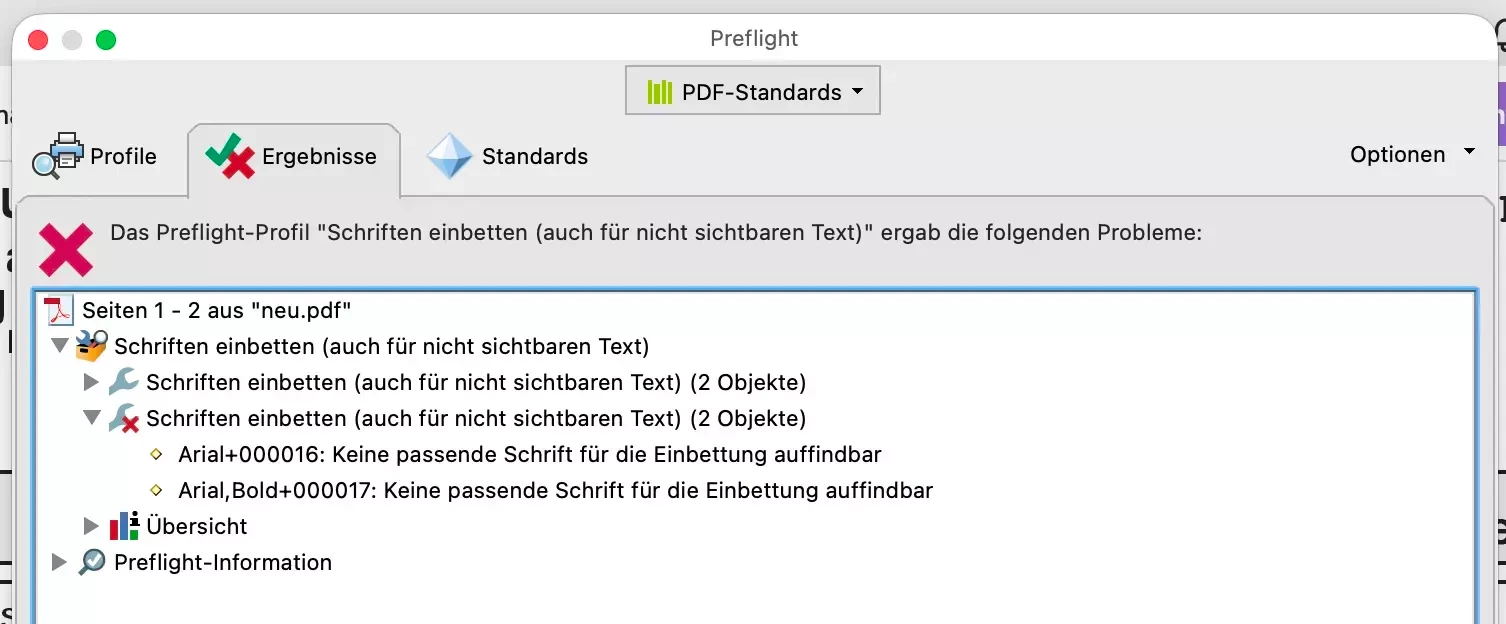


In “Dokumenteigenschaften” wird Arial+000016 als Type 1 Schrift aufgelistet, vielleicht ist es das Problem.

Bereits erfolglos getestete Lösungsversuche:

  • Creative Cloud App neu gestartet, auch CoreSync beendet
  • Rechner neu gestartet
  • Font-Caches gelöscht mit sudo-Befehl
  • Validierung der Schrift im Fontbook
  • Suche von versteckt liegenden Arial-Fonts mit der App “Find my file”
  • Acrobat deinstalliert, mit CC Cleaner bereinigt, neu installiert
  • neuer Benutzer im MacOS angelegt
  • clean install des gesamten Systems und Neuinstallation von Acrobat
  • 2 remote sessions mit dem technischen Support von Adobe
  • Testen des PDF-Dokuments auf den Rechnern des Adobe Support - dort wird die Schrift korrekt dargestellt

8 replies

creative explorer
Community Expert
Community Expert
September 22, 2026

I would go back into the document that this PDF was created and generate a new PDF. How are you creating the PDF? 

m
Participating Frequently
September 22, 2026

@creative explorer 

That's an third-party document, otherwise, I would have done that a long time ago 😉
I can't change the font selection there—these are billing documents, not graphic designs.

creative explorer
Community Expert
Community Expert
September 22, 2026

@mona117419 I don’t want to come across a ‘dummy’ but if this PDF is a billing document that was created from a third party app, is this Arial+000016 and Arial+000017  truly affecting the PDF? What does this font look in the PDF?

m
creative explorer
Community Expert
Community Expert
September 22, 2026

 ​@mona117419 I have recently bought myself a new MacBook Pro, so, I have a relatively clean slate. I created a new document in InDesign, and have no issues with Arial 

InDesign Fonts


After exporting the PDF, in the document properties, you can see the Arial TrueType fonts:


Document Properties - Fonts


I am using Acrobat Desktop. 

Have you tried replacing those weird fonts Arial+000016  to a different font? Sometimes if it’s weird font, I replace it with a Wing Ding so it stands out; typically, it might be just a space

m
Participating Frequently
September 22, 2026

I have no font Arial+000016 on my computer. Only the protected Arial system font. When I open the document in Illustrator, it marks the words with pink highlight. it is not only a space. 

Participating Frequently
September 21, 2026

Da man nur 1 screenshot pro Beitrag einstellen kann: hier der shot von “Dokumenteigenschaften”, links daneben die fehlerhafte Darstellung des Textes aus dem Dokument


Participant
September 21, 2026

Thanks for the clue!  I really appreciate your response!  Jay