Participant
May 16, 2023
Answered

Acrobat batch save PDFs to different folder

  • May 16, 2023
  • 2 replies
  • 1211 views

I created an action with Acrobat to add a watermark and resave with adjusted file name but output options only allow me to save in the same folder. Is there a way to save the new PDFs in a different folder?
This topic has been closed for replies.
Correct answer JR Boulay

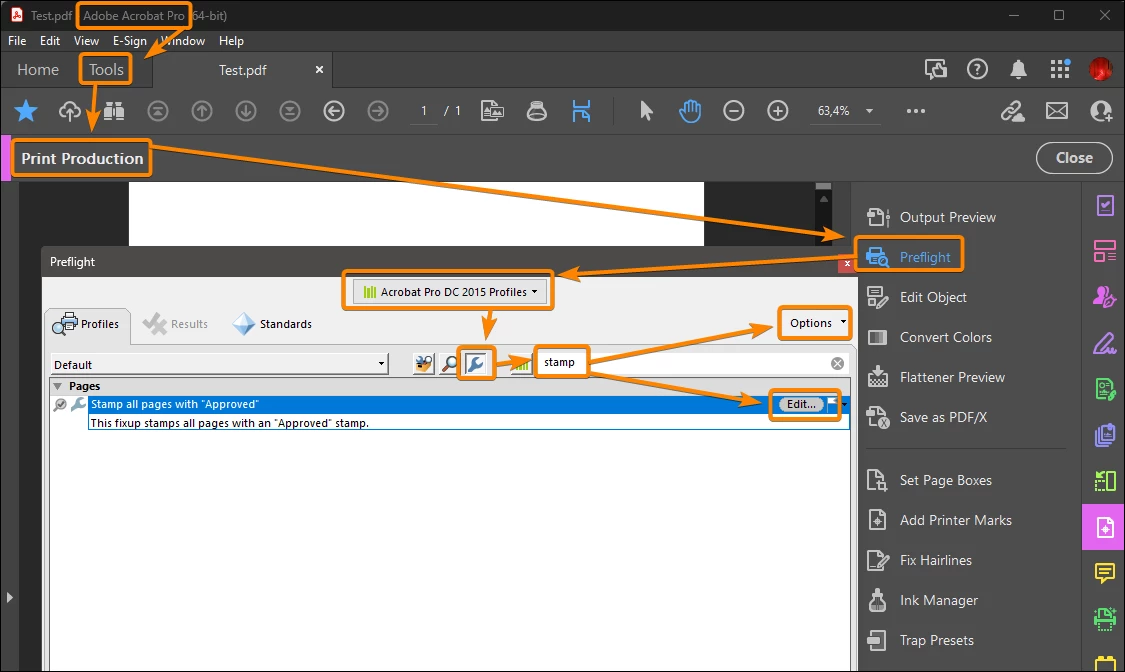
- Edit or duplicate the "Stamp all pages with Approved" profile in the Preflight fixups.

- Create a new preflight profile using the new fixup.

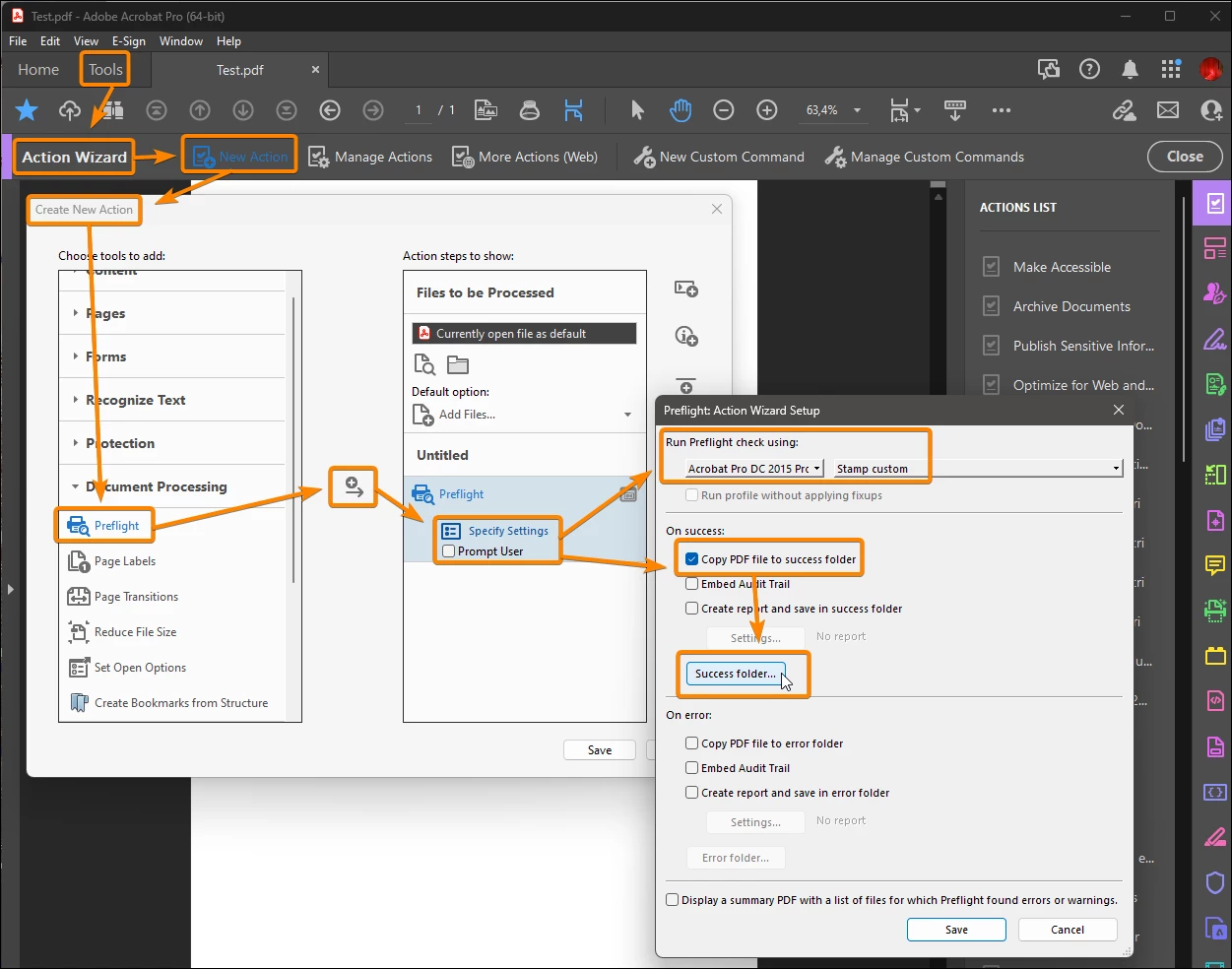
- Use the new profile in a "Preflight" action, that let you choose the destination folders.


2 replies

JR Boulay
Community Expert
JR BoulayCommunity ExpertCorrect answer
Community Expert
May 17, 2023

- Edit or duplicate the "Stamp all pages with Approved" profile in the Preflight fixups.

- Create a new preflight profile using the new fixup.

- Use the new profile in a "Preflight" action, that let you choose the destination folders.


Acrobate du PDF, InDesigner et Photoshopographe
Jairo5CFAAuthor
Participant
May 17, 2023

Thanks a lot, took me a bit to understand but finally got it working. Thanks a lot, now I don't have to struggle with Javascript.

Bernd Alheit
Community Expert
Community Expert
May 17, 2023

You can use the Javascript method saveAs in an action step.