


Acrobat changes the zoom level without my consent
This is a problem that I just recently ran into. I consider it an annoying bug, but maybe it is a “feature” or just the way it is.
I recently finished a 282 page book using the Book Module in Lightroom Classic. Because of the length, I decided to add a Table of Contents. The problem popped up when I decided to add links to the ToC in the pdf to make navigation much easier.
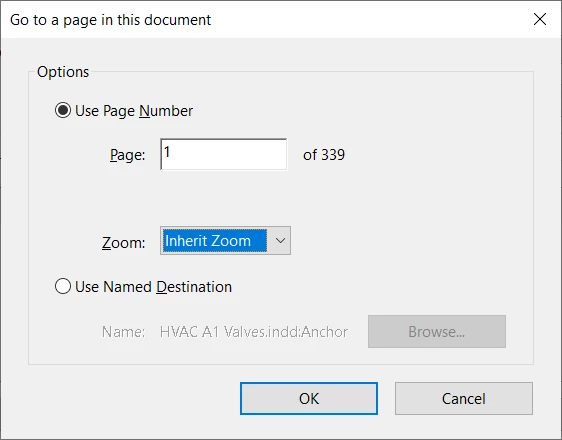
The problem occurs when using those links to navigate through the document, and it only occurs when displaying a two-page spread. In my particular case, when I “Zoom to Page Level” while in two-page display format, the zoom ration is 93.5%. I can navigate through the document using the arrow keys, or the thumbnails and the zoom level stays the same, 93.5%. But if I click on a link, it jumps to the page, but changes the zoom level to 128%, which happens to be the “Zoom to Page Level” for displaying a single page, but I am still in 2 page display mode which is now showing about a page and a half instead of the two-page spread.
I realize that the links in the ToC are to a particular page, but so are the thumbnails, and it doesn’t seem right that Acrobat would change the zoom ratio to single page zoom, particularly since the two-page icon in the tool bar is still selected (bright blue). If I scroll through the thumbnails and select a new thumbnail, Acrobat honors the zoom ration when jumping. It seems to me it should do the same when jumping to a linked page.
I realize this is an edge case, but perhaps there is a setting that I am not aware of that will cure my problem. If not, I will just keep hitting “Command-Zero” after each jump.
I am using the latest version of MacOS Tahoe and the latest version of Adobe Acrobat.
Thanks for your help. I have always found this to be a great community.
Charlie Dunton

 AdChoices