Participant
February 28, 2020
Answered

Acrobat check boxes filling inconsistently

  • February 28, 2020
  • 1 reply
  • 897 views

Hi all,


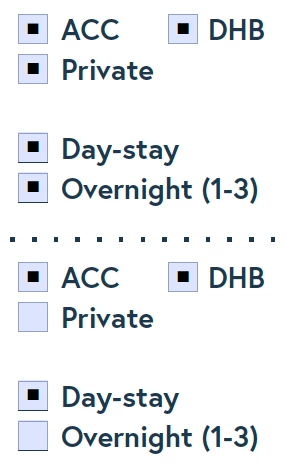
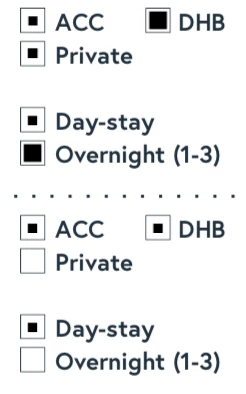
I have just created a form for a client and despite having created all check boxes in exactly the same way some are filling with bigger boxes than others, when I preview from Acrobat everything looks consistent as you can see in the first screenshot, when I open in Acrobat after saving, again everything looks great. However if I open it using any other programme like Preview or view it through Finder then the fill on those check boxes is inconsistent.


Any advice would be appreciated! I didn't notice until the client queried from his end so the software he is using is obviously showing the fault.


This topic has been closed for replies.
Correct answer George_Johnson

It's a good idea to never use Preview to open a PDF form. It has really lousy support for PDF forms and damages them in a number of ways when it saves. Apple is not interested in making it compliant to the PDF specification. The issue you're having is just one of many.

1 reply

George_JohnsonCorrect answer
Inspiring
February 28, 2020

It's a good idea to never use Preview to open a PDF form. It has really lousy support for PDF forms and damages them in a number of ways when it saves. Apple is not interested in making it compliant to the PDF specification. The issue you're having is just one of many.