
Known Participant
February 11, 2025
Question

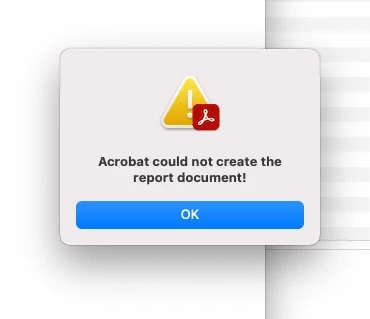
Acrobat could not create the report document!
  • February 11, 2025
  • 1 reply
  • 671 views


I am getting the above error when I try to compare documents. I tried everything I could find online to fix the problem and decided today to do a factory reset on my iMac.


So I have a clean reformatted HD with the latest iOS, installed and updated. Installed InDesign and Acrobat and still getting the error. I use this feature all the time and not sure what else to do. Any ideas?


Sequoia 15.3.1

Acrobat 2024.005.20400

IMac Mini M1 

1 reply

AnandSri
Legend
March 7, 2025

Hello,


I hope you're doing well, and we apologize for the delayed response and the trouble.


Are you getting this error message when comparing any specific set of PDFs? Or is it with all the PDFs? Have you tried with a different set of PDF documents? 

Please ensure you have the latest version of Acrobat installed on the machine: 25.001.20428 Planned update, Mar 04, 2025. Check for any pending updates from the Menu > help > check for updates, install the updates, restart the app and the machine, and check. For more information, see this: https://adobe.ly/3DlXuRr.


Please use the Preflight tool to analyze the PDFs you are comparing and check for any errors. If you encounter any error messages, use the Fix Up feature in the Preflight tool to resolve them. Could you share the PDFs with us for testing? If so, please initiate a direct message by clicking on the profile name and selecting 'Send a Message' to share the files.


Let us know how it goes.

Thanks,

Anand Sri.

GiGiTexasAuthor
Known Participant
March 7, 2025

Hi Anand, thanks for reaching out. The issue is resolved, but have no idea how. I had to reach out to Adobe with a ticket as I use this feature many times a day.


But for information purposes it was ALL PDFs. When the Adobe Tech took over my Mac he even created PDFs with one word in them and that also crashed. He did his thing (ran some tools, checked that my software was current etc.) and couldnt fix it. He then created a ticket with a senior tech and magically - while waiting for my appointment - it started working. I do occassionally still get crashes of Acrobat when it is creating the report but it will at least work the next time. Seems to me its when the differences between the files it detects are large in numbers. 

Amal.
Legend
March 7, 2025

Hi there


Hope you are doing well, and thank you for reaching out.

We’re glad to hear that the issue is resolved for now. However, if you experience the same problem again in the future, please don’t hesitate to contact us. We’ll be happy to assist you.

To help us investigate further, please share the Acrobat crash logs by following the steps in this guide: Collect Crash Logs for Acrobat. These logs will provide useful information for troubleshooting if the issue happens again.