Participant
December 12, 2019
Question

Acrobat crash on RDS server randomly

  • December 12, 2019
  • 1 reply
  • 2357 views

Hi,
 
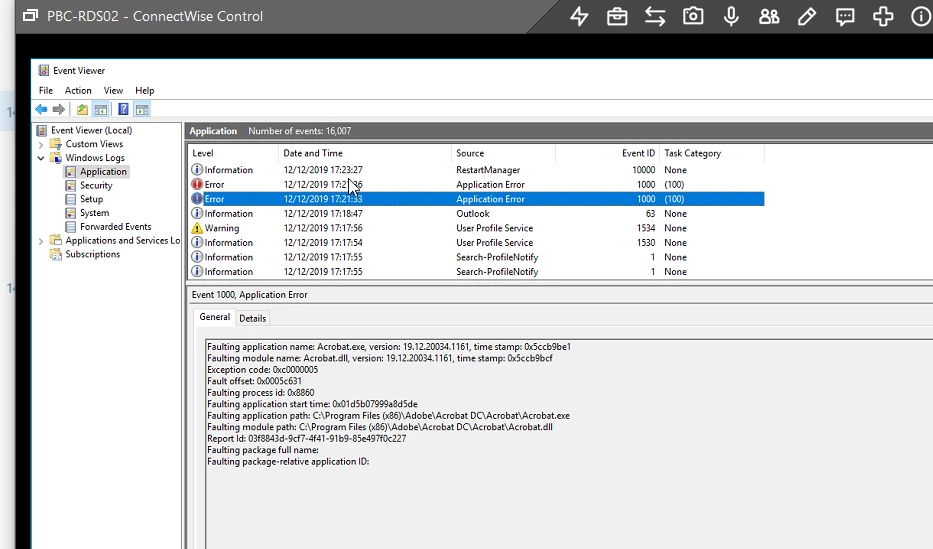
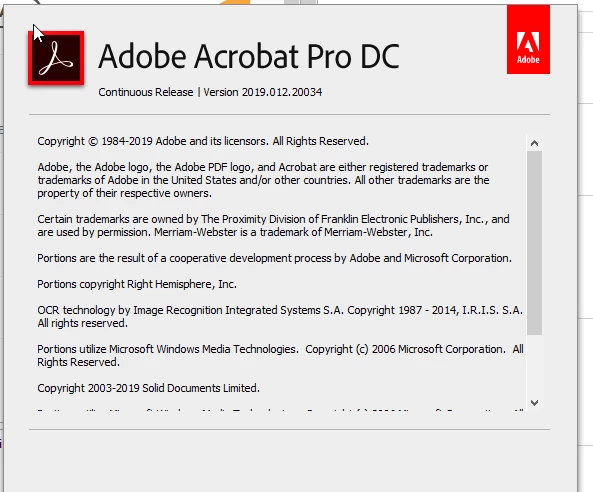
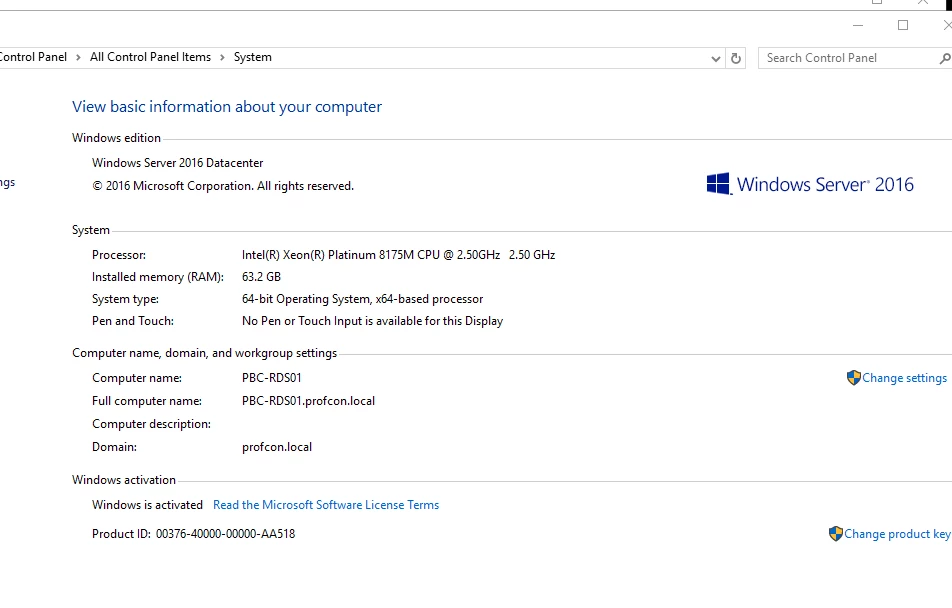
We have a number of users working on the RDS server 2016 using the Adobe Acrobat Pro DC version 2019.012.20034. One of the users is having trouble working on Adobe Acrobat Pro DC as it closes itself randomly. I have attached the screenshots of error messages from event logs and versions of Adobe and server. Can you please help?


Thanks 

Farrah
 

This topic has been closed for replies.

1 reply

AnandSri
Community Manager
Community Manager
December 13, 2019

Hey Farrah,


We're sorry for the trouble you had with Acrobat, please install the latest patch for Acrobat 19.021.20058 Planned update, December 10, 2019 from the help menu of Acrobat > select check for updates, reboot/log-off if possible and check.


let us know how it goes and share your observations.


Thanks,

Anand Sri.

Participant
December 12, 2019

Hi,


We have a number of users working on the RDS server 2016 using the Adobe Acrobat Pro DC version 2019.012.20034. One of the users is having trouble working on Adobe Acrobat Pro DC as it closes itself randomly. I have attached the screenshots of error messages from event logs and versions of Adobe and server. Can you please help?


Thanks 

Farrah
ls_rbls
Community Expert
Community Expert
December 13, 2019

Hi,


You haven't confirmed if you were able to resolve this issue by applying the update as suggested by AnandSri.


You should also post this issue in Microsoft Support here:


https://support.microsoft.com/en-us/contact/virtual-agent/?flowId=smc-contactus&partnerId=smc&referrer=support.microsoft.com&ws=support 


From the screenshots provided it looks like your organization have neglected updates for a while.


The screenshot of the event viewer is not enough information and you have too many components interacting with each other as to just blame the Acrobat application as the cause this issue.


Unless you update Acrobat first and  then check if the problem persists or not after updating , we don't have a concrete way of telling if this issue is all related to Acrobat itself.


Right below that line in the event viewer you also have a warning about the user profile service.


This, however, may be worked around by deleting the  user roaming profile directory or moving it to temporary folder in that PC, rebooting, reopening Acrobat and let it reset its preferences again for that user profile when Acrobat is opened up yhe next time (that is just a suggestion). It should work, and temporary folders and caches should also be cleared.


Another suggestion  that I always throw out there in this forum is to disable Data Execution Prevention for all programs in the offending Windows 10 computer. 


But for some reason the individuals to whom I've suggested this work around (learned from Microsoft Support forums by the way) have shown no care in posting back and sharing feedback if it worked or not.


So maybe you will be kind enough to try it out and report back.


For starters, the 2016 Windows RDS  could be missing important hotfixes, or a dependency that is not allowing a domain controller to enforce security appropriately, for example.


Please refer to your Windows product release notes.


Also, the user-mode driver in the remote PC  may be corrupt and may not be interacting properly with multi-threaded applications like Acrobat when it is loaded in memory.


You may need to debug the Client Server Run-time Subsystem in the remote PC that the issue is occuring; check also that the antivirus is not  broken (as it was reported back in April 2019 for Windows Server 2016 when one of the latest updates was pushed out)


to find the faulting process ID and debug using the Tlist command see here:https://docs.microsoft.com/en-us/windows-hardware/drivers/debugger/finding-the-process-id