
RoyB4519559
Participant
January 5, 2024
Question

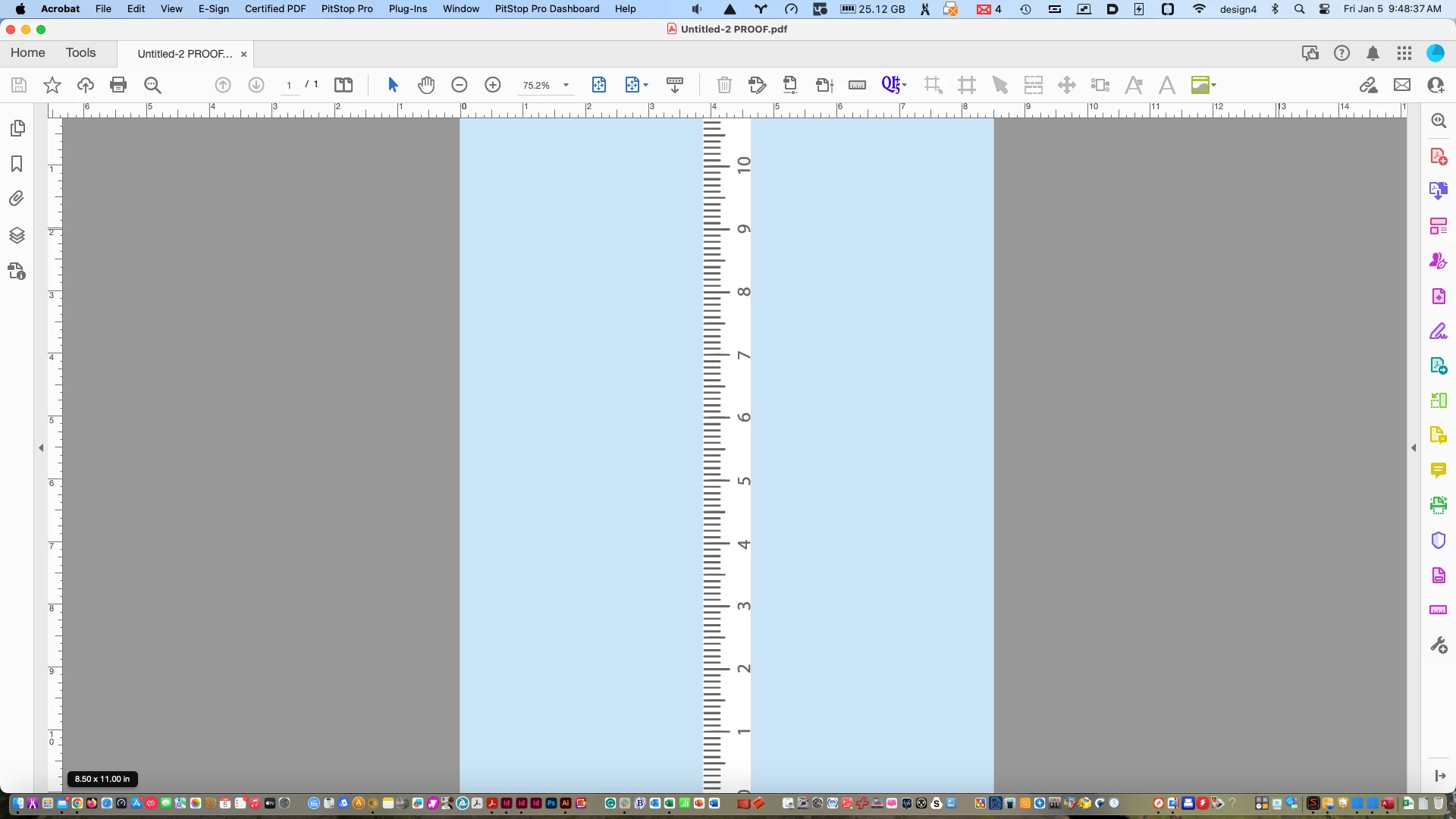
Acrobat cutting off top of page in Fit to Page view

  • January 5, 2024
  • 1 reply
  • 458 views

Since the post-June 2023 updates, Acrobat has had several bugs, most fixed as of Jan. 2024. One still persists. When in Fit One Full Page to Window mode, the top of the page is covered by the ruler.. On my screen that translates to the top 1/4 inch missing from an 8.5 x 11 page. See attached. Yes, I can zoom out slightly, but the idea is to make things easier and better, not forcing me to make extra steps I never had to do before. Would love to see this finally resolved.
 

This topic has been closed for replies.

1 reply

Inspiring
January 5, 2024

Hi @RoyB4519559


I hope this message finds you well. Thank you for reaching out, and I understand that you're currently experiencing issues with your PDF files on Acrobat DC. I'm here to help.


Could you please clarify if this issue is specific to a particular PDF file or if it's affecting all PDFs? It might help to test with a different file to pinpoint the source of the problem.


Additionally, could you provide information about the version of Acrobat DC you are using? You can find this by navigating to Help > About Acrobat. Ensure that you have the latest version (23.08.2042X) installed. If not, please go to Help > Check for updates, install any available updates, and reboot your computer.


To further troubleshoot, you may consider resetting the Acrobat preferences. Here is a helpful guide on how to do that: Link to Adobe Community - How to Reset Acrobat Preference Settings to Default.


If you have any questions or encounter any challenges along the way, feel free to reach out.


~Amal