Acrobat DC changes document colors on some PDFs - how can I fix this?
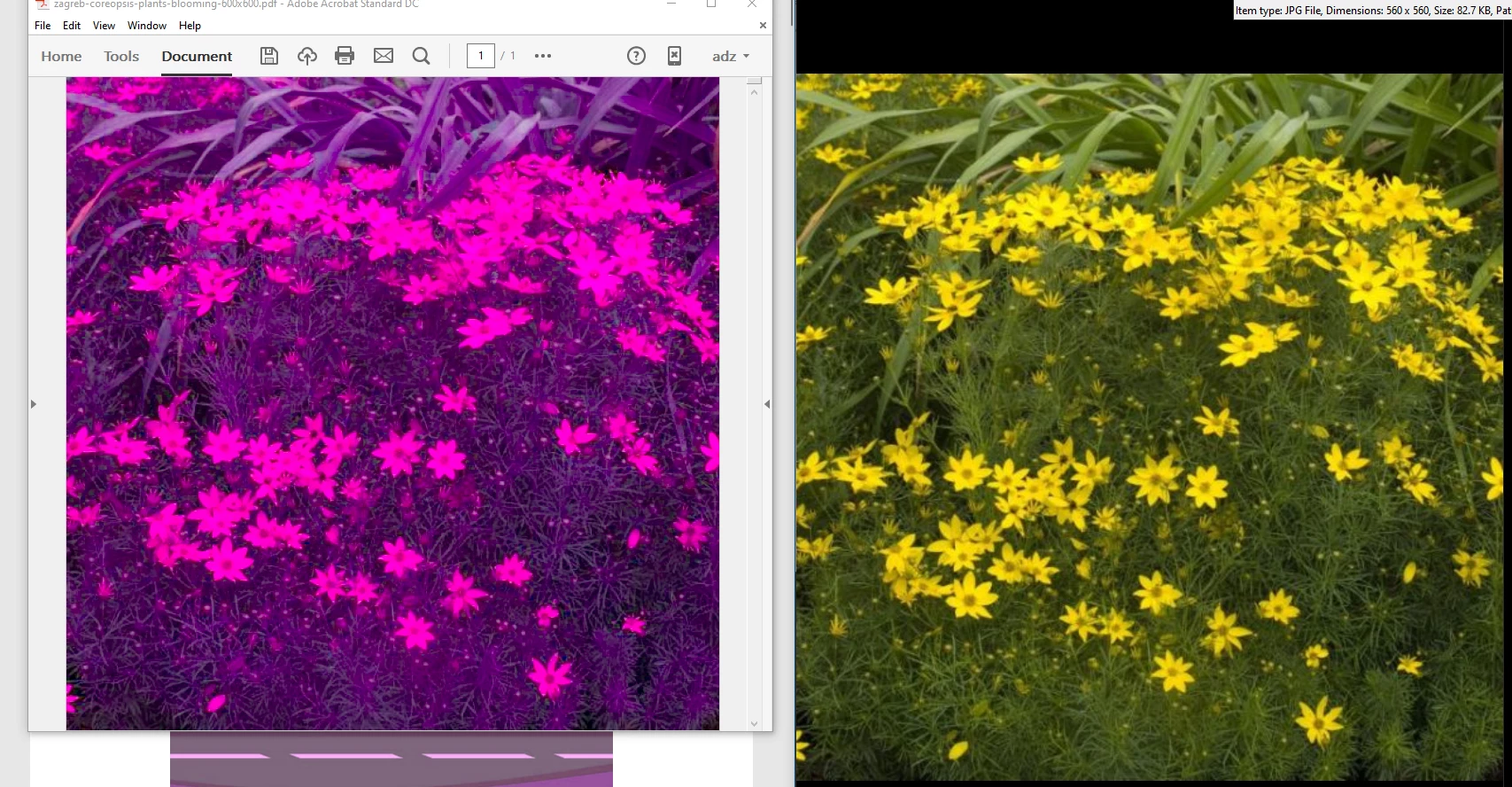
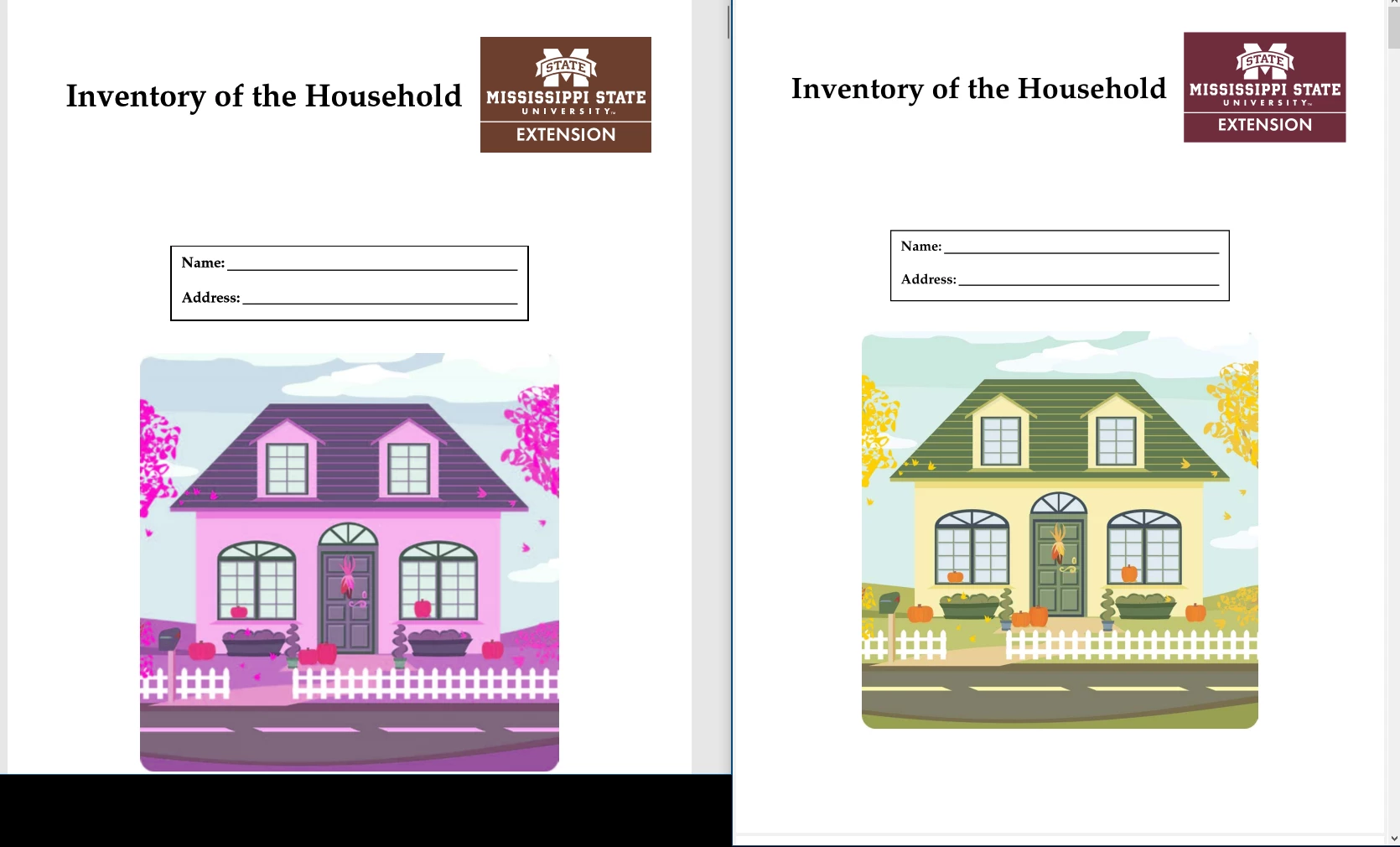
I am running Acrobat Standard DC, fully updated. For SOME PDFs, Acrobat changes the colors on the screen. I've given two examples below - the one on left is Adobe and on right SumatraPDF - the one on the right is correct. I did not create either of these. For the household inventory document, it was created using InDesign CS6 (Macintosh) according to the imbedded document decription.
.
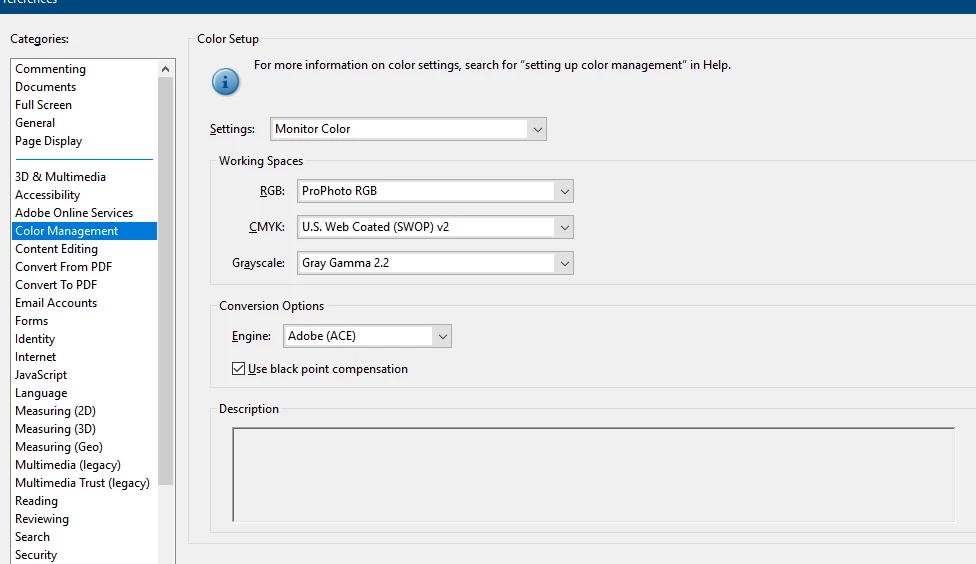
This started about a year ago. I have researched this problem but have not found a solution. I've done a repair and then reinstall of DC. In Preferences/Accessibility Replace Document Colors is not checked. Below is a screen shot of my Color Management settings. I ahve not found a setting combination that changes anything.
Any help or ideas would be appreciated.
 AdChoices