
raymondh93818467
Inspiring
March 9, 2020
Question

Acrobat DC "compare files" function cannot be compared correctly

  • March 9, 2020
  • 1 reply
  • 4042 views

I have two PDF files, and the difference between them is in the text below the barcode. However, when I use acrobat  pro dc "compare files" to compare these two files, the software does not find any difference. Different parts of these two PDF files can be easily found by the naked eye. Why can't acrobat automatically compare them? What do you think of the experts? What is the principle of acrobat compare files? Are there any restrictions?

My operation: open these two different PDFs using Acrobat Pro DC  --  open the "compare files" function  --  compare by default
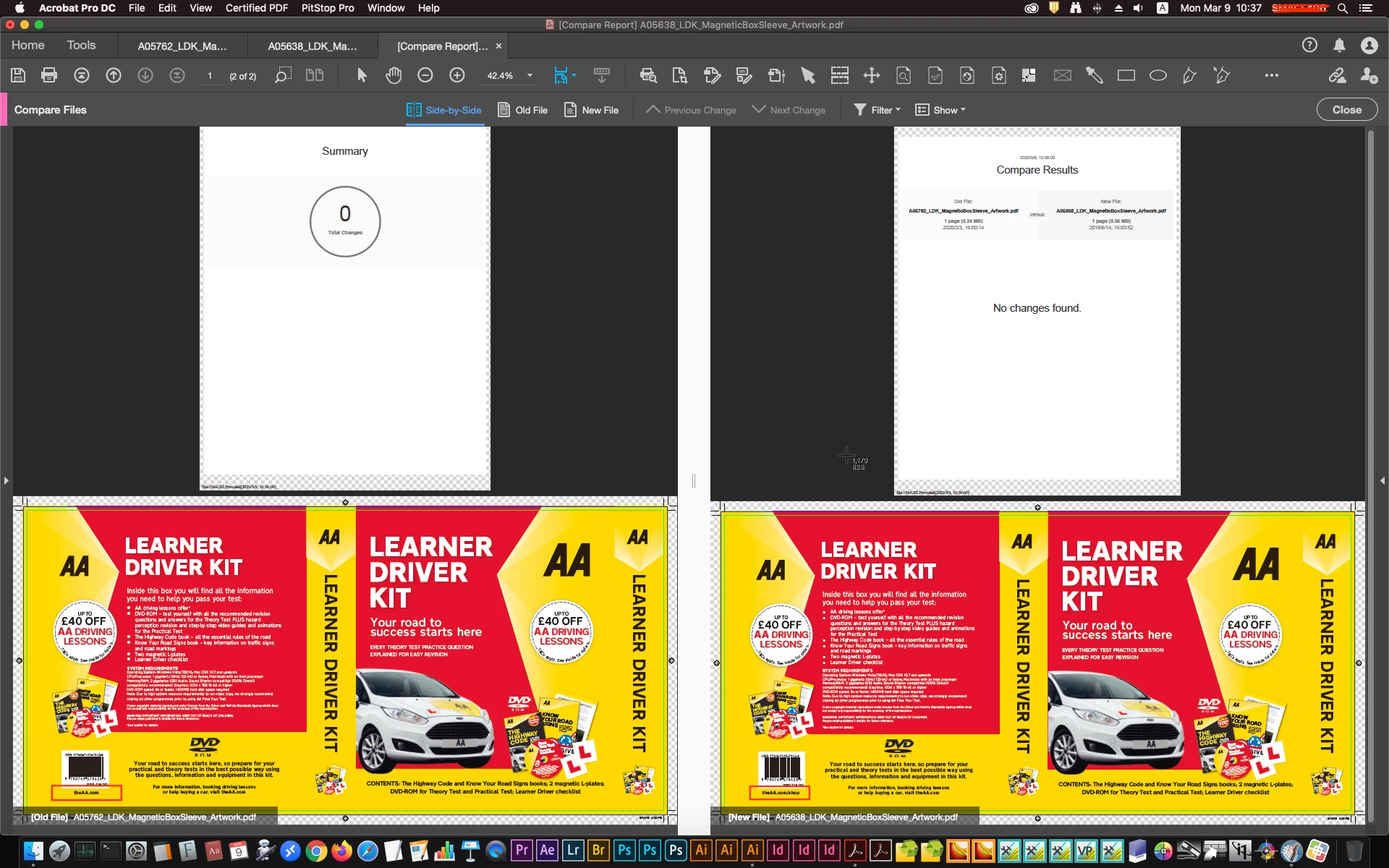
Computer system: MacOS 10.14.6
Software version: Pro DC 2020.006.20034

    This topic has been closed for replies.

    1 reply

    Amal.
    Legend
    March 9, 2020

    Hi Raymondh, 


    We are sorry for the trouble. As described you are not getting the desired output when comparing the two versions of the same PDF file. 


    Please refer to the troubleshooting steps provided in the link (https://helpx.adobe.com/in/acrobat/using/compare-documents.html) and see if that helps.


    Let us know how it goes.


    Regards 

    Amal


    raymondh93818467
    Inspiring
    March 10, 2020

    Hi Amal,

    I have followed your instructions, and the problem still exists (the results are the same and can't be compared). After my testing, it may be caused by some limitations or problems in the file itself. Because I import the PDF into InDesign, modify it, and export the new PDF, and then compare it with the original PDF. The difference is the same.

    Amal.
    Legend
    March 12, 2020

    Hey Raymondh,


    We are sorry to hear that the issue still persists. Please share the file with us for testing. Please upload the file to the document cloud (https://documentcloud.adobe.com/link/home/) generate the link and share it with us.


    Regards

    Amal