


Acrobat DC crashes on startup
I have an ongoing problem with Acrobat Pro DC crashing on startup in Windows 7. The crash occurrs as soon as I run the app. Sometimes it occurs when when then app is not running! For example, if I start the computer, I am doing other things and all of a sudden the message box says Acrobat DC has crashed. And sure thing, once that happens, if I try to run Acrobat DC, it crashes every time.
So there is no possibility of running Help->About or anything. The event viewer shows this:
- Faulting application name: Acrobat.exe, version: 19.21.20061.33636, time stamp: 0x5df94089
Faulting module name: unknown, version: 0.0.0.0, time stamp: 0x00000000
Exception code: 0xc0000005
Fault offset: 0x00000103
Faulting process id: 0x2c2c
Faulting application start time: 0x01d5dd1d95c4cb24
Faulting application path: C:\Program Files (x86)\Adobe\Acrobat DC\Acrobat\Acrobat.exe
Faulting module path: unknown
Report Id: d3816b22-4910-11ea-82a4-005056c00008
The strange thing is that I was running this properly this morning. Then the power went out because of a storm and it has failed to start ever since. In about 30 tries, it showed this message box once:
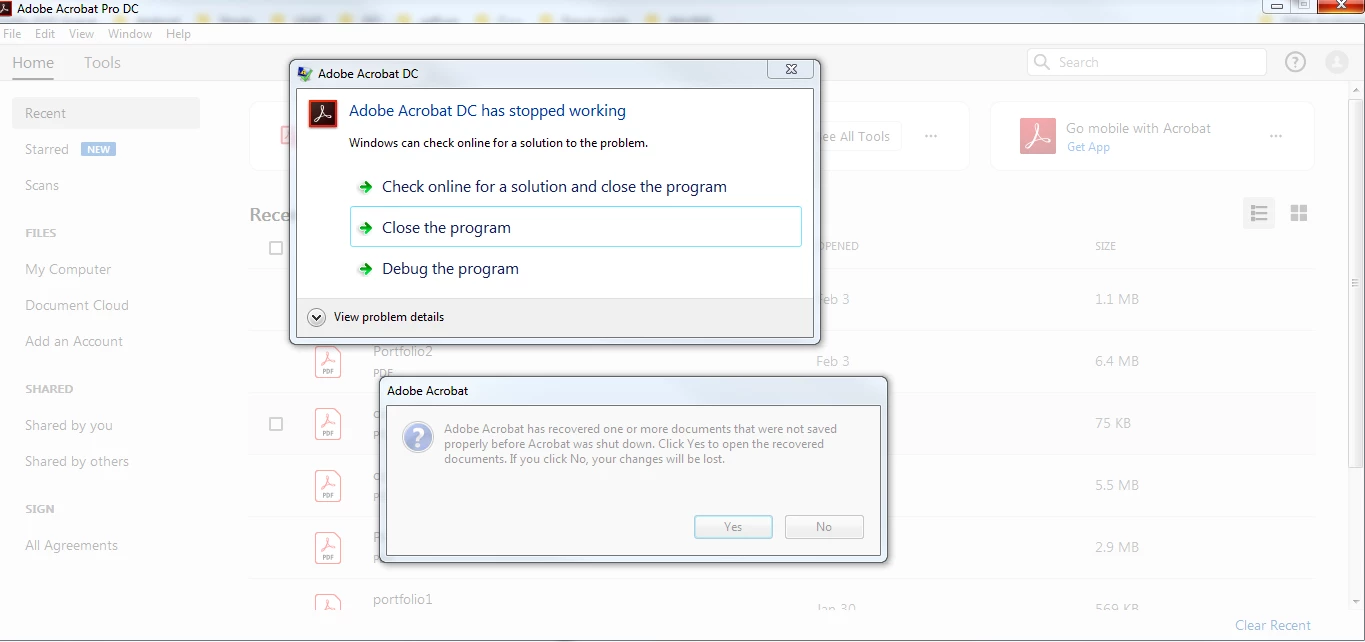
I saw other posts suggesting disconnecting the network cable, but that didn't work.
I have seen this crash before and sometimes it goes away on its own. In the past, I have uninstalled some Windows updates and that seemed to fix it, but now I think the crash has nothing to do with any update. I would like to clear that list of recently opened files but the exe crashes before I get a chance to click on "Clear Recent".
 AdChoices