Participant
December 1, 2021
Answered

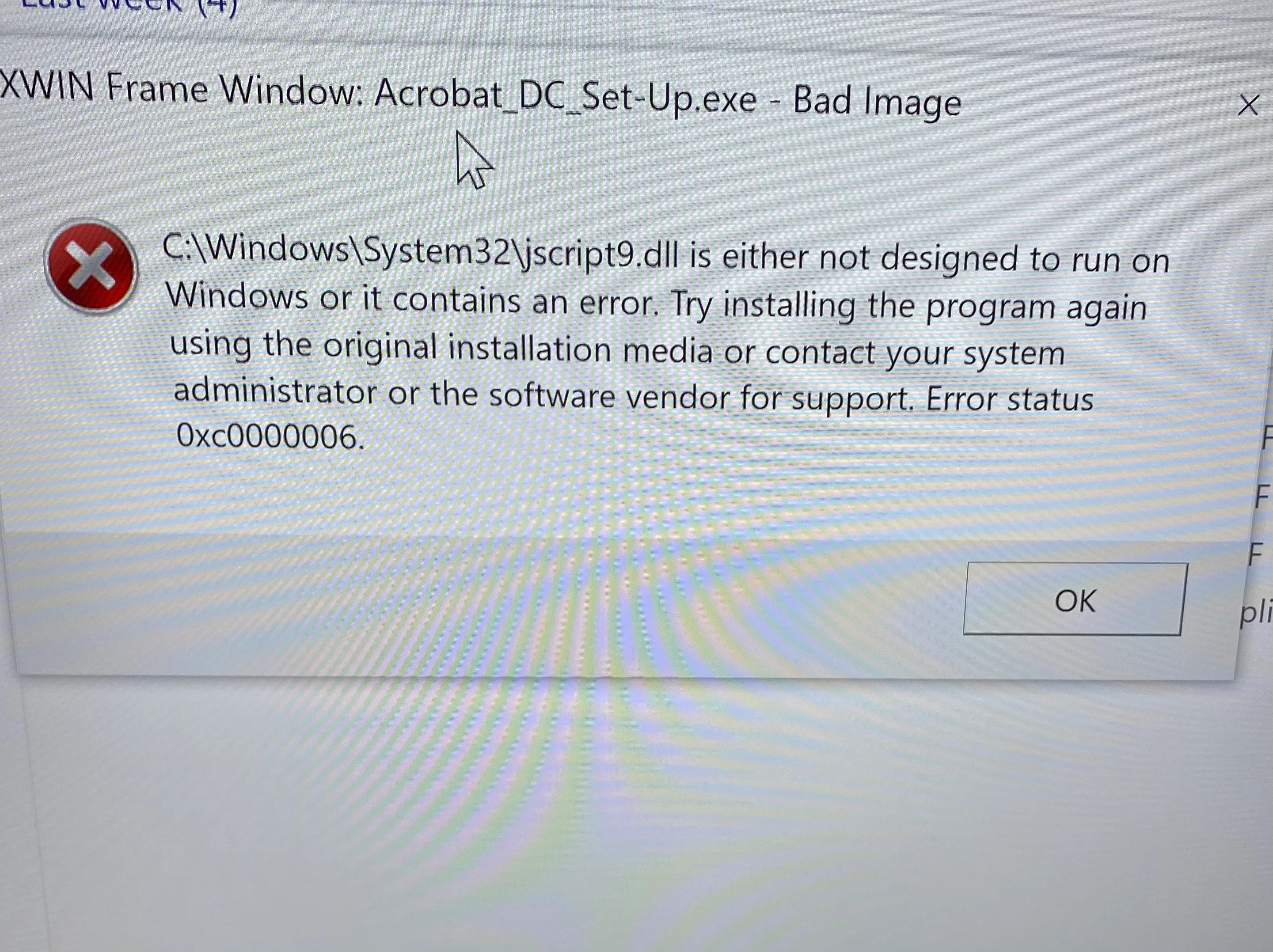
Acrobat DC error : Jscript9.dll
  • December 1, 2021
  • 1 reply
  • 1129 views

Acrobat DC was working fine on windows 10 and suddenly this started happening. I reinstalled but same thing over and over. What to do? 

This topic has been closed for replies.
Correct answer Patricia22023587834b

I ended up reinstalling windows and actually going to windows 11 and it works fine now


I was contacted by tech support but the person I got was not good at all - his first suggestion was to buy the download version with a single lifetime license instead of offering a fix


and when I insisted that this could be fixed if he only made and effort he suggested using ccleaner!? 

Reinstalling windows is so easy now it should always be considered an option where there appears to be a corrupted file


1 reply

Amal.
Legend
December 1, 2021

Hi Patricia


Hope you are doing well and sorry for the trouble. As described you are unable to use the application and getting the error jscript9.dll is not designed.


Did you made any changes/upgrade to your computer and started getting this error message?


Please try to create a new test user profile with full admin rights in Windows or enable the root account in MAC and try using the application there and check.


Also you may check the similar discussion I have found on MS support page https://answers.microsoft.com/en-us/windows/forum/all/what-is-jscript9dll/b2c1eadf-db5b-4089-b6be-e65c28bed520 and see if that helps.


Regards

Amal


Patricia22023587834bAuthorCorrect answer
Participant
December 4, 2021

I ended up reinstalling windows and actually going to windows 11 and it works fine now


I was contacted by tech support but the person I got was not good at all - his first suggestion was to buy the download version with a single lifetime license instead of offering a fix


and when I insisted that this could be fixed if he only made and effort he suggested using ccleaner!? 

Reinstalling windows is so easy now it should always be considered an option where there appears to be a corrupted file