
Participant
January 13, 2020
Question

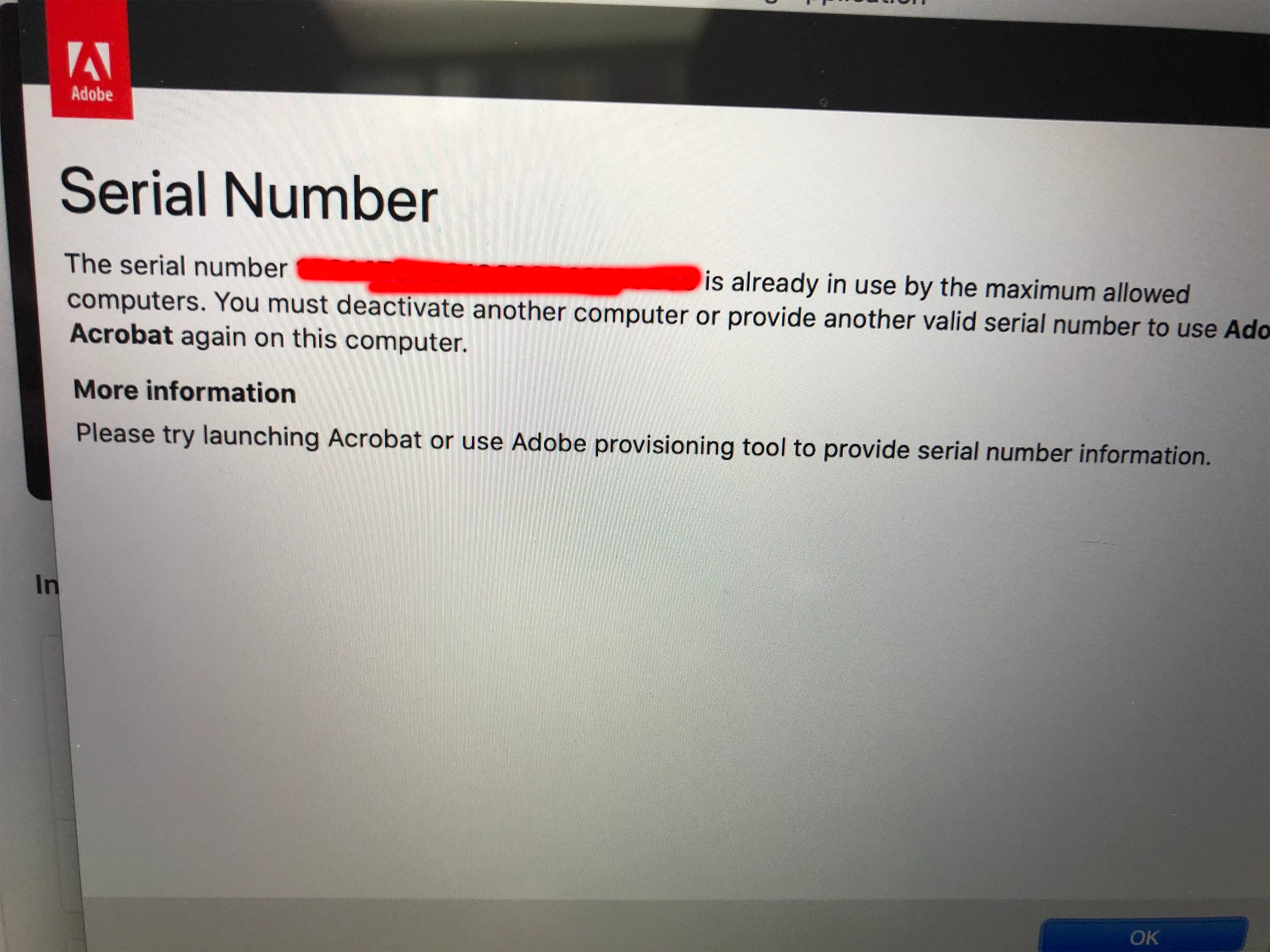
Acrobat DC states serial number is already in use

  • January 13, 2020
  • 1 reply
  • 3567 views

I am receiving this error message when I try to access Adobe AcrobatDC. I am currently signed in with my user name and I am able to access my other Adobe apps just fine. I have reinstalled the application and received the same result. I tried signing out and signing back in and received the same result. If I sign in to my account on another computer and open Acrobat it works just fine. I am currently using a MacBook. 
This topic has been closed for replies.

1 reply

Legend
January 13, 2020

Is the message unclear? It is a problem to fix on one of the other computers, by deactivating the other computer. Your limit is 2 for retail licenses, may be different fir business licenses. 

ZachORITAuthor
Participant
January 13, 2020

There are only 2 computers currently active. Only this application on one of those devices provides the error, however the other Adobe applications work on both devices. I'm not sure if I explained my issue clearly above the picture. 

Legend
January 14, 2020

The explanation seems clear enough. There are two activations in use. One has happened succesfully on one computer, so there will be no messages. The other has cannot succeed because two are in use. If you ever installed on a different computer and it failed, that's where the license went. What you need to do is contact Adobe Customer Service and say you need an "activation count reset". It is very important to use these exact words, use them first, and not add in any other problems, complaints or commentary, otherwise you will distract them. We  cannot solve this here.

Warning, scammers may contact you privately pretending to be Adobe staff. Adobe will never send you a private message asking you to email an account that isn't @adobe.com, or use Skype. Adobe never ask you for their password. These scammers want your Adobe info, credit cards, your money and control of your computer, please take care.