rp567940
Participant
February 23, 2026
Question

Acrobat Does Not Work With Hand Writing

  • February 23, 2026
  • 2 replies
  • 19 views

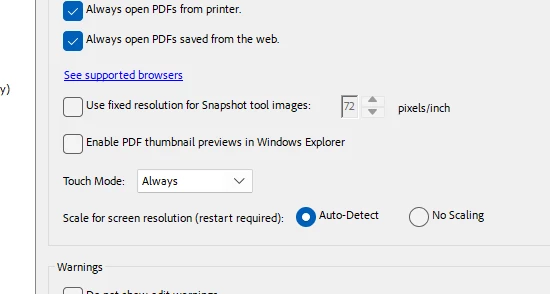
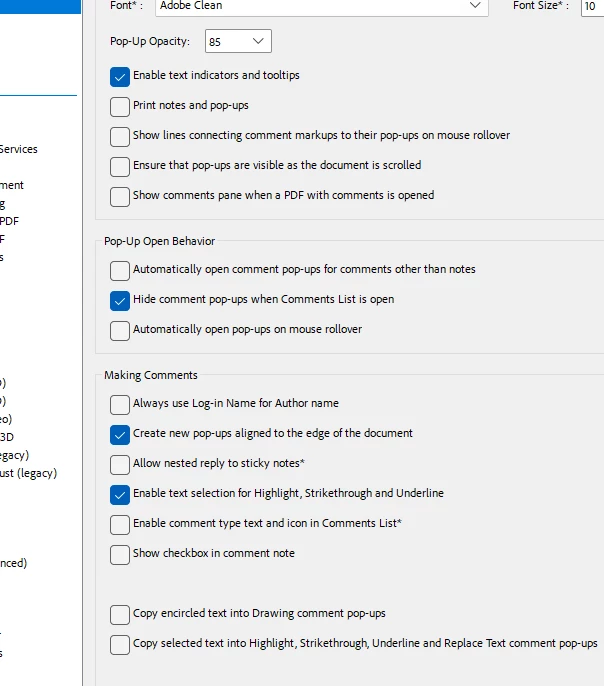
I am attempting to write on a simple pdf using a wacom tablet and my adobe acrobat program which I pay hundreds of dollars a year for. I just want to be able to write overtop of student lab report submissions in my handwriting and save myself time. I have gone through online forums, I have chosen the free draw pen, I have selected the pin tool to hold it in place, I have gone into preferences to set it to always recognize the pen, I have set it so that it should not have any pop up selections for the selection boxes…. nothing has worked. Every time I try to write it gets stuck and decides to select the first letter I write and makes it impossible to actually handwrite over the file. Why am I spending over an hour on this very basic function? What am I missing?

 

    2 replies

    Luke Jennings3
    Community Expert
    Community Expert
    February 23, 2026

    Go to Tools> Comment> select the pencil tool, you can adjust the color and thickness on the right side of the tool panel. If you want to make the comments harder to remove, you can flatten them into regular page content using a preflight fixup or saving as an optimized pdf. (I assume the comment tool is available on a tablet)


    rp567940
    rp567940Author
    Participant
    February 23, 2026

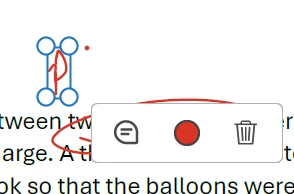
    This is not on the tablet, the wacom uses the computer, it just adds an extra screen which you can write on. Is there something I am missing about the pencil tool? I put the image above of my toolbar it is there no matter what and the comments section just seems to show all of the markings I have made. The issue is just that if I try to write it will select the previous marking instead of continuing to write.

    gary_sc
    Community Expert
    Community Expert
    February 23, 2026

    If you’re expecting Acrobat to understand your handwriting, I’m sorry, but that’s not currently possible. 

    rp567940
    rp567940Author
    Participant
    February 23, 2026

    I don’t expect acrobat to understand my handwriting. I want acrobat to let me write on top of it without having to exit out every time. I try to write two letters and the second I lift up the pen for the second letter it selects the first letter instead of letting me write.

    creative explorer
    Community Expert
    Community Expert
    February 23, 2026

    @rp567940 I know this may not help, but what I have done in the past is scan my signature in, and place it as an image. The average person won’t know how to extract it, and if they do, they would need the Pro app (paid) to do so. And I make it low-res too.

    m