Acrobat E-Sign Missing Signature Boxes
Hello,
I've been having problems with E-Sign. I've never created one before but the problems I'm having seem beyond mere inexperience.
I need four people to sign in different places on the same document. I entered the known good email addresses (text copied directly from my email application) and designated the signature boxes to be for the specific email. Yet no one has gotten the email in their regular inbox or their spam. So I resent it with two different emails I use copied to a bogus signature box so I'd get it.
I was able to get the email to sign in the outlook address but not the gmail address. When I went to view it, no signature boxes to type in show up on the single PDF page.

Investigating further, it shows this under the activity dropdown menu when viewing the document from my account. It says "sent out for signature to [one of the recipients]"
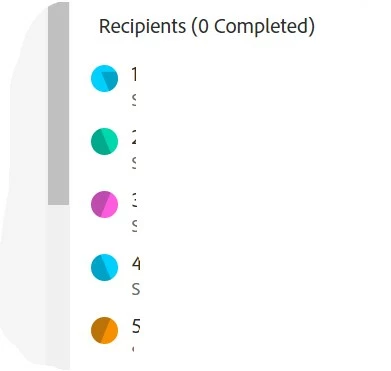
Yet clearly there are four other recipients listed. The compound problems have me confused:
No signature boxes show up.
Only one person is getting the document but then can't sign it because there are no signature boxes
Any help is appreciated. Thanks.
 AdChoices