


Answered
Acrobat forms: field tabs not available
Hey everybody,
yesterday you guys here helped me out so kindly with creating my first Adobe Acrobat Form with some scripts and everything worked fine.
Now I want to do another one and as far as I can say I did exactly the same steps as yesterday, but somehow when I open properties for for any of my fields of my new form I don't have all of the tabs. Here I show you a screenshot of a textfield. It's in German, but you can see that many important tabs are missing.
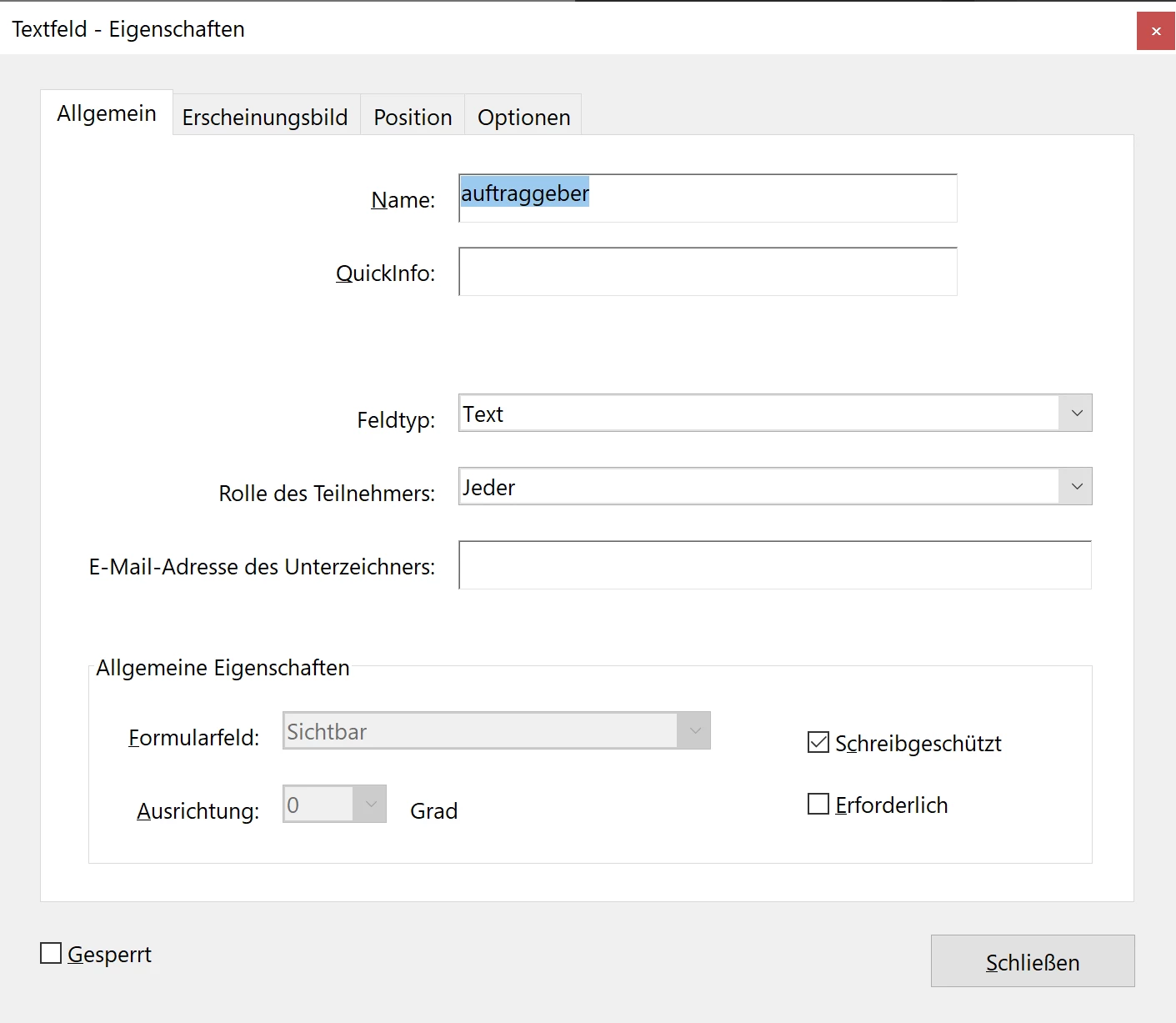
Even if I copy a field from the other form (where the field shows all tabs) and paste it inside the new form, the other tabs are still missing. I assume it must be a setting-related issue, but cannot figure out what it may be.
Appreciate any help!
 AdChoices